Apps
Apps
Pages your team opens to read live, governed numbers: reports, slide decks, chat threads and interactive pages.
An app is a page your team opens in Kater to read live numbers: a monthly report for leadership, a Monday deck for the CMO, a chat thread you want to share, or an interactive page with filters. Its figures come from saved queries, so the numbers stay current and match what your data team governs, and the page lists where each figure came from.
What an app is
- HTML with Kater tags. An app is a folder with a page,
index.html, and a manifest,kater.app.yaml. Each figure on the page is a Kater tag, such as<kater-chart>. - Live, governed queries. Each tag names a saved query by its workspace’s full path and the query’s name. The query runs on the warehouse when the page opens, so the page never holds a stale number.
- Sources on every page. The page ends with its sources list, which says where each figure came from. A figure from the shared layer has the green shield.
- The reader’s own access. Every reader sees only what they can read. The runtime answers only the queries the page names in a tag.
- A sandboxed frame. The page runs in a sandboxed frame. It cannot load anything from another host, send data anywhere, open a window or submit a form. It holds no SQL, no credentials and no rows. A link in its sources list opens through Kater, in a new tab.
This is the whole page of the Paid media performance app, minus its styles:
<main> <kater-chart query="connections/snowflake_prod_connection/workspaces/ad_reporting/paid_media_spend_trend" kind="line" heading="Spend by platform, monthly"></kater-chart> <kater-table query="connections/snowflake_prod_connection/workspaces/ad_reporting/paid_media_ad_groups" heading="Ad groups"></kater-table></main>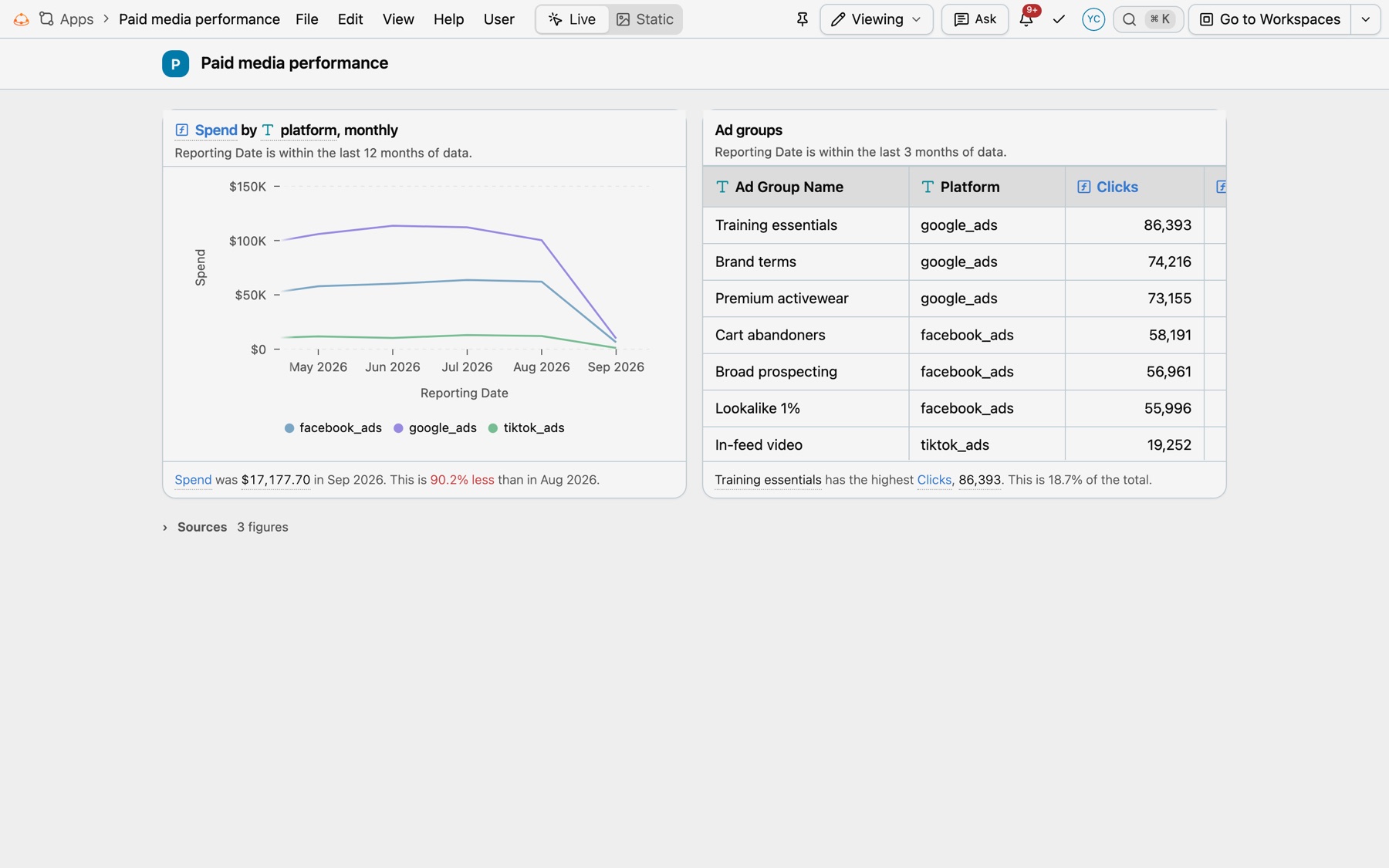
The tags
| Tag | What it draws |
|---|---|
<kater-chart> | A chart, ranked list, flow or sentence. Kinds: bar, line, area, composed, pie, radial, radar, peak, multiples, ranked, treemap, sunburst, sankey, breakdown, status, progress, funnel, cohort, diagram, updates and insight. |
<kater-table> | The query’s rows, as a report. variant names another layout, such as grid for the spreadsheet grid. |
<kater-kpi> | Headline figures: metrics, stats, target or movers. |
<kater-value> | One figure inside a sentence. |
<kater-filter> | The filters and parameters a query declares, for the reader to change. |
<kater-frame> | A custom visual, such as a d3 layout, fed by the queries it names. |
<kater-compare> | Whether two answers are the same, and the cells that differ. |
<kater-appendix> | The sources list: where each figure on the page came from. With folded, it folds under one Sources line. |
<kater-source> | A source outside Kater, or mock data, written once on the page. |
<kater-cite> | One figure from a <kater-source>, inside a sentence. |
Every card has a details panel. It names the workspace and query, says how each field is defined, shows the Kater SQL and has Open query.
Where each figure comes from
Every app ends with its sources list. It lists every figure on the page, numbered in reading order and grouped by where it came from. Kater draws it the same way in every template.
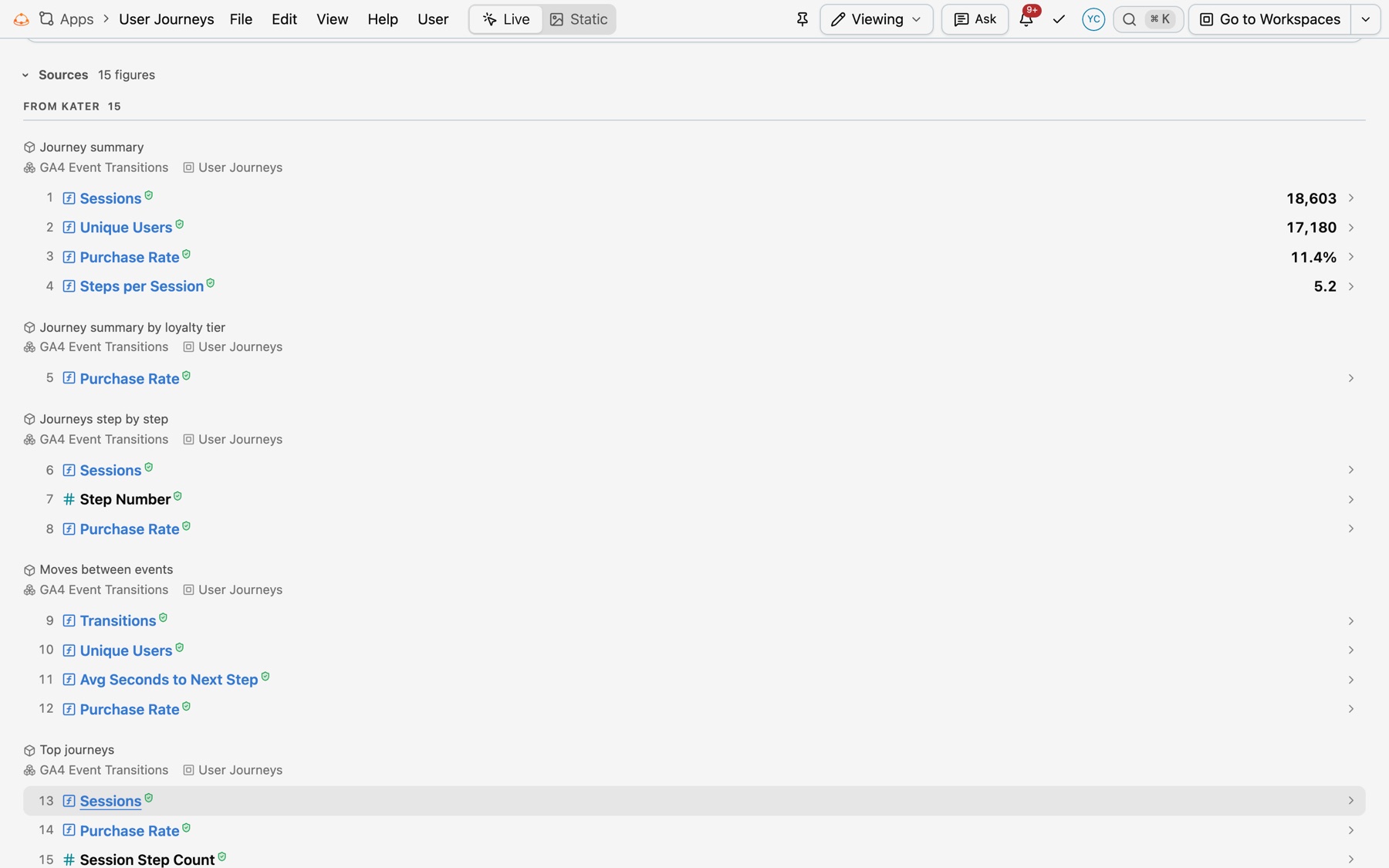
| Kind | Where the figure comes from | Mark |
|---|---|---|
| Shared layer | A field of a shared model or dataset under modeling/. It runs again each time the page opens. | The green shield after its name |
| Workspace | A field the workspace defines, such as a custom calculation. It runs again each time the page opens. | None |
| Outside Kater | A link to another system, such as HubSpot, Tableau or Notion, a file kept with the app, or a person. It was read on a date, and Kater does not read it again. | None |
| Mock data | A typed value, or a query that reads only literal rows. It is not real data. | The MOCK DATA badge, always |
- Verified follows the field. A figure is verified only when its field comes from the shared layer. It then shows the same green shield as the field picker. One query can give one figure with the shield and one without. Nothing an author writes on a page makes a figure verified.
- The order. Mock data comes first. Then From Kater, with shared-layer queries before workspace queries. Then From other sources. Each part shows its count.
- Open a source. Each group’s header opens its source: a query or a file in Kater, or a link at its own address in a new tab.
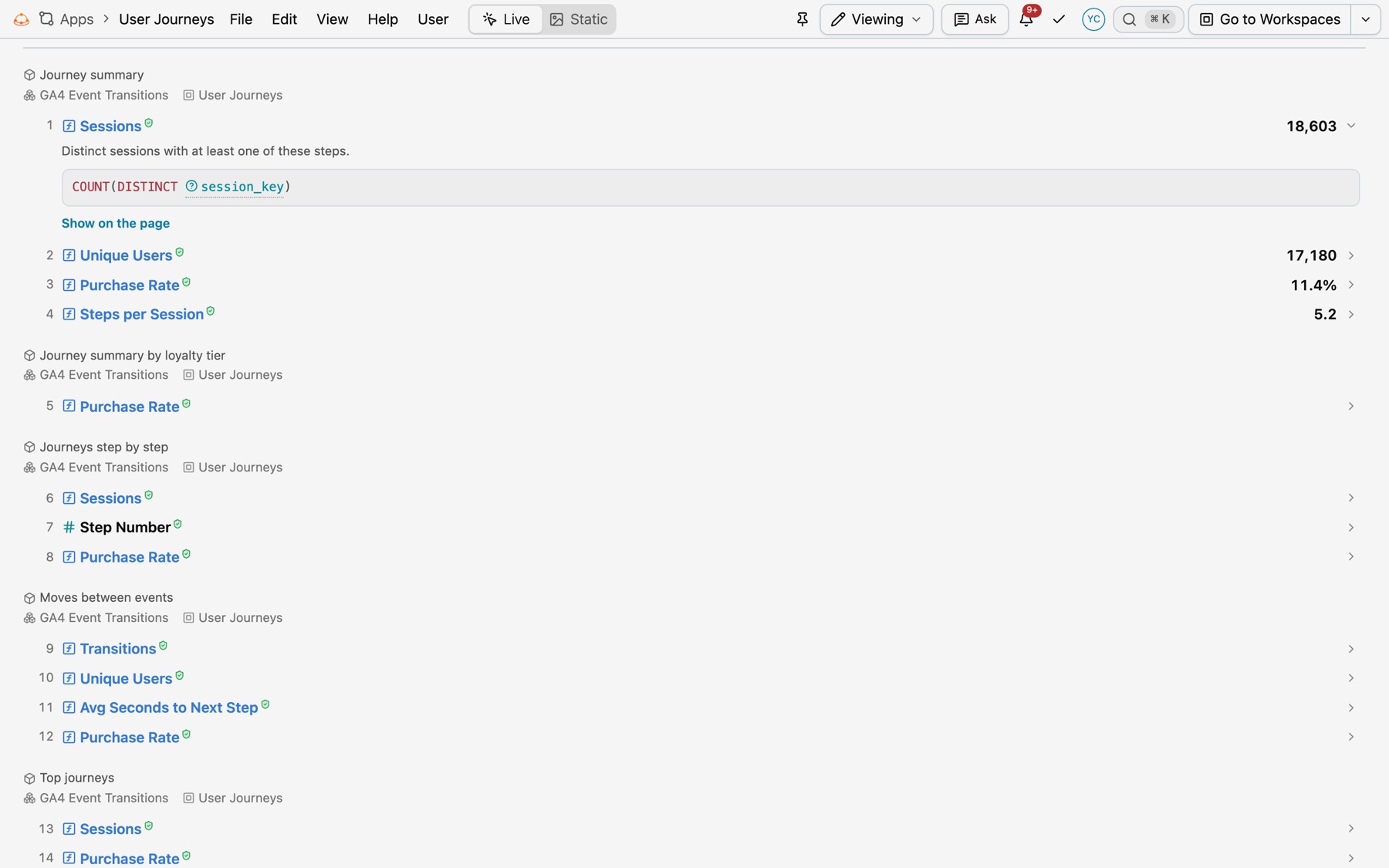
- Select a line to see the figure’s description and its formula. The page stays where it is. A workspace figure also has Add to the shared layer, which opens a promotion request for its field.
- Show on the page, the button on each line, scrolls to the figure and marks it. In the app’s Sources tab, beside the page, selecting a line also does this.
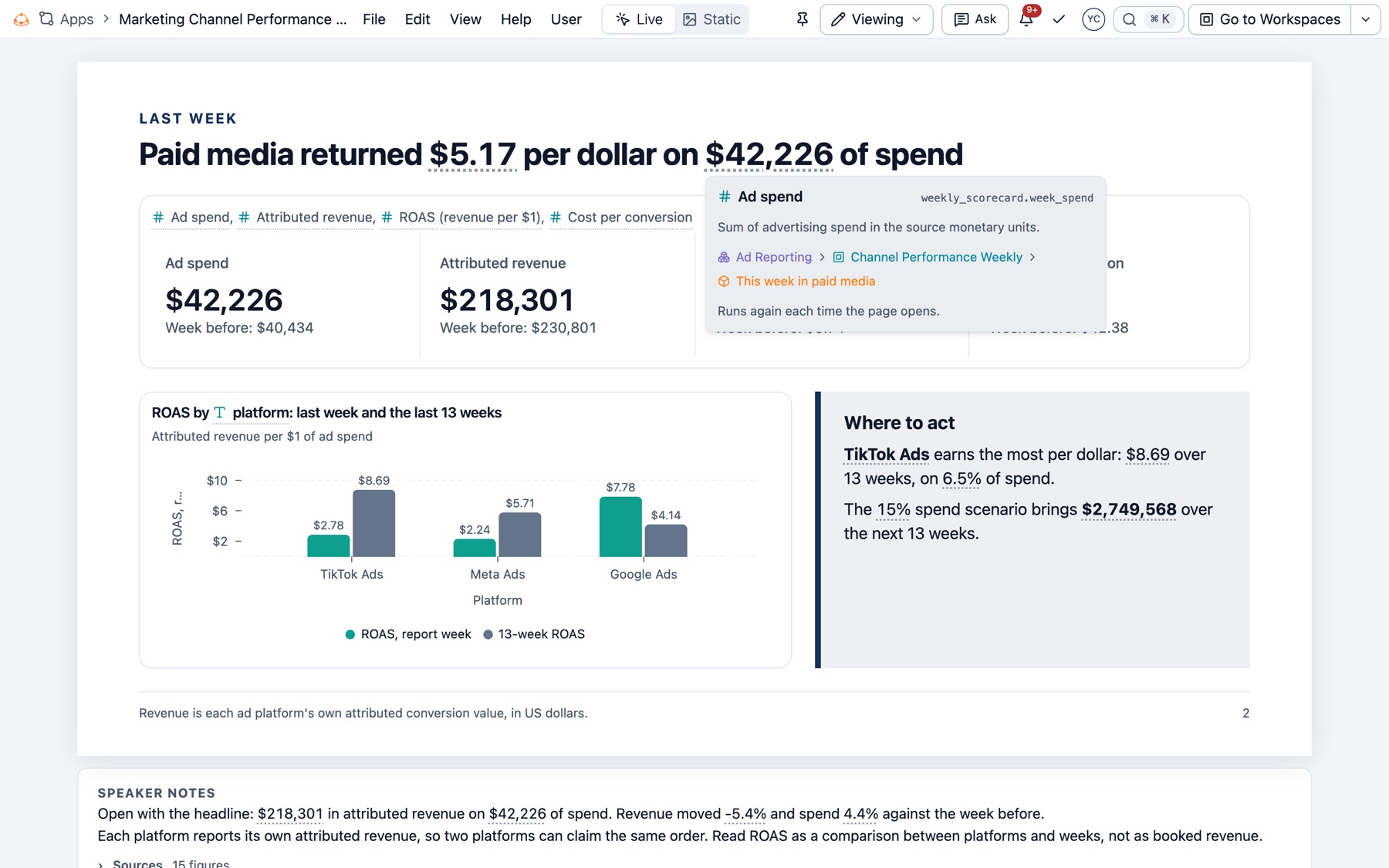
- Hover a figure on the page to see its card: its name, its formula, where it came from and when it was read.
Mock data
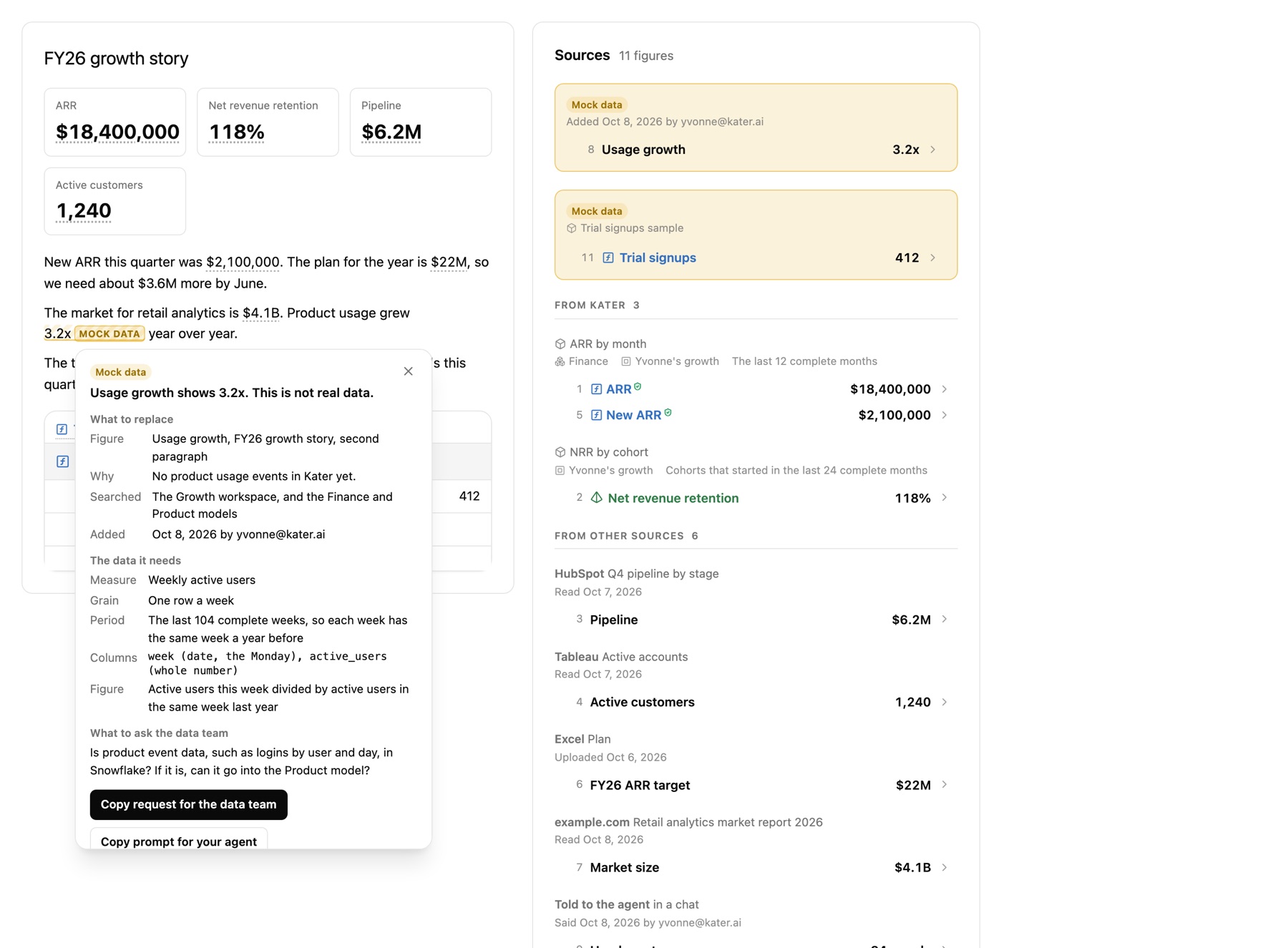
A figure that Kater does not have can be mock data, but only after you say so. See When Kater does not have the data. The figure has a hatched underline and the MOCK DATA badge in every template and in every file. Hide Citations never hides it.
Select the badge to see what replaces it:
- What to replace. The figure, where it is on the page, why it is mock data, what the agent searched, and who added it when.
- The data it needs. The measure, its grain, the period and the columns.
- What to ask the data team. One question.
- Copy request for the data team copies a message for Slack or email. Copy prompt for your agent copies a prompt that looks again in Kater and replaces the mock data with a query.
Figures from outside Kater
Kater never reads another system. It has no connector to HubSpot, Tableau or Notion, and it keeps no copy of what they hold. Your agent reads the figure with its own connector, or you give it. The page then cites the place by its link, the date it was read and how the link was found. The figure does not change until someone reads it again.
<kater-source id="pipeline" origin="link" system="HubSpot" path="Reports/Q4 pipeline by stage" url="https://app.hubspot.com/reports/…/48213" via="The agent's HubSpot connector" read-at="2026-10-07" read-by="ada@example.com"></kater-source><p>Pipeline is <kater-cite source="pipeline" label="Pipeline">$6.2M</kater-cite>.</p>A <kater-source> that lacks a part it needs shows the problem in place of its figures. A file source names a file in the app’s own files/ folder, which you add in Add Content › Files.
Find apps
Select Apps in the left navigation. Each card draws a live preview of its app.
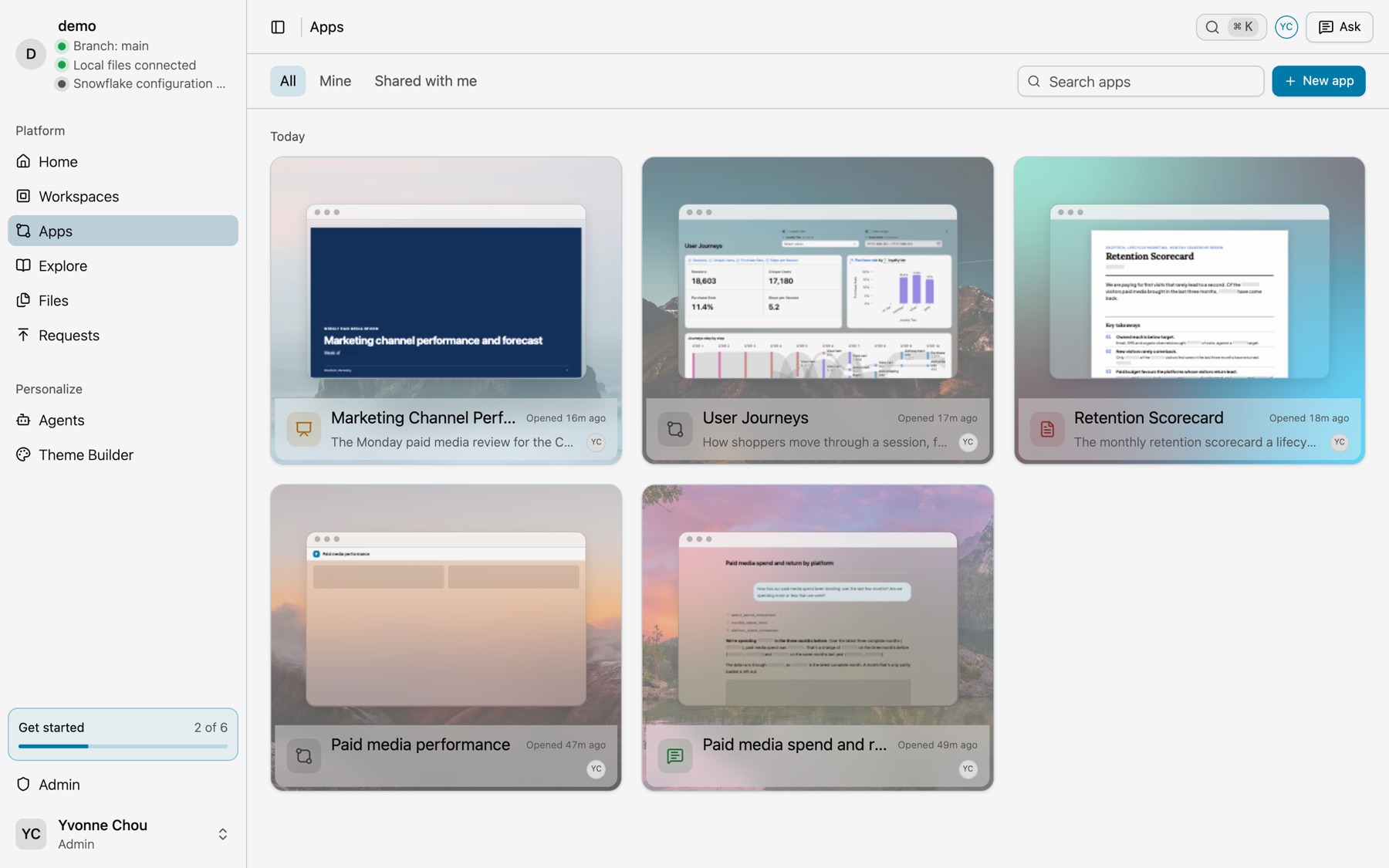
- Tabs. All, Mine and Shared with me.
- Search. Type in Search apps to find an app by name.
- Pin. Pin an app to keep it on Home.
- Make one. Select New app or the Create new app card. See Build an app with your agent.
Read an app
Viewing and Editing
| Mode | Who | What you can do |
|---|---|---|
| Viewing | Everyone who can open the app | Read it, hover a chart, open a card’s details, change filters, export. |
| Editing | People who can edit the app | Everything in Viewing, plus the Toolkit: Add Content, Theme, History and App settings. |
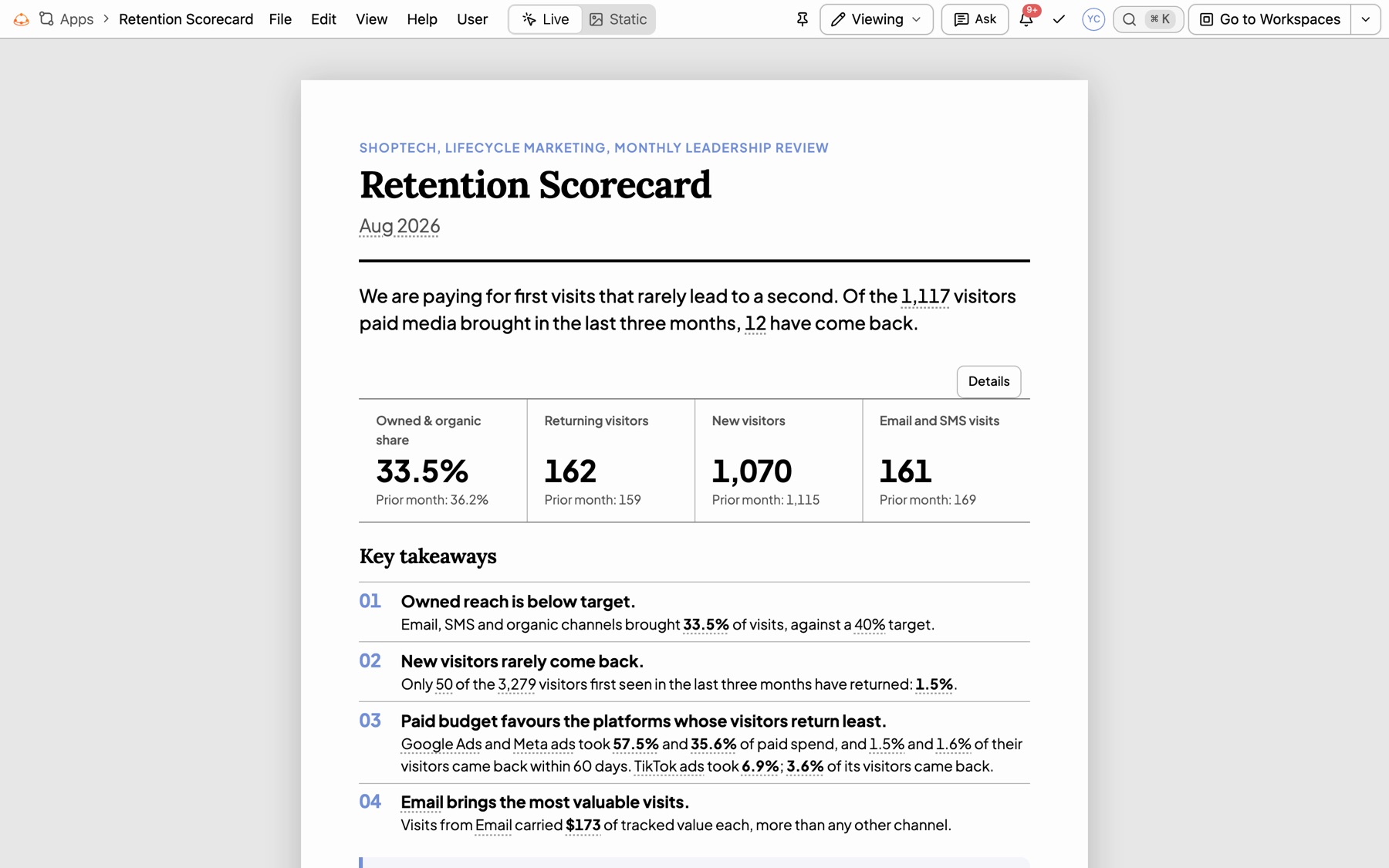
Select the mode from the Viewing menu at the right of the menu bar.
Live and Static
- Live is the default. Charts answer hover, cards open their details and tables scroll.
- Static shows the page exactly as an export draws it. Nothing opens and nothing is cut short. Show Citations adds a small number to each figure, and the sources list says where it came from. The MOCK DATA badge stays when you hide the numbers.
The address keeps your choice as ?view=static, so a link opens the same view.
The app menu
| Menu | Items |
|---|---|
| File | Share, See all apps, Export |
| Edit | Toolkit (Show Toolkit Panel, Add Content, App Settings, Theme Builder), Undo, Redo, History, Create New App, Duplicate, and the page’s own Copy as Markdown |
| View | Theme Mode: Light, Dark or System |
| Help | Documentation |
At the right of the menu bar: Live and Static, Pin to Home, the Viewing menu, Ask, and Save app changes while you edit.
Examples in the Library
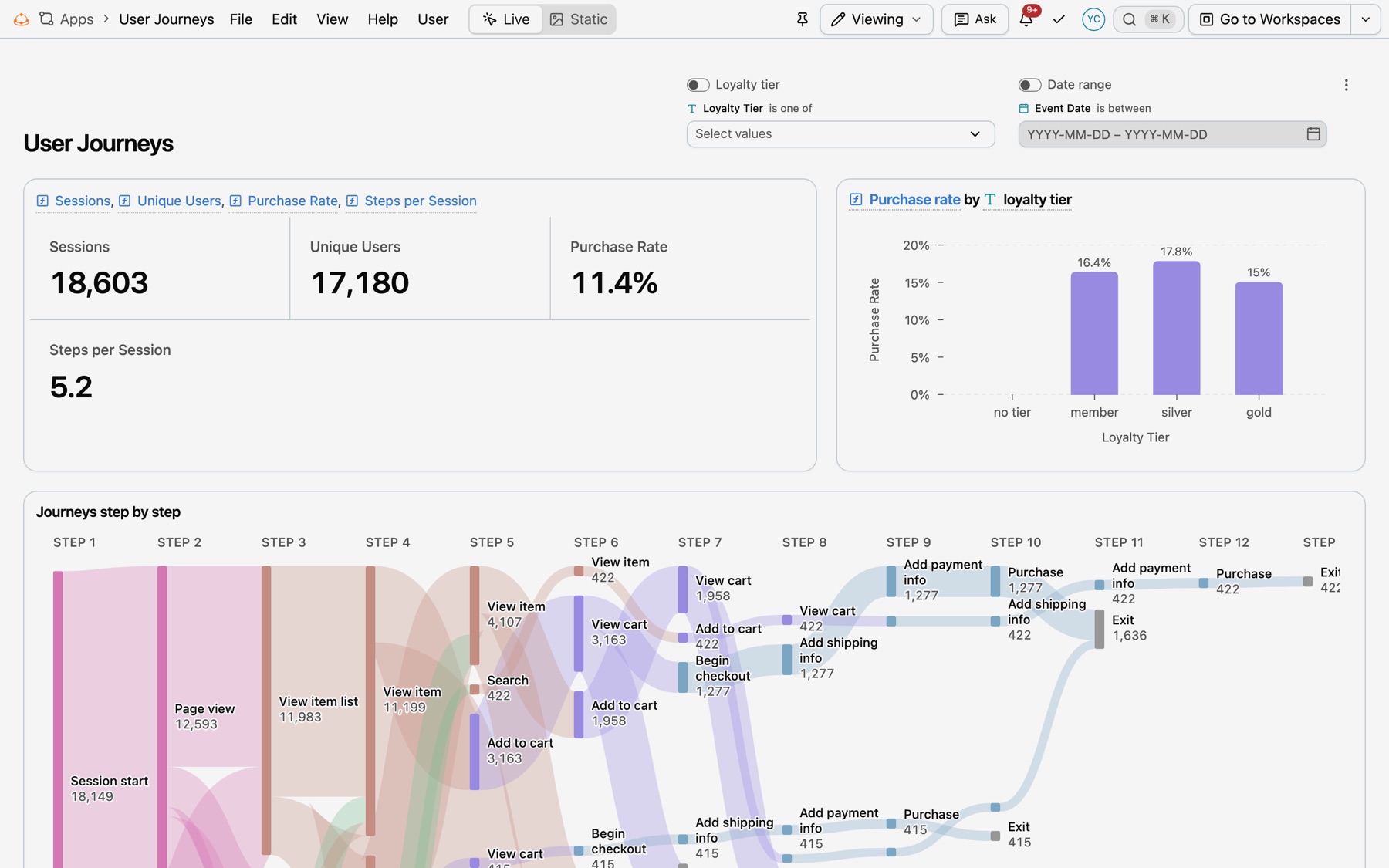
These apps run on ShopTech’s demo data. Each Library entry has the prompt that built it.
Where apps live
- Your apps.
connections/<connection>/users/<email>/apps/<name>/, beside your workspaces. One app can read queries from several workspaces. - A workspace’s apps. An app made on a connection workspace lives in that workspace’s
apps/<name>/folder. - Drafts. Your agent drafts a new app in your private
brainstorm/folder until you say yes.
The manifest holds the app’s name, label and theme. The page, not the manifest, says what the app reads.
version: kater.app-manifest/v3application: name: retention_scorecard label: Retention Scorecard description: The monthly retention scorecard a lifecycle marketer sends leadership, as a printable report. appearance: light theme: spring