Integrations Slack
Ask from Slack
Ask your data assistant in Slack, through Slackbot, Claude in Slack or ChatGPT's Slack app, and get the figure, the date the data runs to and a link to Kater.
Ask a data question where you already talk to your team. The answer has the figure, the date the data runs to, and a link to the result in Kater. Every answer uses your own Kater access, so you get the same figure you would get in Kater.
When to use this
| If you want to… | Do this |
|---|---|
| Ask with no Claude or ChatGPT seat | Ask Slackbot |
| Ask in private, and you use Claude at work | DM Claude in Slack |
| Answer a question in a channel, for everyone to see | Write @Claude in the channel |
| Ask in private, and you use ChatGPT at work | Use ChatGPT’s app in Slack |
| Go deeper, build an app or change a query | Open the link, then Ask in Kater |
Ask Slackbot
Slackbot answers from Kater after your admin installs Kater’s Slack app. You need no Claude or ChatGPT seat.
-
Open Slackbot.
Select Slackbot under Direct messages, and ask your question in plain words.
-
Sign in to Kater the first time.
Slackbot says “To answer, I need to use Kater. Sign in with your own Kater account first.” Only you see this. Select Sign in to Kater and sign in with your own Kater account.
-
Read the answer.
Slackbot answers in one line, with the figure in bold and a link to the result in Kater. The line under it says “Data to” and the last date in the data.
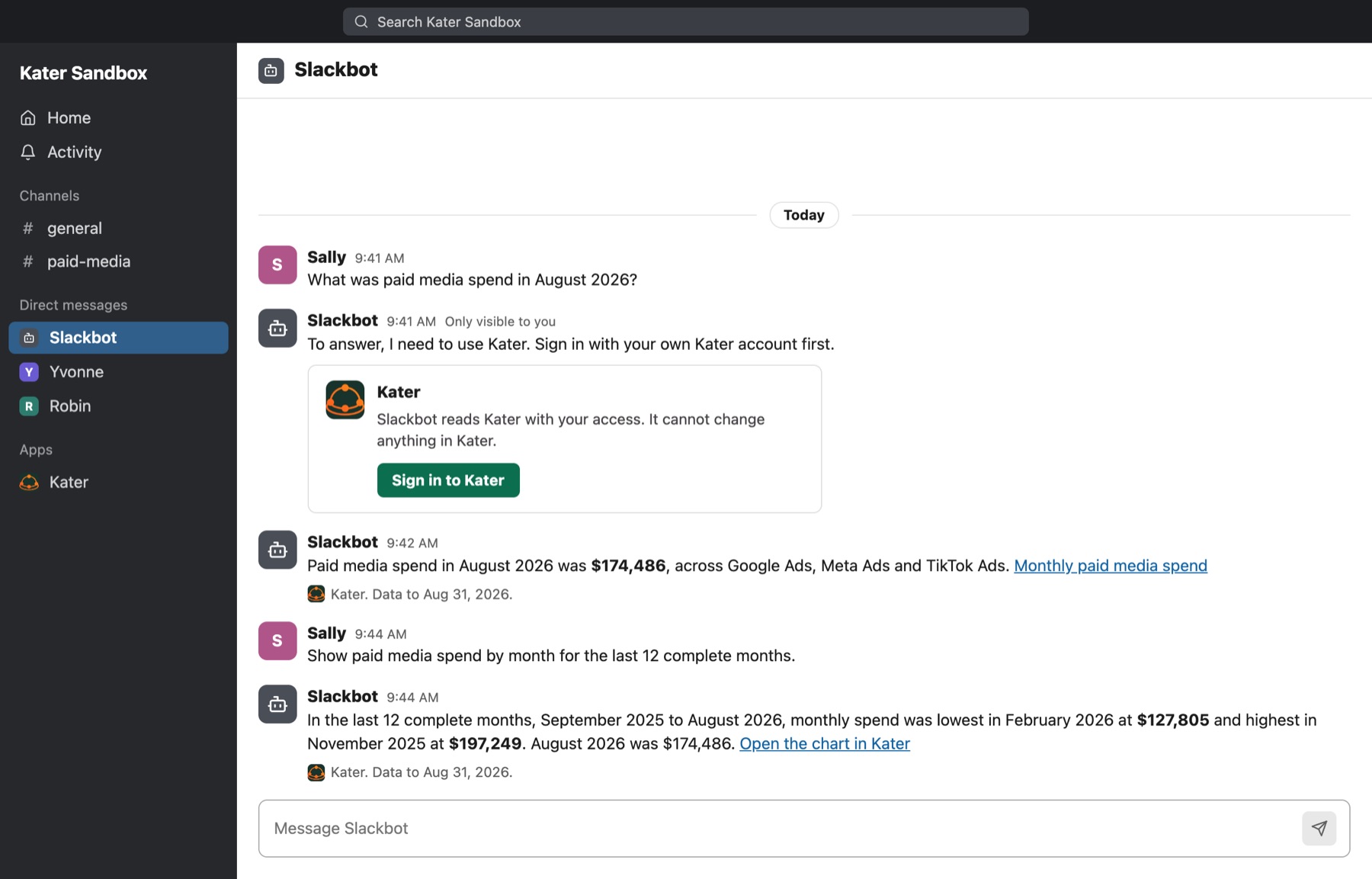
Slackbot reads only
Slackbot reads Kater with your access. It never changes anything in Kater: it does not save, edit, share or send. To make a change, ask your own agent or use Kater.
Ask Claude in Slack Beta
Claude in Slack uses the Kater connector on your own claude.ai account. Connect Kater on claude.ai first. See Connect your agent.
In a DM
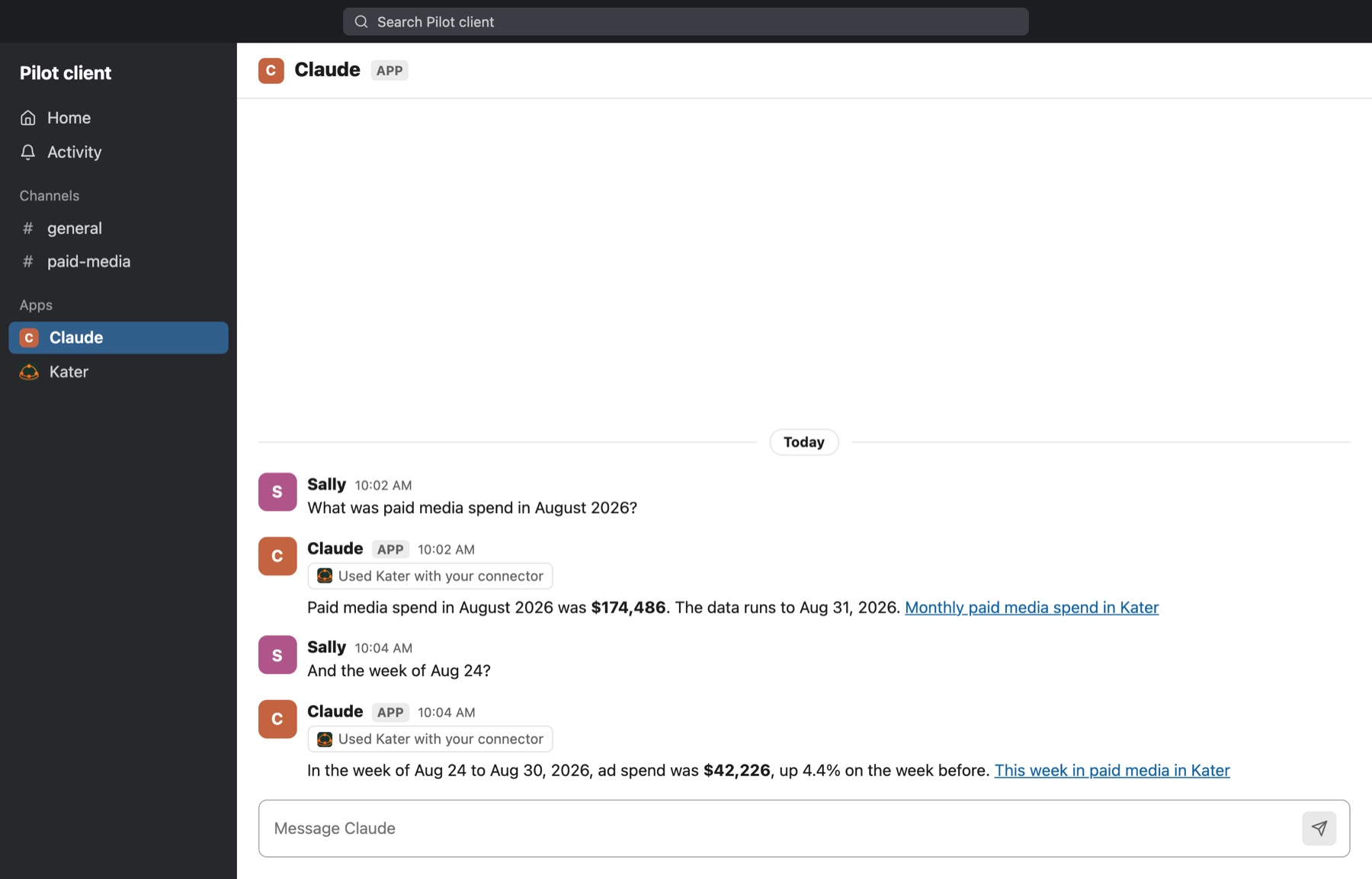
Open Claude under Apps and ask. Claude shows Used Kater with your connector above its answer. A follow-up question works in the same DM.
In a channel
-
Mention Claude.
Write @Claude and your question in a channel or a thread.
-
Allow your connector.
Claude asks you, in a message only you see, to use your Kater connector. It says that everyone in the channel will see the answer. Select Allow with review, or Deny.
-
Read the answer.
Claude shows whose connector it used, then the figure and a link.
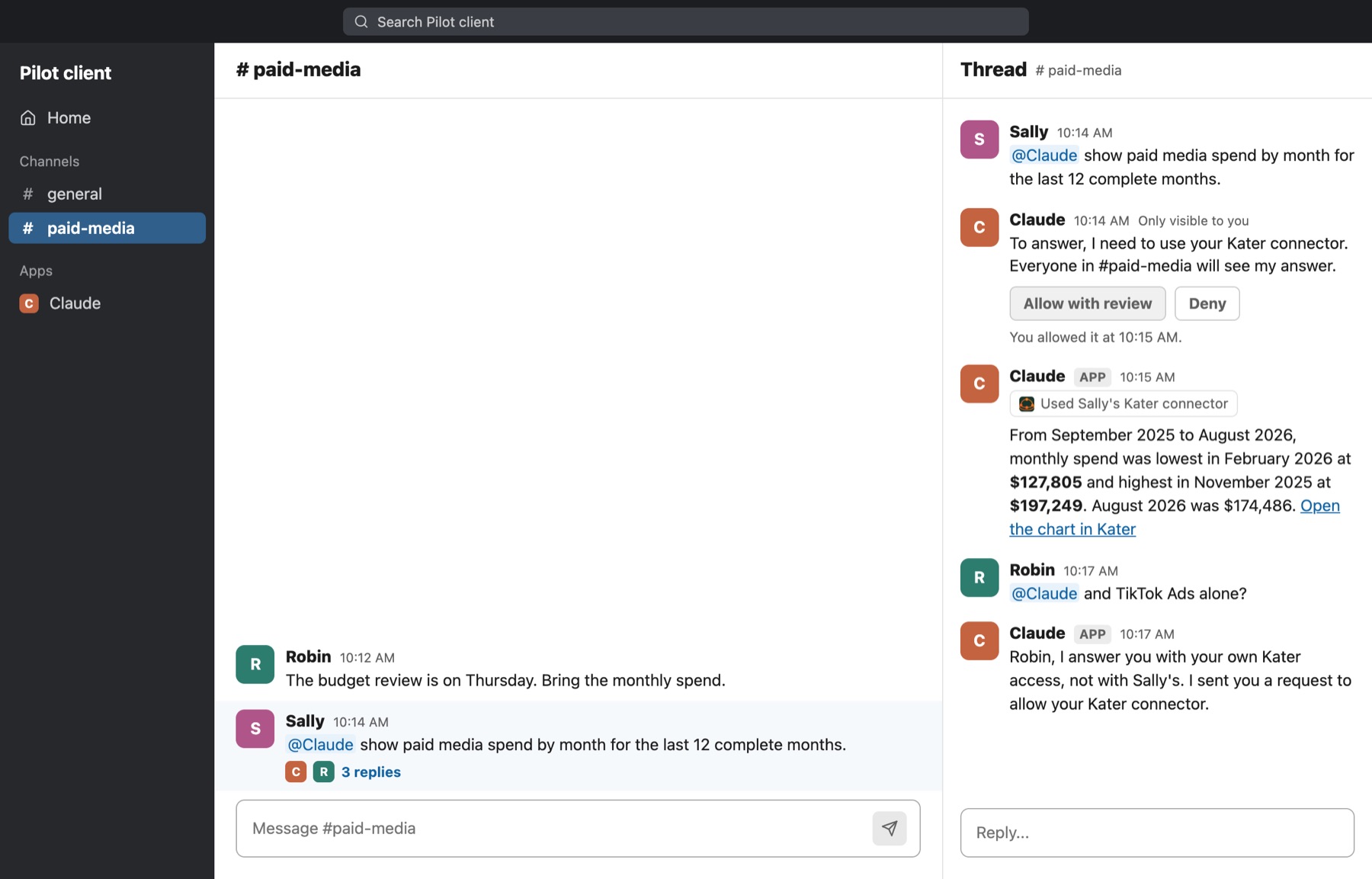
When someone else asks in the same thread, Claude uses their Kater connector, never yours. If they have not allowed it, Claude sends them a request first.
Ask ChatGPT in Slack Beta
ChatGPT’s app in Slack opens a private chat that only you see. It uses your own ChatGPT account.
-
Check that Kater is in your ChatGPT.
Your ChatGPT admin publishes a Kater app to your ChatGPT workspace. Ask in ChatGPT once, and sign in to Kater when it asks.
-
Connect ChatGPT in Slack.
Open the ChatGPT app in Slack and connect your ChatGPT account.
-
Ask.
ChatGPT shows Used Kater above its answer, with the figure and a link.
It depends on your ChatGPT workspace
ChatGPT’s app in Slack can use Kater only when your ChatGPT workspace lets it use other apps. If it does not, ask in ChatGPT itself, or ask Slackbot.
What an answer has
- The figure. Formatted as the field’s format says, such as $174,486. A missing value reads null.
- The date the data runs to. Such as “Data to Aug 31, 2026.” Check it before you share the figure.
- A link to Kater. It opens the result in Kater, with its rows and chart. From there, Ask continues in your own agent.
An answer in Slack is text only. To see the chart, open the link.
What each host needs
| Host | Where you ask | Your organisation needs | You need |
|---|---|---|---|
| Slackbot | A DM with Slackbot | Kater’s Slack app installed. A Slack plan with Slackbot’s AI: Slack gives full use on Business+ and Enterprise+ | A Kater account. No Claude or ChatGPT seat |
| Claude in Slack | A DM with Claude, or @Claude in a channel | Claude Team or Enterprise, with Claude in Slack set up and Kater added to the organisation’s connectors. Not available with zero data retention, customer-managed keys or the HIPAA setup | A Claude seat, which each DM bills to. Kater connected on claude.ai, and your Claude account connected in Slack |
| ChatGPT’s app in Slack | A private chat with ChatGPT | ChatGPT Business or Enterprise, with a Kater app published to the workspace | A ChatGPT seat, and your ChatGPT account connected in Slack |
For Claude, your Claude Owner adds Kater to the organisation’s connectors. Do not add Kater as a channel connector for Claude in Slack: a channel connector acts as a shared account, and Kater does not answer it.
Where Kater does not answer
These act as a shared account, not as one person. A shared account would let anyone in a channel read what that account can read, so Kater gives them nothing.
- @ChatGPT in channels, threads and DMs, and ChatGPT’s workspace agents.
- Claude’s routines and channel connectors.
- A request someone else made, or a request from another bot.
Use Slackbot, a DM with your own assistant, or @Claude in a channel when you ask yourself.
Things to ask
- “Which workspaces can I use?”
- “What was paid media spend in August 2026?”
- “Show paid media spend by month for the last 12 complete months.”
- “And the week of Aug 24?”
- “And TikTok Ads alone?”
- “What was cost per conversion last week, and how does it compare with the week before?”
If something looks wrong
- Slackbot does not offer Kater. Your admin has not installed Kater’s Slack app. See Set up Slack.
- The answer says you cannot read a source. Kater answers only from what you can read. Ask your data team for access.
- Claude asks for your Kater connector. Select Allow with review, or connect Kater on claude.ai first.
- @ChatGPT does not use Kater. It runs as a shared account. Use ChatGPT’s private chat in Slack, or Slackbot.
- A colleague gets a different figure. Each answer uses the asker’s own access. Two people who can read different rows can get different figures.