Changelog

New features, improvements and fixes in Kater, published every week.

The Kater API

The API reference now shows only the Kater API: the 24 routes that Kater promises to your code and your agents. Each route is stable or beta. A stable route changes only by adding. A beta route can change, after an entry here 30 days before. Each change to the API from now on is listed here.

New

  • Six groups, one for each job: who you are, find what the data team built, read the numbers, what a metric means, keep definitions in step, and what people asked.
  • Each field shows its default and its limits, such as the most rows a page holds.
  • A list that grows, such as the kinds of objects a conversation made, says so. Treat a value that you do not know as a kind that you cannot show yet.

Changed before release

  • POST /v1/dashboard/open only reads by default. Set scaffold to true to save Kater’s starting dashboard when a workspace has none.
  • POST /v1/catalog/explain names the file that defines a field by its path from the content root, not by a link to a folder on the server.
  • POST /v1/sync/status gives each sync a state: synced, never_synced or unreadable, and the time in at.
  • POST /v1/catalog with search answers typed hits, and with show typed tags.
  • No answer names a folder on Kater’s server: root is gone from POST /v1/catalog, POST /v1/compile, POST /v1/run and GET /v1/logs/query.

One sources list for every app

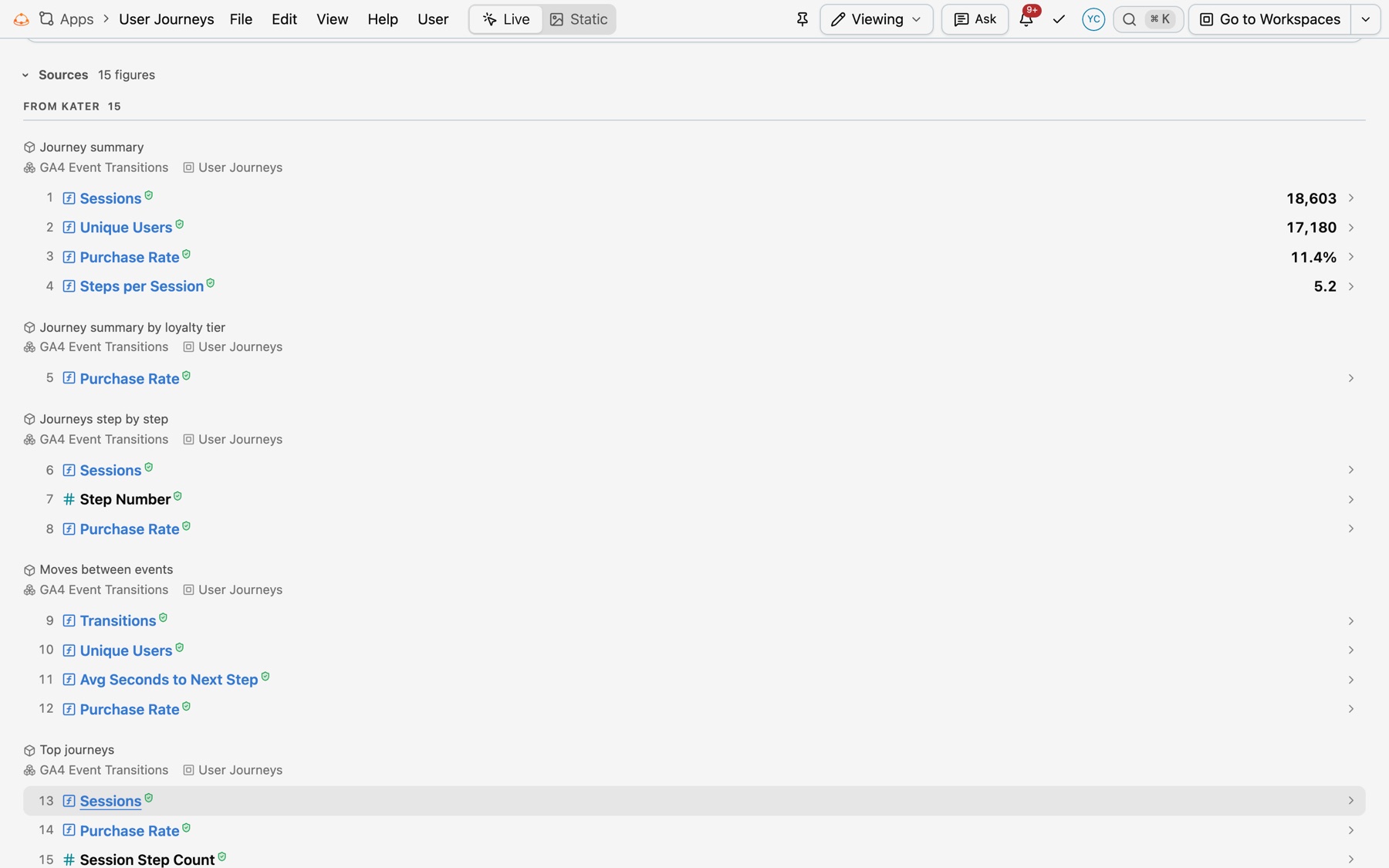
Every app now ends with one sources list, drawn the same way in reports, decks, chat threads, briefs and app pages. A figure from the shared layer has the green shield, mock data is always marked, and your agent asks you before it uses data from outside Kater. See Where each figure comes from.

The sources list of the User Journeys app, open under From Kater, with each query as a group and each figure as a line with its number, its name, the green shield and its value

New

  • The sources list: every figure on a page, numbered in reading order and grouped by where it came from. Mock data comes first, then From Kater, then From other sources. Select a line to see its description, its formula and Show on the page. A workspace figure has Add to the shared layer, which opens a promotion request.
  • Verified follows the field: a figure has the green shield only when its field comes from the shared layer, as the field picker shows it. Nothing a page says can mark a figure verified.
  • Mock data: a typed figure, or a query that reads only literal rows, has a hatched underline and the MOCK DATA badge in every template and every file. Select the badge to see what replaces it, the data it needs and what to ask the data team, with Copy request for the data team and Copy prompt for your agent.
  • Figures from outside Kater: <kater-source> and <kater-cite> cite a figure from HubSpot, Tableau, Notion, a web page, a file kept with the app, or a person, with its link and the date it was read. Kater never reads another system.
  • Files in an app: add a CSV, Excel or JSON file in Add Content › Files. Access follows the app.
  • Your agent asks with kater app ask when no model in Kater has the data, with four options: add it to Kater, attach a file, give a link to another system, or use mock data. It writes your answer as the figure’s source.

Improved

  • Hover a figure to see its card: its name, its formula, where it came from and when it was read.
  • Deck notes, chat threads and briefs fold the list under one Sources line with the number of figures. A report’s last sheet is the open list.
  • Word, Markdown and PowerPoint notes list the sources in the same groups, with “(Verified)” after a shared-layer figure. A report or deck export of a page with mock data asks first.
  • A link in the sources list opens in a new tab, from the portal and from VS Code.

Changed

  • Pages have no hand-written sources. The app check refuses “Sources:” text outside the list, and a <details> around it.
  • Every app in the Library ends with its sources list.

The digest template, Kater in Slack and a new workspace page

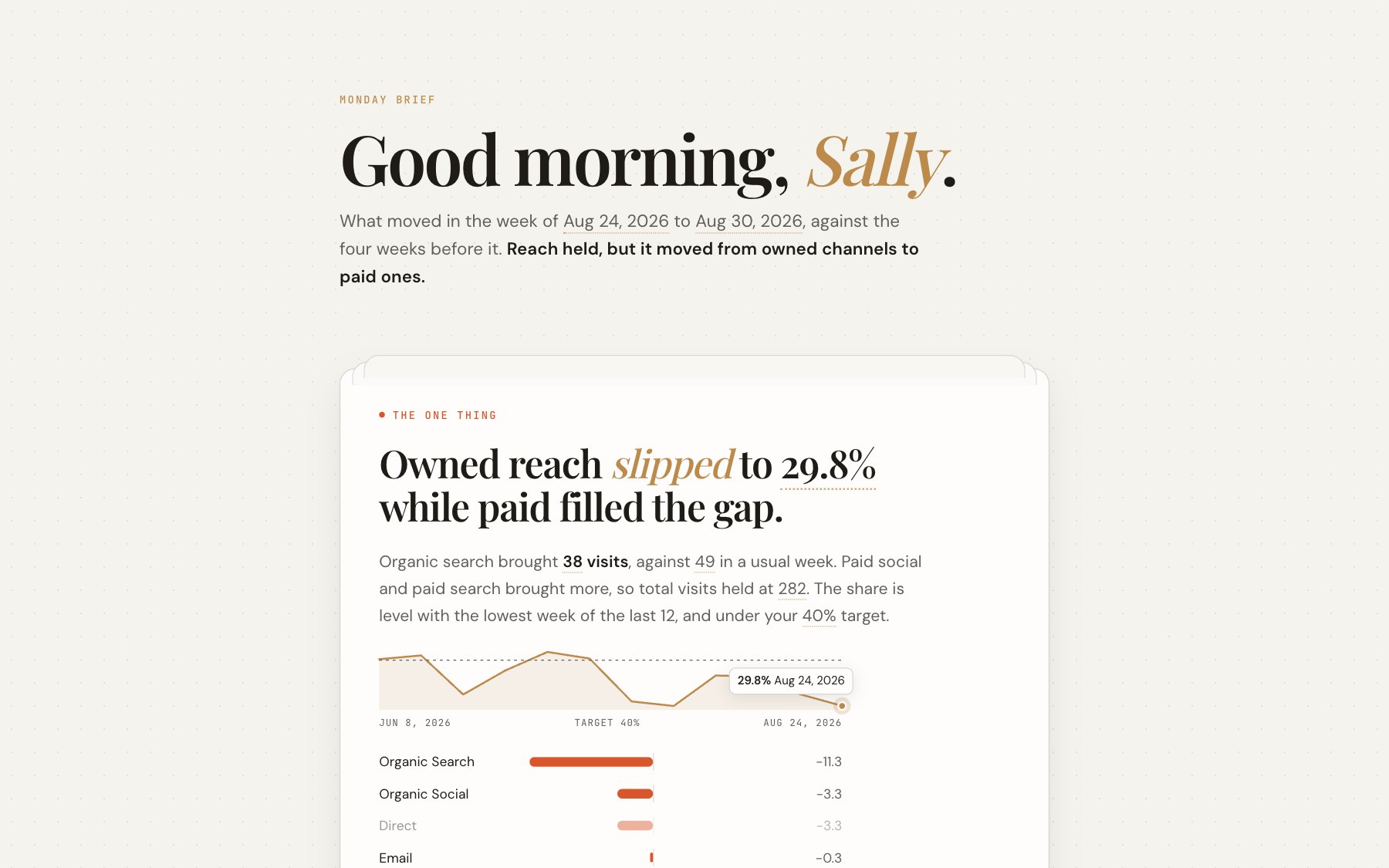
Apps have a new template, digest, for a brief you read first thing, and the Monday Brief workflow writes one for you every week. Kater now answers in Slack, and the workspace page is redesigned. Read about the digest template, or open Monday Brief in the Library to copy its prompt.

Sally's Monday Brief, which opens on the one thing: owned reach slipped to 29.8% while paid filled the gap, with a 12-week sparkline and the visits each channel gained or lost

New

  • The digest template: kater-template="digest" lays out an app as a brief, insight first. It has the one thing, the week in figures, what moved with a small chart and follow-up questions, and steps for this week. It draws the figures, sparklines and bars from the queries the page names, so the page types no figure.
  • Monday Brief: a scheduled workflow that your own agent runs every Monday at 08:00, in Claude Cowork, Codex or Cursor. It briefs you on the metrics under Metrics I watch and writes the brief as a digest page in your own folder.
  • The docs have a Library of apps, dashboards, scheduled workflows, cookbook prompts and starters. Each entry has a prompt to copy into your agent.
  • Ask from Slack: ask Slackbot, Claude in Slack or ChatGPT’s Slack app, and get the figure, the date the data runs to and a link to Kater. Every answer uses your own Kater access.
  • Kater sends DMs in Slack: an answer your agent sends with kater send, figures on a schedule, and promotion requests that wait on you. Before it posts, Kater checks that the recipient can read everything in the DM.
  • The workspace page is redesigned, with File, Edit, View and Query menus, one Run button beside Add to and More, a filter bar for Workspace and This query filters, and one menu for a field in the list or on a column header.
  • A new workspace starts from a search over models, questions and fields. The workspace tab shows an overview, the definitions, and Change Model, which says what each query loses before you switch.
  • Promotion levels: an admin selects which shared model a promoted field goes to, and Move up takes a shared model’s own field higher. A definition that repeats across shared models becomes one recommendation.
  • Files has a References panel (Shift F12), an Outline view, a count of readers above each field, and fixes in the problem hover and the Problems panel.

Improved

  • Problems in a scratch file show in about 111 ms as you type, down from 435 ms.
  • A promotion’s result check runs four comparisons at a time: one item took 127 s, down from 633 s.

Fixed

  • A measure such as EVAL(o.orders) / EVAL(c.customers), in the model that joins o to c, is refused with the reason. It gave the count of orders.
  • An expression around a joined source’s measure, such as EVAL(c.customers) + 0, no longer totals every customer for each group.
  • Two measures of one source beside a filter on a joined source’s column now apply the filter.
  • The result check no longer reports a query with a LIMIT and no ORDER BY as different.

Chat cards, a new Home and the result grid as a sheet

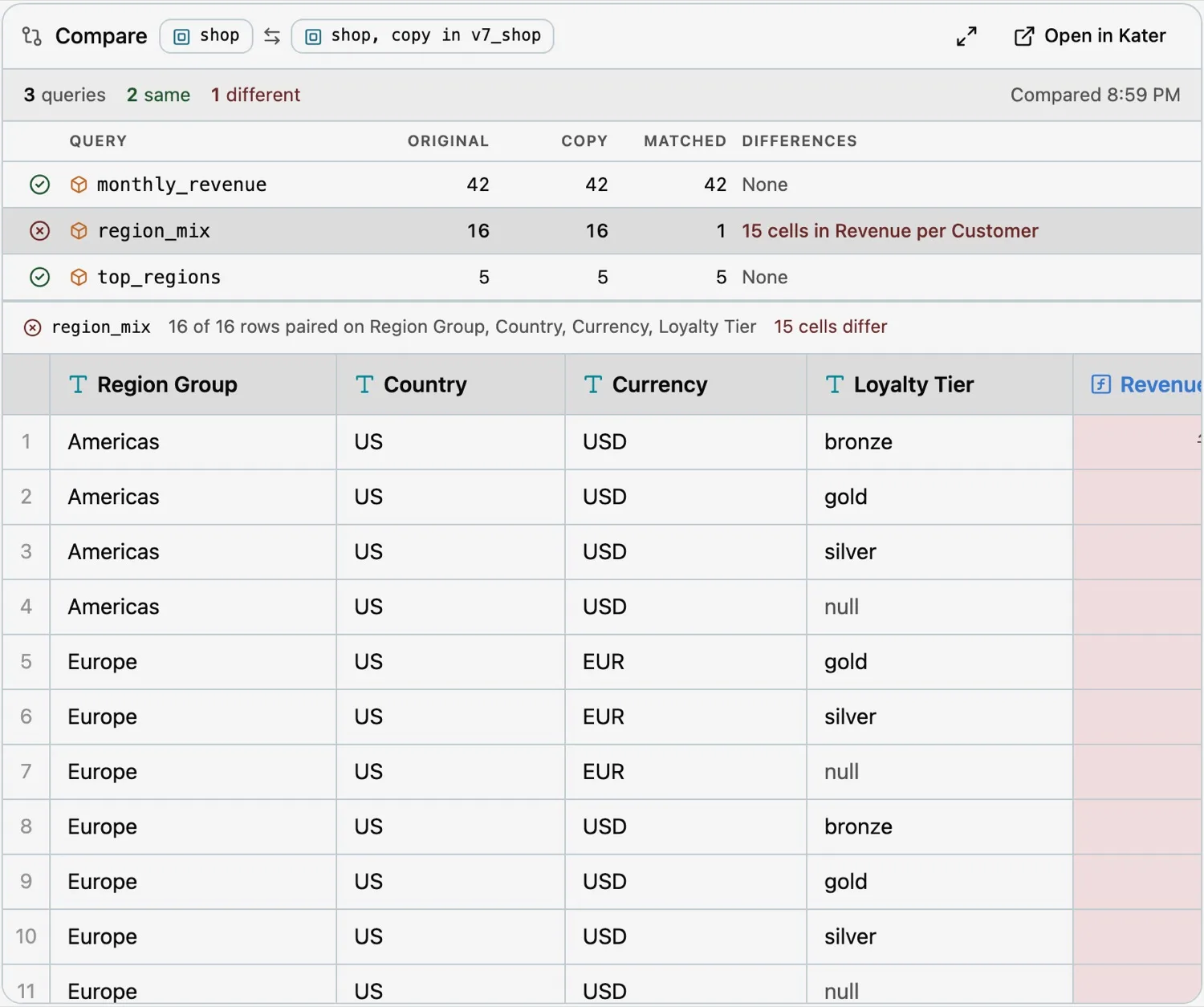
Kater’s answers now arrive as cards inside your chat. Home and the new starters help each person connect their agent and begin, and the result grid works like a spreadsheet. Read about Kater in your chat.

A compare card in chat showing which queries match and the cells that differ

New

  • Chat cards: in hosts that support MCP Apps, Kater draws result, compare, copy, apply, promotion, page and change cards inside the chat.
  • Home has one Search or Ask field, Pinned and Jump back in lists, and an updates pill.
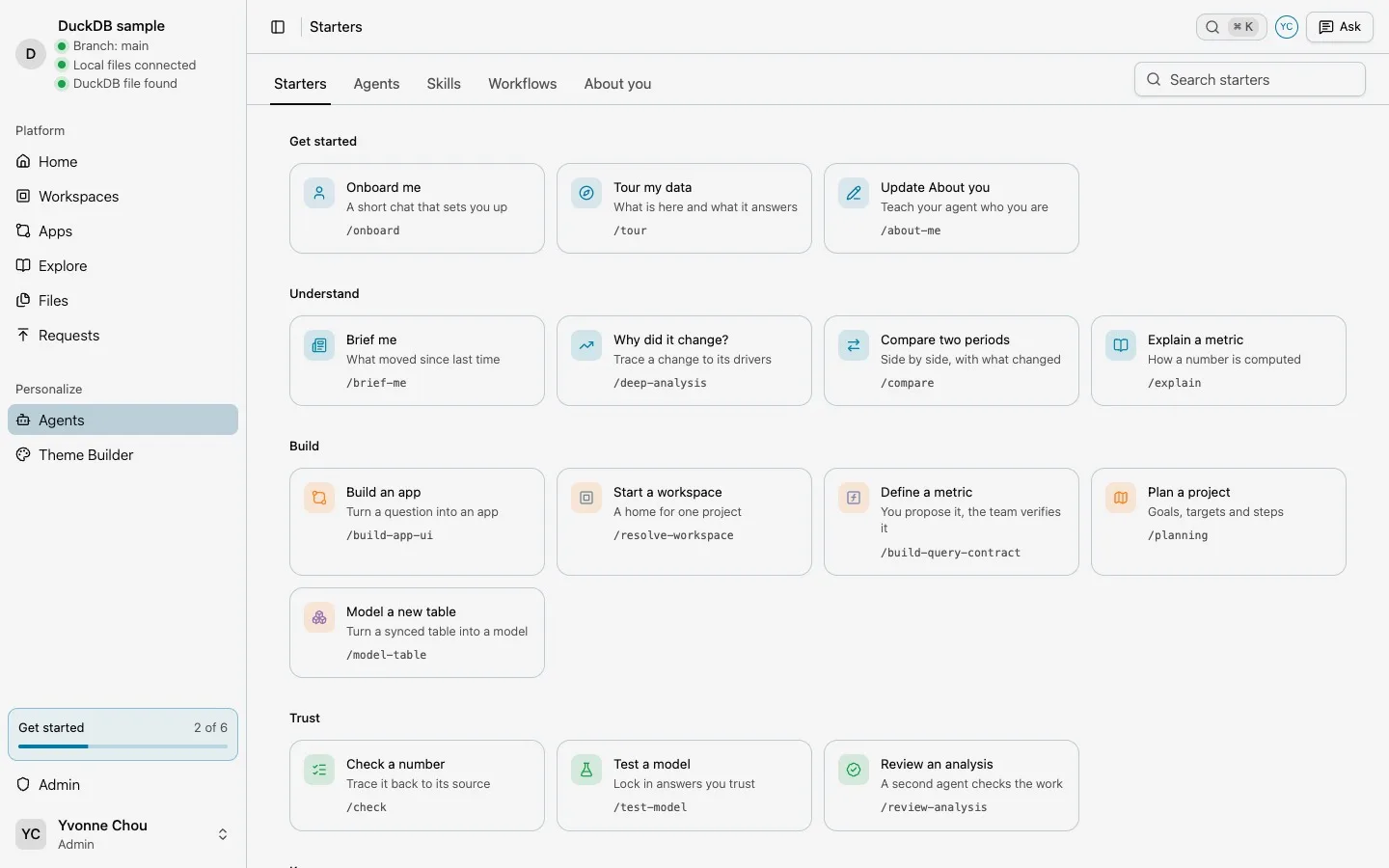
  • Starters: skills and workflows from your library, such as “Brief me” and “Tour my data”, on Home, in Files and as MCP prompts in your agent.
  • About you shows the about.md your agent reads about you, with Edit and “Update with your agent”.
  • Connect your agent and a Get started list help each person set up their agent.
  • The result grid works like a sheet: a name box, preview values before the warehouse runs, Sum, Average and Count for a selection, and drag-to-reorder columns.
  • Files draws Kater YAML files as forms, SQL frontmatter as property cards, and HTML files as their pages.
The Starters page with skills grouped under Get started, Understand, Build and Trust

Files, Ask, live sessions and Excel formulas

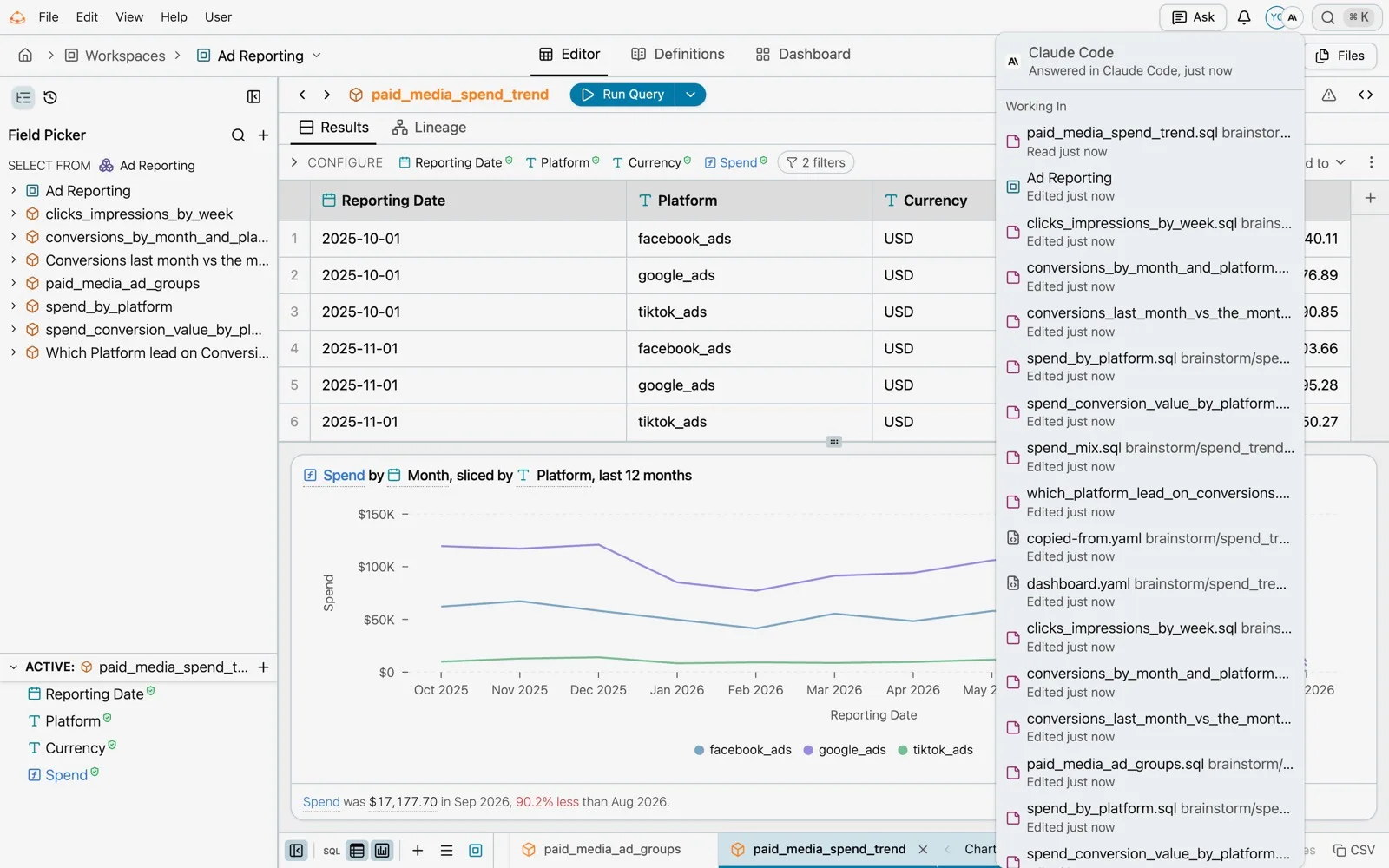
Your own agent can now see what you see in Kater and change it with you, with History and Undo for every change. Files is a browser IDE for all your content, and query columns can be Excel formulas. Read about Files, Ask and live sessions, Excel formulas and promotions.

The agent menu in a Kater page header, listing the files Claude Code is working in

New

  • Files: a browser IDE with a file tree, tabs, Search, Sandbox, Modeling and Tests views, a Terminal for kater commands and a Problems panel.
  • Ask on every page turns what you say or type into a prompt for your own agent, with Open in Claude, Claude Code, VS Code, Codex, ChatGPT, Cursor or claude.ai. ⌘K opens search.
  • Every New form has Automatic and Manual tabs.
  • Live sessions: a connected agent lists your open Kater tabs, opens a page in one and reads the rows a page shows. Its avatar shows on each page it works on.
  • History lists every change with its person and agent, and Undo reverses any change as a new change.
  • Excel formulas: a query column can be an Excel formula, written in a formula bar over the results and run on the warehouse.
  • Promote on measure and dimension cards moves a field to the workspace root, or files a request to promote it into a shared model, tracked on the Requests page.
  • The data team marks the models, queries and workspaces it recommends with the curated tag.

Improved

  • Running a query spends 132 to 235 ms building it before the warehouse, down from about 2.2 s.
  • Signed-in Home loads in about 2 seconds.
  • Hovering a field reference in a definition card shows what it computes.

Fixed

  • Rows come back sorted when a query uses a reusable measure.
  • Windows over measures in grouped queries no longer hit Snowflake internal error 300010.
  • The field picker no longer stays on its loading skeleton after a cold start.

Kater-owned content, kater git and File > Export

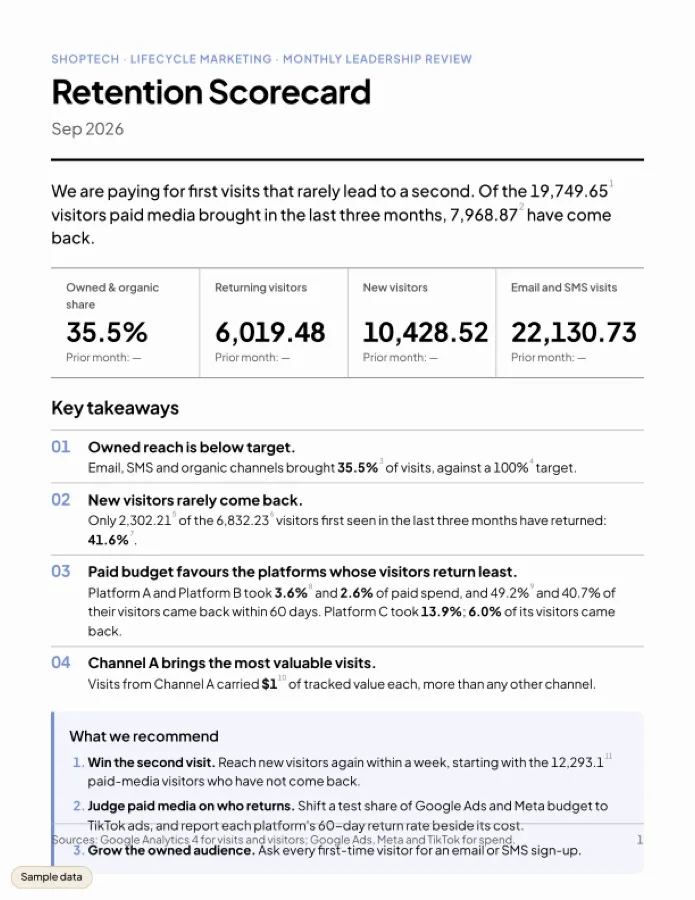
Each organization’s content now lives in a git store that Kater hosts, with local copies through kater git and one-way write-back to GitHub. Every app can export to PDF, Word, PowerPoint, Markdown or Excel, and Kater recommends definitions to promote. Read about content and sharing and File > Export.

A Retention Scorecard report app laid out as a printable sheet

New

  • Kater holds each organization’s content in its own git store. kater git clone, kater git pull and kater git push work on a local copy of only what you can read.
  • Write-back publishes each connection’s shared layer to GitHub as one pull request, after each publish or on a schedule.
  • File > Export on every app: PDF, Word, PowerPoint, Markdown and Excel, depending on the page. Each chart card has Download CSV and Copy as image.
  • Promotion recommendations find fields that several queries define again, draft the change that promotes them, check it on the warehouse, and let an admin apply or dismiss it.
  • Execute only lets someone run queries and read their results without seeing their source.
  • Open tabs learn about content changes from one live stream instead of polling.
  • The brainstorm folder gives each person a place where their agent can try things without asking, with workspace copies, kater compare and kater workspace apply.
  • Cohort cards, and a Cohorts play in Explore.

Improved

  • Large MCP replies stay in the chat. One reply fell from 2,173,898 to 12,904 characters, and read_rows reads the next page without running the query again.
  • Grouped queries with several measures compile and run faster on Snowflake.
  • The Sandbox’s model catalog loads 2 to 3 times faster.
  • Custom SQL datasets keep their column metadata, so they compile without a warehouse call.

Changed

  • Connection workspace folders are named workspaces/, not verified-workspaces/.

Drive-style sharing, the admin console and one chart shell

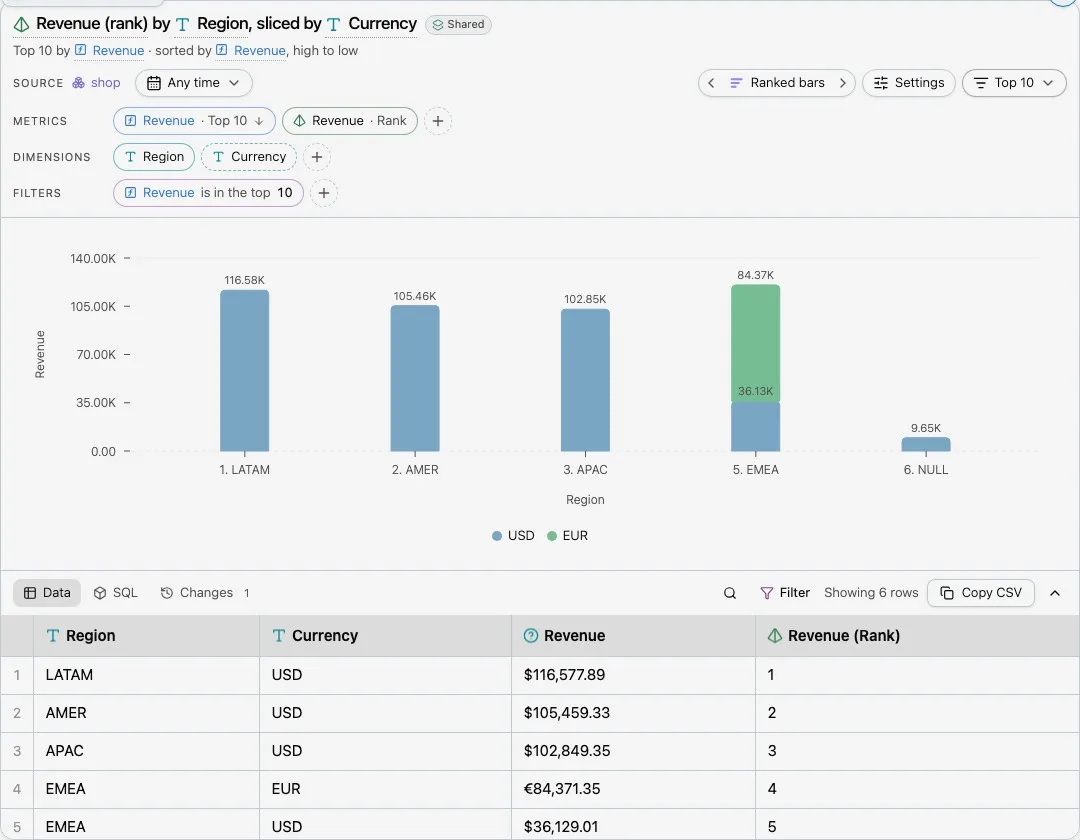
Sharing now works like Google Drive, admins get a view of every object and who owns it, and one chart shell draws every chart in Kater. Read about the chart shell and sharing.

A chart open in the chart shell, with Metrics, Dimensions and Filters above a ranked bar chart

New

  • Drive-style sharing: give a person, a group or Everyone Viewer, Editor or Manager access to a folder, from a Share dialog, the admin console, VS Code or kater admin access.
  • kater init takes an admin from an installed CLI to a working setup, and resumes where it stopped.
  • Warehouse queries from every tool run on the server with the organization’s stored credential, checked against Kater permissions and logged.
  • The admin console has a Dashboard and an Objects page that show who created and owns each object, what uses it, and what is stale or has no owner, with bulk Reassign and CSV export.
  • One chart shell draws every chart in Kater, with Metrics, Dimensions, Slice and Filters pills, a Chart type panel, SQL and undo.
  • New chart kinds: sankey, funnel and journey flows, treemap and sunburst with zoom, and rows charts.
  • New calculation, New measure, New dimension and New filter open from pill menus, with the Kater SQL and a preview.
  • Apps can be printable reports or slide decks.
  • Theme Builder can save a theme for everyone on a connection. Read about Theme Builder.

Improved

  • Snowflake compile time of generated SQL fell 27% across 25 queries, and one GA4 workspace went from 25.8 s to 5.1 s.
  • Apps read real warehouse rows and show loading skeletons until their queries answer.
  • Organization admins have full access to all content and can preview an object’s source at an earlier commit.

Fixed

  • Explore recommendations load again.
  • The Snowflake health check names sign-in failures, such as a sign-in that needs MFA.
  • Ranked charts on Snowflake no longer fail with error 979.

The Sandbox, period comparisons and one Editor API

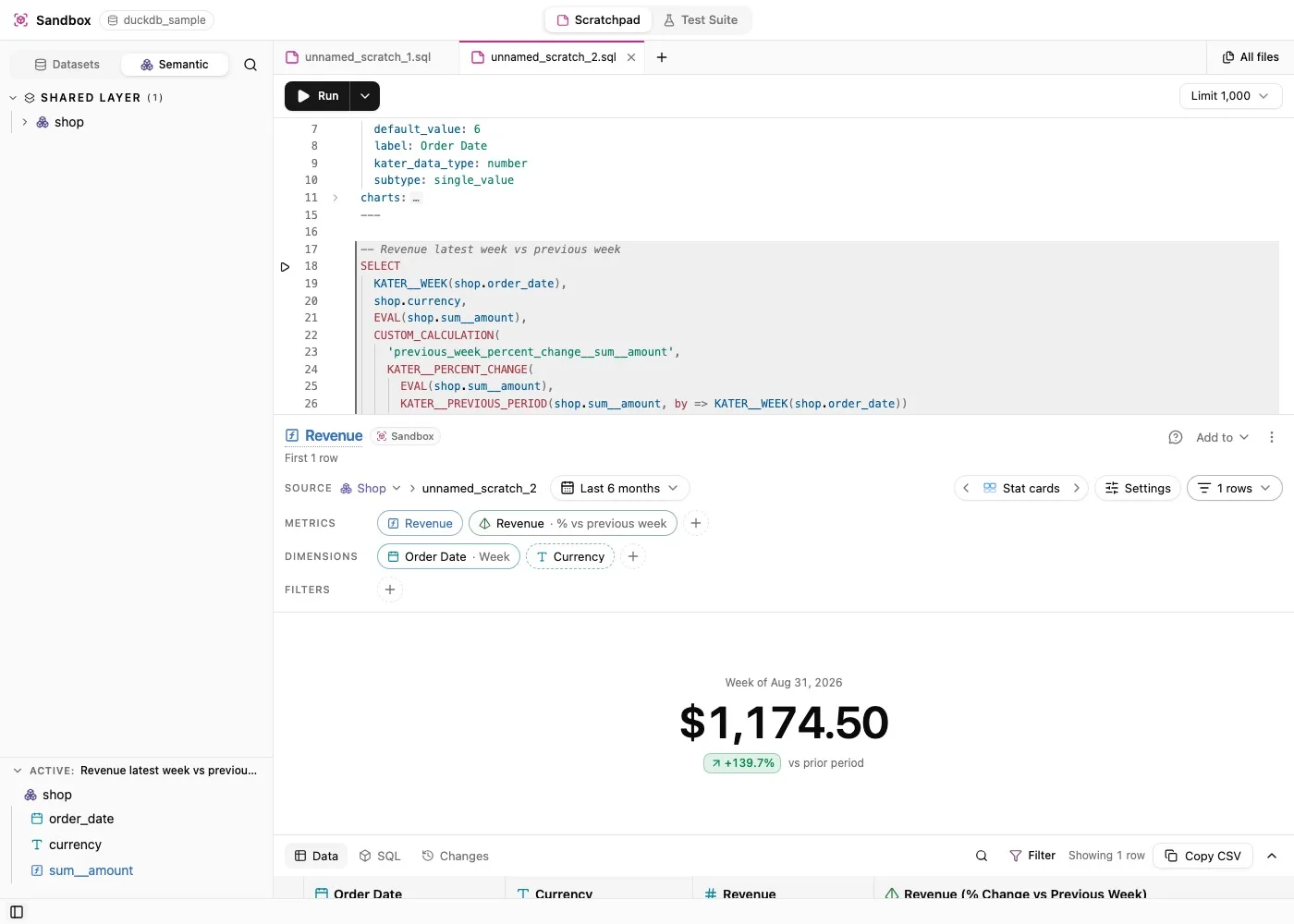
The Sandbox gives every person a place for scratch SQL outside any workspace. Fields gained period comparisons, Explore became a guided tour, and the portal, CLI, VS Code and MCP server now share one API. Read about the Sandbox and Explore.

A Sandbox statement comparing revenue to the previous week, drawn as a stat card

New

  • The Sandbox: scratch files of Kater SQL or warehouse SQL outside any workspace. Run one statement or all, keep a chart for each statement, and add a statement to a workspace.
  • Period comparisons: a field’s Compare with menu offers the previous period or the same period last year, as a value, a difference or a percent change.
  • Date functions such as KATER__MONTH, KATER__WEEK and KATER__DAY_OF_WEEK back the field picker’s Timeframe and Derive menus.
  • A stored result has its own page. Opening it runs no query, and Refresh makes a new result.
  • Explore tours a model in four sections, Headlines, Trends, Drivers and Patterns, built from plays such as Leaders, Mix and Rhythm.
  • One Editor API serves the portal, the CLI, VS Code and the hosted MCP server, with PropelAuth sign-in.
  • kater login signs in through the browser and keeps credentials in the OS keychain, with kater logout and kater auth status.

Improved

  • Lineage reads from one graph. Finding where a shared field is used went from about 50 s to 0.1 s.
  • Narrow panels drop tab icons and stack the compiled SQL under the output.

Changed

  • CLI commands are resource first, such as kater model fields and kater admin connection create, and kater serve --mode remote serves the hosted MCP server.
  • Retired period functions such as PERCENT_CHANGE fail with a message that names the replacement.

Workspace dashboards, HTML apps and model tests

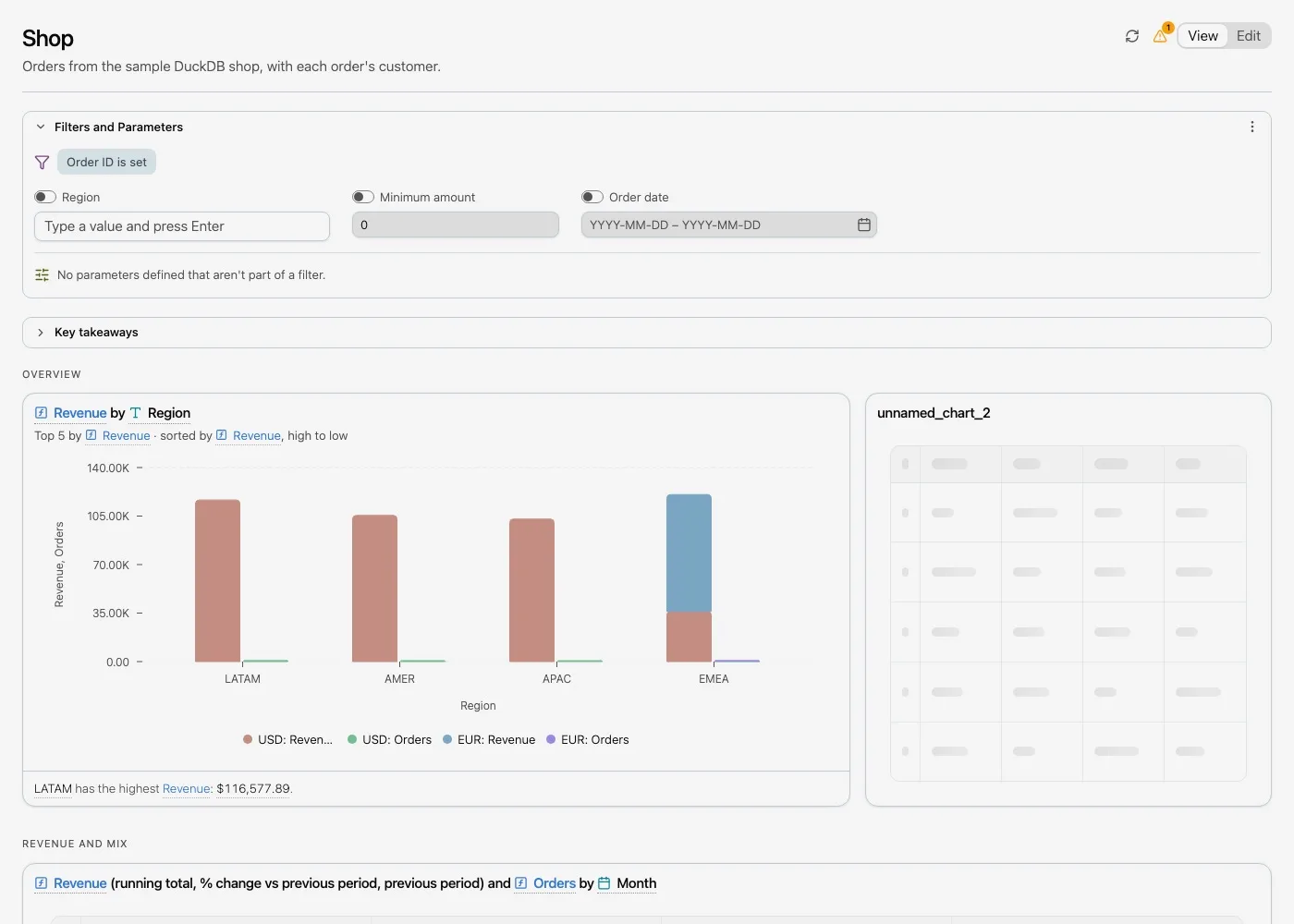
Every workspace now has a dashboard, drawn from one dashboard.yaml, and apps became plain HTML pages with Kater tags. Model tests, DuckDB as a second warehouse and a standalone language server also shipped. Read about dashboards and apps.

The Shop workspace dashboard with its filters, Key takeaways and a revenue chart

New

  • Workspace dashboards: every workspace has one dashboard, drawn from dashboard.yaml, with a template, a headline, up to five Key takeaways, tabs and tiles of saved charts.
  • Edit mode: drag and resize tiles, fill empty slots from a Charts panel, and change dashboard settings.
  • The Workspaces page lists the workspaces you can read, under All, Mine and Shared with me.
  • Apps are plain HTML pages that draw live figures with Kater tags such as <kater-chart>, <kater-table> and <kater-kpi>.
  • Model tests: golden queries check a model’s answers, run with kater test model, with Run Test, Record Test Rows and Save Query as Test in VS Code.
  • CUSTOM_CALCULATION, a field type for calculations local to one query.
  • DuckDB is a second warehouse, with a sample connection and a shop connection workspace.
  • A Definitions tab shows a card for each measure and dimension, with its inputs, what it computes and live examples.
  • Filter by this number adds a HAVING condition, a Top N or a Bottom N.
  • kater-lsp, a standalone language server, gives VS Code completion, signature help, hover, go to definition, formatting, quick fixes and diagnostics in two passes.

Improved

  • Pass-through measures: *, s.m and s.m AS "Label" publish the source measure, totaled again at the reader’s grouping. NOT_ADDITIVE_ACROSS(dim) marks a measure that must not be added across a dimension.
  • Every .sql save from VS Code, the CLI or the MCP server is formatted, declares the parameters it reads, and is refused if it adds a compile error.
  • Kater SQL accepts each warehouse’s own SQL.

Changed

  • Optional filters are written OPTIONAL_FILTER('name', predicate, label='…'). The old FILTER('name', …) form is refused.

Explore and business functions in Kater SQL

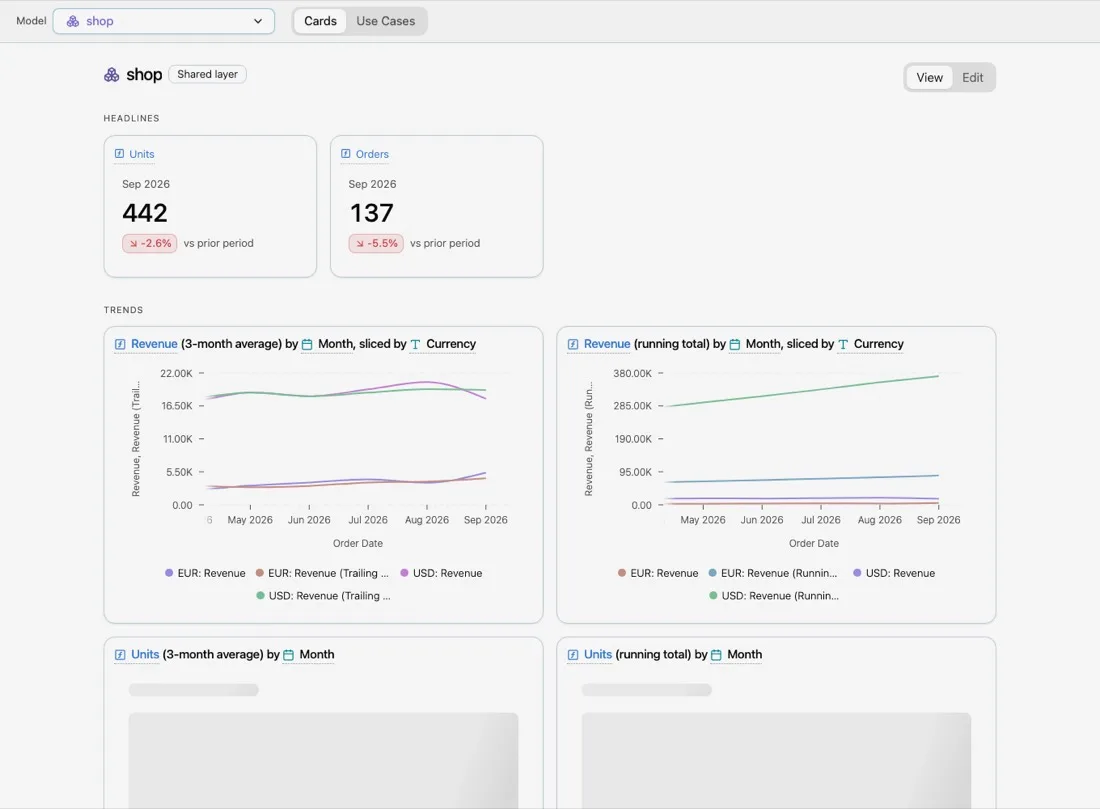
Explore shipped for shared semantic models, first in VS Code and then as a portal page. Kater SQL gained business functions such as TOTAL, SHARE_OF_TOTAL and RUNNING_TOTAL, with guided templates in the editor. Read about Explore.

Explore on the Shop model, with headline and trend cards

New

  • Explore: select a shared semantic model, preview the analyses it can answer, edit them, and save a query and chart into a workspace.
  • Business functions compute totals, shares, intermediate grains, comparisons and result windows in the compiler, with no warehouse functions: TOTAL, SHARE_OF_TOTAL, VALUE_FOR, CALCULATE_BY, RATIO, RUNNING_TOTAL, MOVING_AVERAGE and more.
  • Completion offers every business function and EVAL by name or by intent, such as “previous month” or “running”, and inserts a template with signature help and hover.
  • Fields are declared by name, MEASURE('name', expr) and DIMENSION('name', expr), and labeled with AS "Label".
  • Run Scope runs the query, CTE or subquery at the cursor.
  • kater explain prints a field’s definition, and the MCP server has an Explain a Field tool.
  • Inline VALUES lists work as a query source.
  • Each workspace declares one shared semantic model, and models carry structured tags.
  • Warehouse datasets, Kater datasets and workspace sources are separate model types, synced on a schedule.

Improved

  • VS Code completion is faster: warm completion went from 3,580 ms to 121 ms, and completion in an edited file from 3,625 ms to 152 ms.
  • Returning to an unchanged file in VS Code loads the full panel in about 1.4 s, down from 20 to 29 s.
  • The field picker offers only the sources the active model can use, explains why others are blocked, and infers the joins a new field needs.

Fixed

  • Availability actions keep source filters and sorts, and no longer add unwanted columns.

Changed

  • The old MEASURE and DIMENSION signatures and label directives are rejected.

Quick Operations, named relationships and charts

The field picker gained Quick Operations, Kater SQL gained named relationships that drop unused joins, and VS Code can author charts and create workspaces and apps. One kater CLI now covers compile, run, discovery and scaffolding.

New

  • Quick Operations: open a field’s menu for Aggregations, Windows, Filters, Sort and Format, stage changes, and apply them to the SQL in one edit with one undo step.
  • Operations with settings open a form with typed choices, sliders and date pickers. Choices and bounds load from the warehouse.
  • Date fields expand into one row for each supported timeframe.
  • @categorical and @continuous mark a column’s classification, which decides the operations it offers.
  • Named relationships: JOIN RELATIONSHIP('name', target ON predicate, 'cardinality') names a join and publishes it in the contract. REQUIRED_RELATIONSHIP marks a join that always stays.
  • Kater removes an unused relationship join from the SQL it runs, and warns when that could change row counts.
  • Chart authoring in VS Code: a Charts tab, chart models saved beside their query, a Chart settings sidebar and 24 chart kinds.
  • Column origins in the result grid show whether each column is a reference, an evaluation, a pass-through or a custom calculation.
  • Create workspaces, semantic models, queries, charts and apps from VS Code, the CLI and the portal.
  • One kater CLI shares its operations with VS Code and the MCP server: compile, run, list, search, inspect, new and more.
  • App and dashboard tables can show a totals row and a totals column.

Improved

  • The compiler optimizes generated SQL in five passes. On a fixed Snowflake snapshot, the median compile and run time of our marketing queries fell from 110.5 s to 14.3 s.
  • Repeat compiles are 9.8% to 78.4% faster across 40 captured workloads, with identical SQL.
  • Snowflake sessions are reused between runs, and Kater Logs shows the time each step takes.
  • Field picker edits keep your SQL formatting and repair GROUP BY.

Fixed

  • Optional parameter inputs can be cleared.
  • Computed grouping works across forwarded measures.

EVAL and measure modifiers

Kater SQL settled how measures are evaluated. EVAL evaluates a measure at the reading query’s grouping and filters, and modifiers change that context. The VS Code extension became the Kater SQL Previewer. Read about Kater SQL.

New

  • EVAL(measure) evaluates a measure at the reading query’s grouping and filters. A bare reference to an upstream measure is evaluated the same way.
  • Modifiers: CLEAR(), SET(dimension = value) with CURRENT(dimension), SET_CUSTOM(predicate) and REMOVE(dimensions...).
  • Optional and required filters written in SQL, and parameters inferred from the SQL itself.
  • Field metadata as comments: @label, @description, @ai_context, @business_questions and @tags.
  • Compiler warnings with quick fixes, such as missing_group_by and implicit_measure_evaluation, shown as “Fix for me” in VS Code.
  • The Kater SQL Previewer for VS Code: Run in the editor title bar, an Output panel with Results, Compiled SQL and Lineage, and a Logs panel. Pointing at compiled SQL highlights the Kater SQL it came from.
  • Field provenance shows how each value is computed, down to the SQL.
  • One Kater SQL file can hold several models of the same type.
  • Contracts record each temporal output’s timeframe, each field’s nullability, and the timeframes each date dimension supports.
  • Datasets show their warehouse’s logo.
  • Apps gained a File, Edit, View and Help menubar, a Share dialog and App settings.

Improved

  • A failed run shows Snowflake’s own error text, code, SQLSTATE and query ID.
  • Kater SQL features are allowed only in the model types that support them, with a clear error elsewhere.

Changed

  • EVAL replaces AGGREGATE, and MEASURE(expr) AS name replaces expr AS MEASURE name.
  • The parameter key type is now kater_data_type.

VS Code query workbench and Theme Builder

A VS Code extension picks fields, compiles Kater SQL and runs it on Snowflake. In the portal, Theme Builder saves themes and applies them to apps. Read about Theme Builder.

New

  • “Kater: Open Query Workbench” compiles a model with its dependencies, runs it on Snowflake and shows a result table. The field picker lives in a Kater view in the Activity Bar.
  • The portal requires sign-in. A person in several organizations selects one, and the account menu switches between them.
  • Theme Builder: Save Theme adds a theme to your library, and Use Theme applies it to an app you can edit. Another preset is only a preview until you use it.
  • Theme Builder opens beside the live app, with undo, redo and Revert theme changes, and fonts from a catalog that ships with Kater.
  • Apps open in Viewing or Editing mode, with undo, redo and version history.
  • The Apps page has New app, with a name, a description and a Dashboard or Empty template.
  • Every contract field has a lineage ID that traces its value to source columns.

Improved

  • Kater SQL errors point to exact source spans, and compiled SQL carries a source map back to what you wrote.
  • Measure context passes through CTEs, derived tables, stars, filters, grouping and joins.

Changed

  • A measure can no longer be evaluated in the same SELECT that defines it.
  • Contracts list output fields under output.fields.

Kater SQL measures and the first Kater portal

Kater SQL arrived. Authors declare measures in SQL models and evaluate them from other queries, and each compile produces a typed output contract. The first version of the Kater portal shipped the same week.

New

  • The Kater SQL compiler compiles models with measures to Snowflake SQL. The syntax was renamed in early September.
  • Each compile produces an output contract: the output columns with their types, measures separated from dimensions, and the operations each field supports.
  • Typed SQL parameters for single values, ranges and multiple values, checked against their type and allowed values.
  • The first Kater portal, with Apps (All, Mine and Shared with me), Agents (skills and workflows), a Theme Builder preview, and admin pages for Organization, Users and Permissions.
  • A workspace can hold an app built on Kater’s app-kit, where every figure comes from a query contract.

Improved

  • Measure queries accept GROUP BY ordinals and Snowflake FLATTEN.
  • A measure evaluated at its own grain compiles to one grouped aggregate when that is safe.

Fixed

  • Measure correlation over CTEs and derived tables in the same scope.
  • Nested FLATTEN inside measure evaluation.

Team folders and YAML checks

Authoring moved to team folders, with shared objects that a team copy can override. Write and edit tools now check that YAML is valid before they save.

New

  • KATER_TEAM sets your team, and writes go to your team’s folder. A team copy of a shared object overrides the shared one.
  • Shared files can no longer be deleted through the MCP server.
  • The shared ai_tools/ folder ships a four-step workflow for building a query template, and a developer agent.

Improved

  • write_file and edit_file check that YAML is valid, including files with several documents, before they save.

Insight templates

The MCP server can now run insight templates. An insight template evaluates a query result with a built-in check or with one your team writes.

New

  • run_insight_template runs a query template and evaluates an insight over the result. Built-in insights include current_vs_prior, trend_change, threshold_breach and mix_shift.
  • Teams can add their own insight templates as Python files.
  • One query template file can hold several declarations.
  • Query templates accept a list of the business questions they answer.

Improved

  • Duplicate declaration names in one file are rejected, and YAML errors show where the parser stopped.

Personal folders for files an agent writes

Files that an AI client writes through Kater now go to the user’s own folder, so shared content stays unchanged. The MCP server also gained editing, deletion and paged reads.

New

  • Each user’s writes go to their own folder under users/. Shared files and other people’s files stay readable but cannot be changed.
  • edit_file makes one exact replacement, guarded by the file’s hash. It copies a shared file into your folder before editing it.
  • delete_file deletes only your own copy of a file.
  • A Build a Dashboard tool creates a live HTML dashboard page.
  • An onboarding prompt walks a new user through setup.
  • A query template can build on several other templates with a join, and one file can hold several templates.

Improved

  • glob, grep and read_file return results in pages.
  • An organization can set the server’s name, website and logo.

Changed

  • KATER_USER_EMAIL is required at startup and replaces KATER_USER_ID.
  • run_query_template takes template_path in place of template_name.

The Kater MCP server

The first piece of the new Kater is an MCP server. An AI client such as Claude Desktop or Codex can read a workspace of Kater files and run governed query templates on Snowflake.

New

  • The Kater MCP server runs over stdio with five tools: glob, grep, read_file, write_file and run_query_template. The last one runs a query template on Snowflake and returns a bounded result with its compiled SQL.
  • A visualize tool creates an HTML page that charts query results.
  • Every business tool call is recorded in a local audit log, grouped into audit threads with their goal.
  • Kater installs as a Claude Desktop extension, with Snowflake setup fields, and as a Codex plugin.
  • Each semantic model gets an extended.yaml file that lists what can be done with each field.

Improved

  • Tool descriptions tell the AI client when to use Kater for business data questions, and that it writes only when asked.
  • Semantic models use measures: in place of metrics:.