
Most questions about your data now start in a chat with an agent. Until now, an agent that used Kater had to describe a chart in words, paste a table of rows, and explain a change in prose. Large answers did not fit at all: one query reply that returned a single row was 2,173,898 characters long, most of it field menus.
The Kater MCP server now answers with cards. In a host that supports MCP Apps, such as Claude, a result arrives as an interactive chart, a comparison arrives as a row-by-row diff, and every write arrives as a change you can undo.
Two tools, one vocabulary
The server gives an agent two tools:
- Run a Command (
kater) runs onekaterCLI command. It reads anything you can read, and writes only in your own brainstorm folder. - Run a Command That Changes Content (
kater_apply) runs a command that changes shared content. The agent uses it after you say yes.
Every command your agent runs is a command you can run in a terminal or in the Files terminal. A new CLI command reaches chat with no new MCP tool.
Replies lead with the answer. Rows come in pages of about 30 KB, and Read More Rows (read_rows) reads the next page without running the query again. Field menus and SQL come only when the agent asks for them. The reply that used to be 2,173,898 characters is now 12,904.
When someone already ran a saved query with the same inputs, the agent reads the stored result instead of running it again, and says when the rows were read. Results older than 15 minutes run again in the background.
The cards
Each card is drawn from the same components as the Kater portal.
- Result: the chart and its rows, from a run of one saved query, drawn with the same chart shell as the portal.
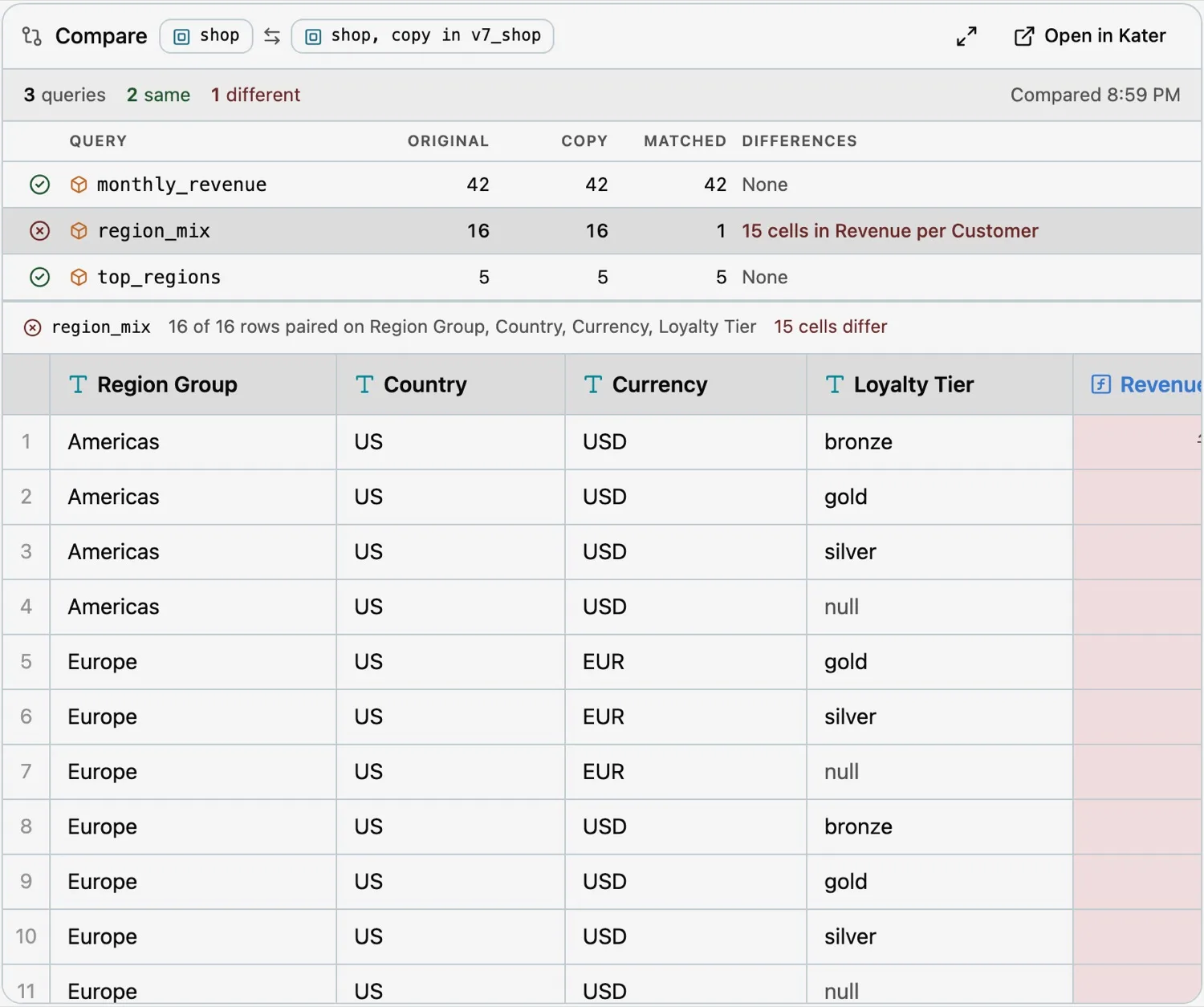
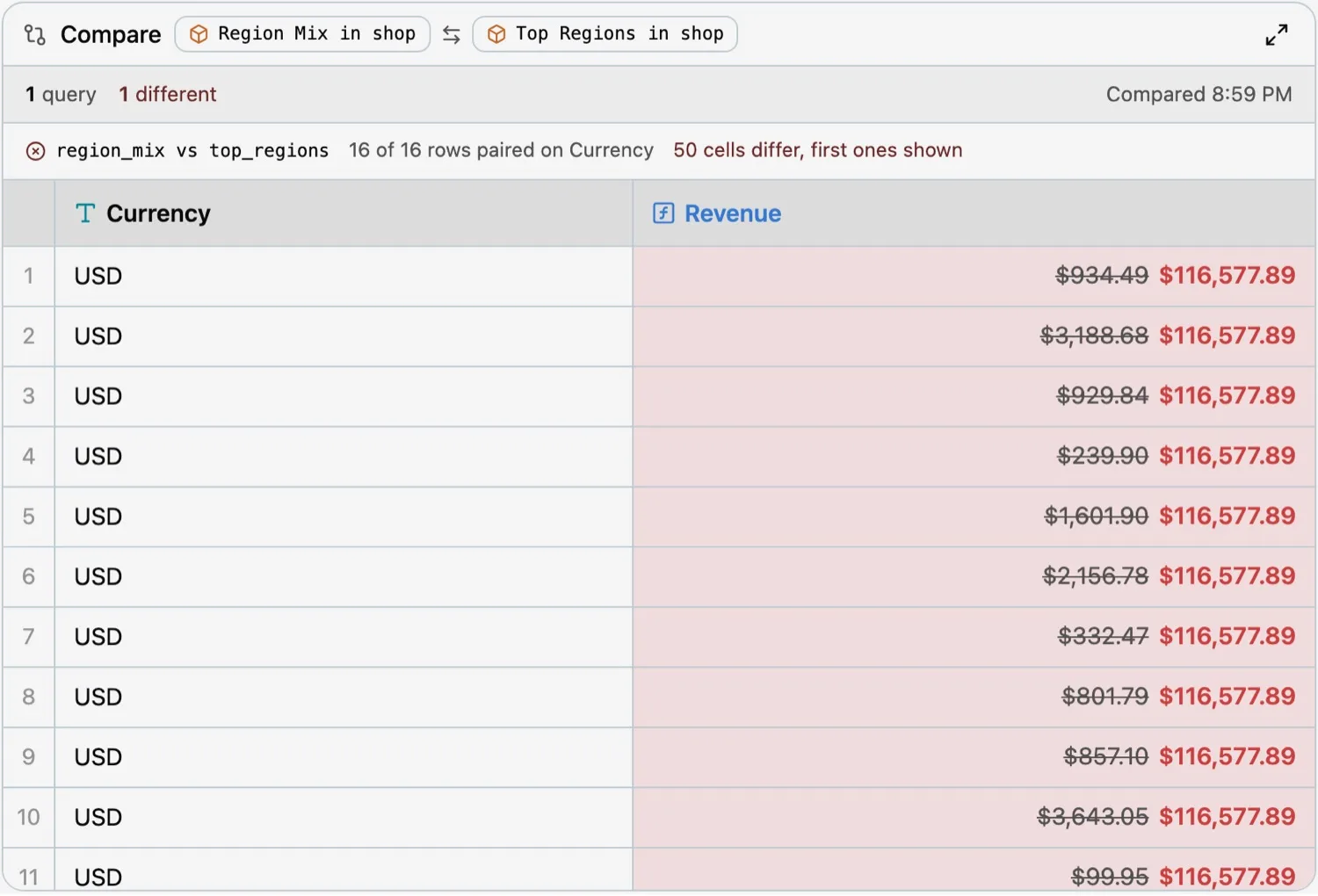
- Compare: which queries match and which differ, and the cells that differ, from
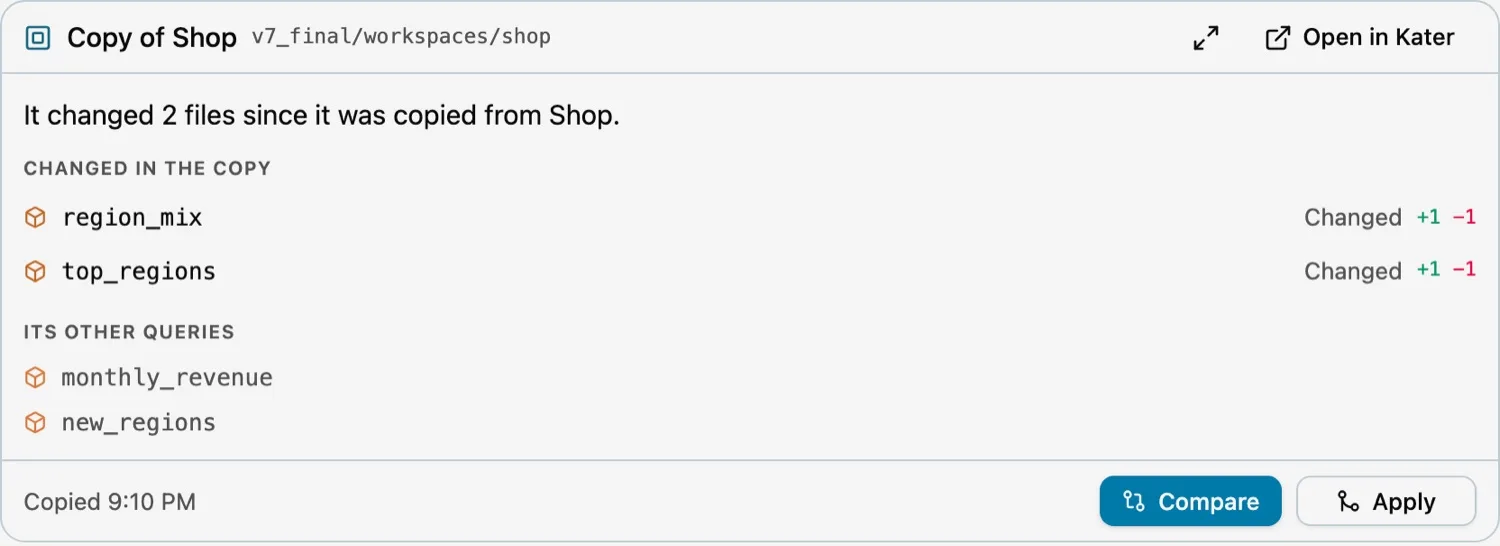
kater compare. - Copy: what a workspace copy changed since it was copied, with Compare and Apply.
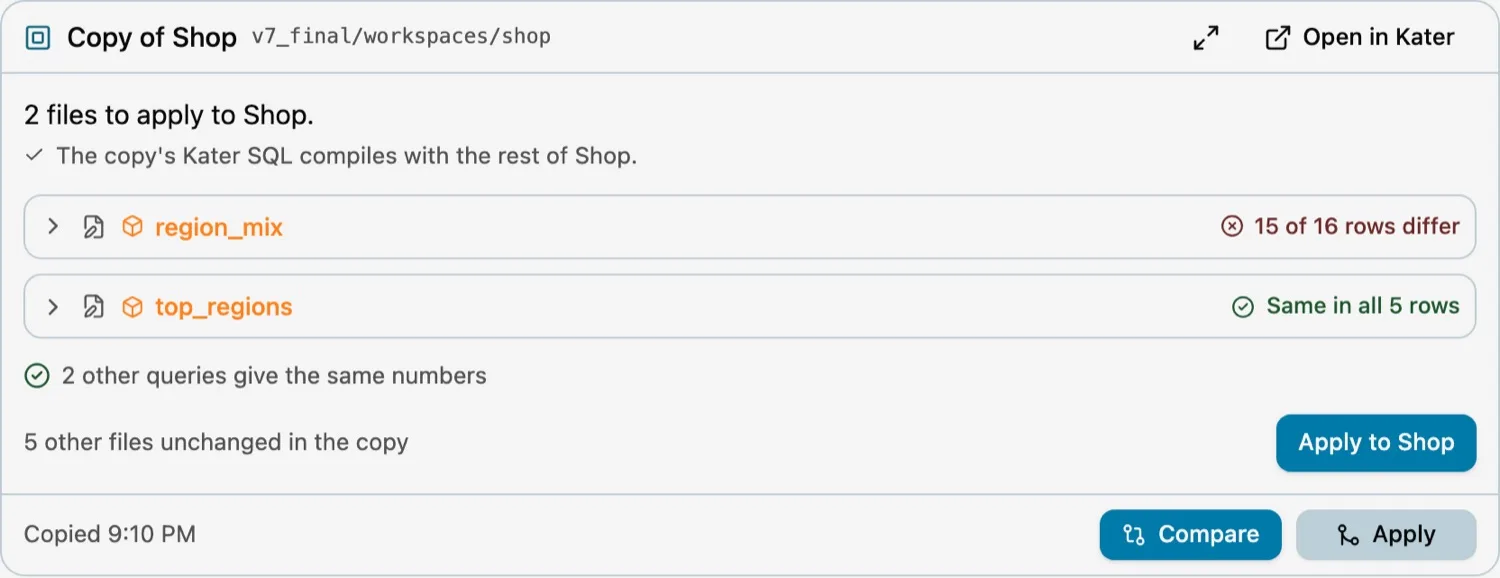
- Apply: what applying a copy will change, checked before anything is written.
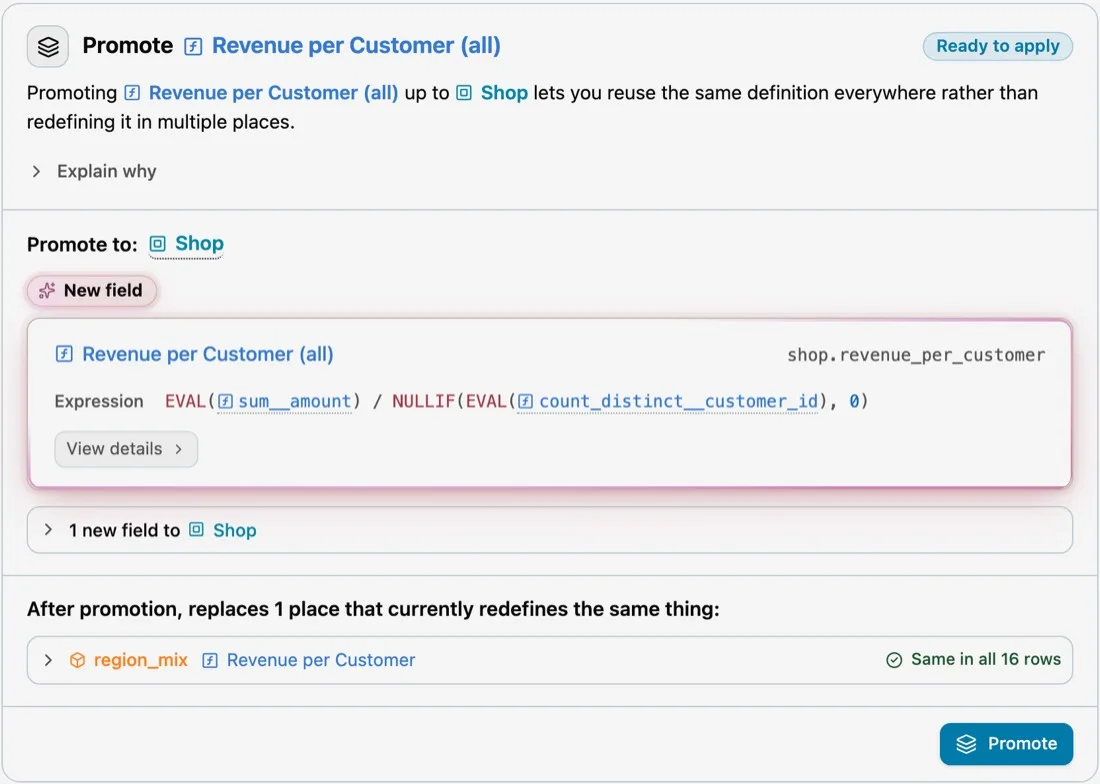
- Promotion: a proposal to move a repeated definition into a shared one, with the places it replaces.
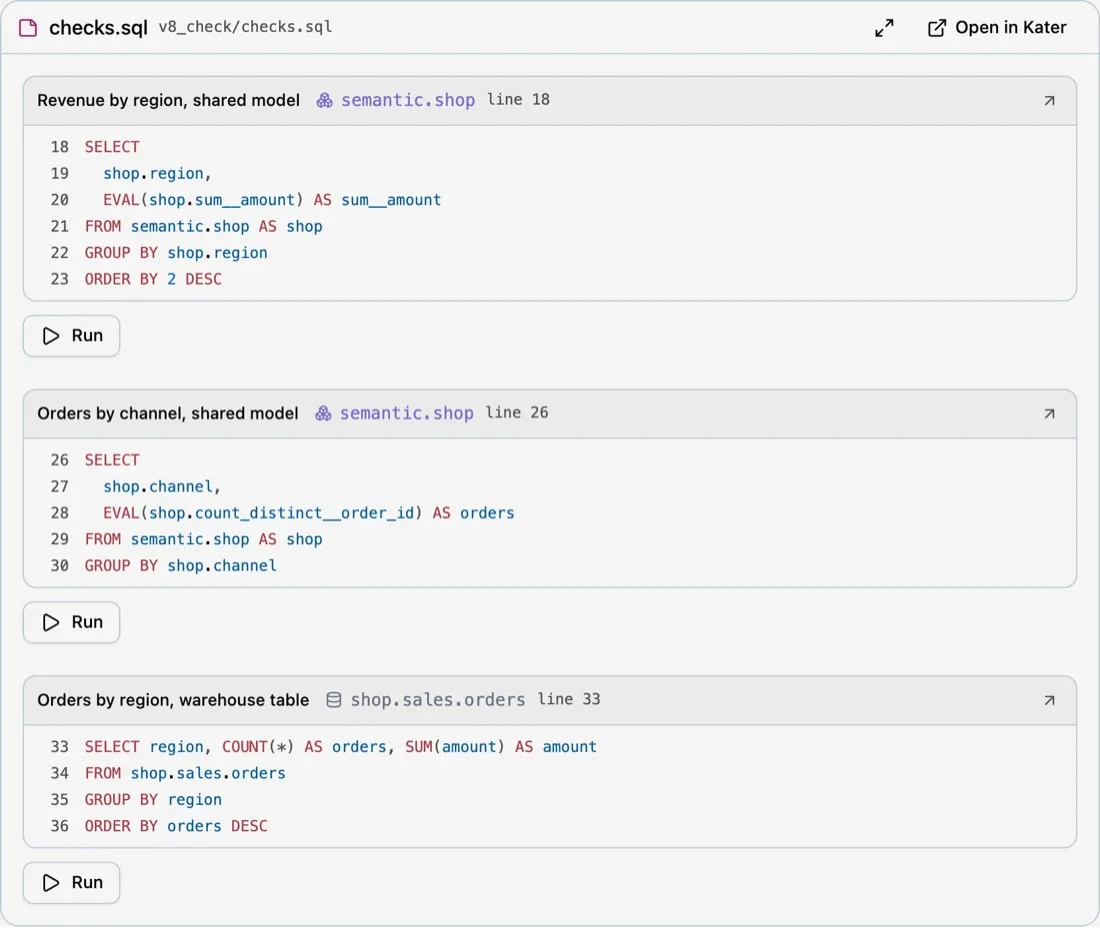
- Page, note and scratch file: a brainstorm page, a Markdown note, or a scratch file’s statements, each with Run.
- Change: any write that commits, with Undo.
Try a change without touching anyone’s work
Each person has a brainstorm folder where their agent can try things without asking. The usual loop for changing a workspace looks like this:
kater brainstorm copy connections/<connection>/workspaces/shop --topic promote_roas# the agent edits the copykater compare --left <copy> --right connections/<connection>/workspaces/shopkater workspace apply <copy> --dry-runThe copy holds the edits. kater compare runs both sides on the warehouse and pairs their rows, so you see which numbers changed before anything else does. Apply writes the copy’s changes to the workspace through Run a Command That Changes Content, after you agree. A dry run shows each file’s diff first. If a file changed in the workspace after the copy was made, Apply refuses that file and says how to copy again.
Scratch files, pages and promotions
kater brainstorm show draws a brainstorm page, a note, a scratch file, a workspace copy or a draft app in the chat. A scratch file shows each statement with its own Run.
kater model promote shows a promotion card: the field it would add to a shared model, its expression, and every place that defines the same thing today.
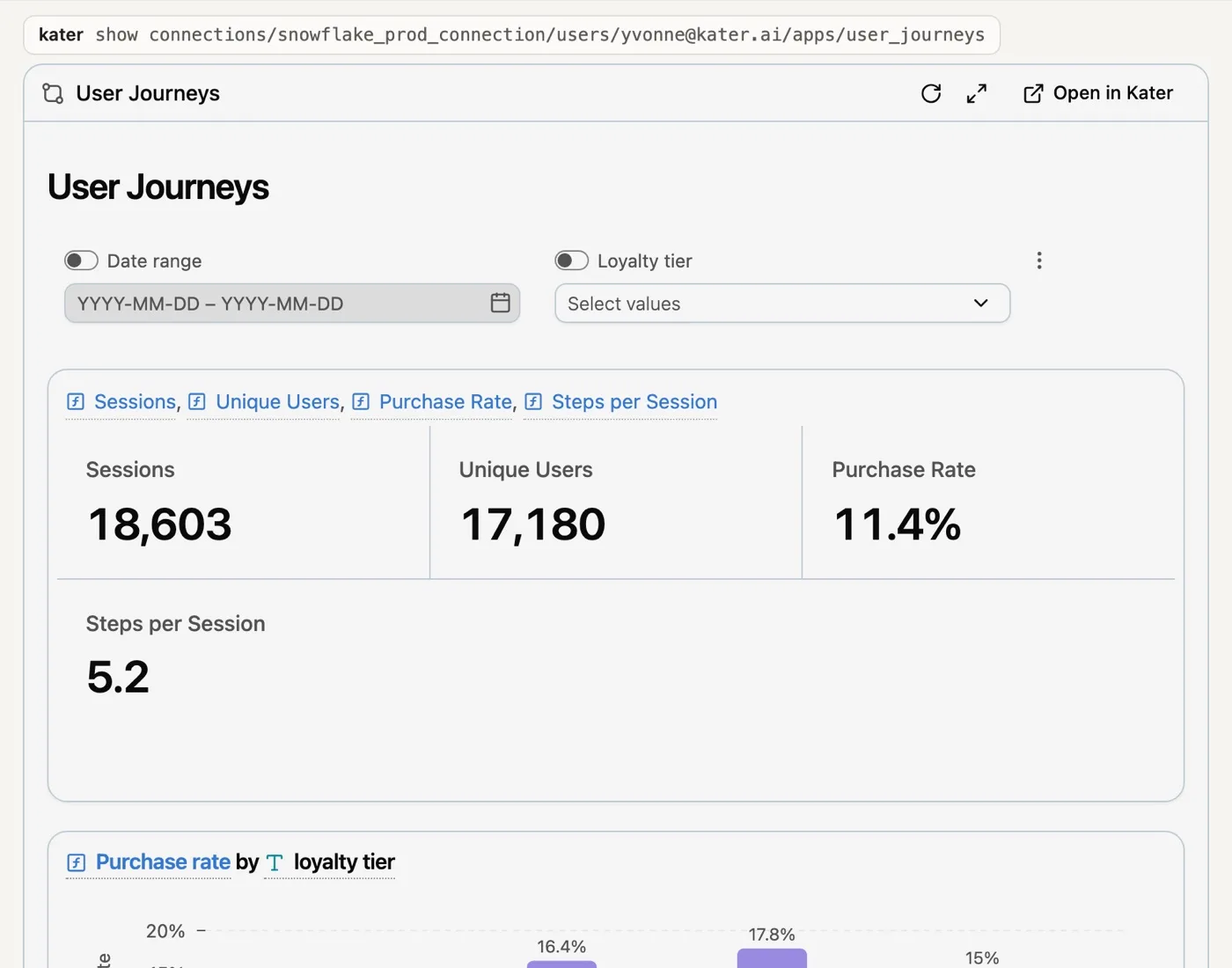
A draft app draws as its pages, and the card says whether each Kater tag on the page can draw.
How to connect
The Kater MCP server runs locally over stdio with kater serve, or hosted over Streamable HTTP at /mcp behind PropelAuth sign-in. The hosted server checks its own sign-in token and never forwards it.
In the portal, select Ask, then Connect your agent, to copy the MCP address. The skills and workflows in your connection’s library also show up in your agent as MCP prompts. In Claude Code, for example, “Brief me” is /mcp__kater__brief-me.
Current limits
- Cards need a host that supports MCP Apps. In a host without them, replies from
show,compare,model promoteand a run of one query carry a link to the same view in Kater. - We checked the cards in the MCP Apps reference host and in Claude. Other hosts may draw them differently.
- Rows held for Read More Rows expire 30 minutes after the last read.
- Some hosts draw the view full screen over the chat, so details open in place rather than in a new panel.