
A SQL aggregate is fixed at the grain where it was written. Group it again and the number is wrong: a sum of averages, a distinct count added across days, a revenue total that mixes currencies. Every team that reports on the same data rewrites the same metric, and each copy drifts.
Kater SQL fixes this at the language level. It is your warehouse’s SQL with a small set of additions. A measure is declared once in a model. Every query that reads it evaluates it again at that query’s grouping and filters. The compiler turns it into plain SQL for your warehouse, so nothing new runs in the warehouse.
Kater SQL compiles to Snowflake and DuckDB today.
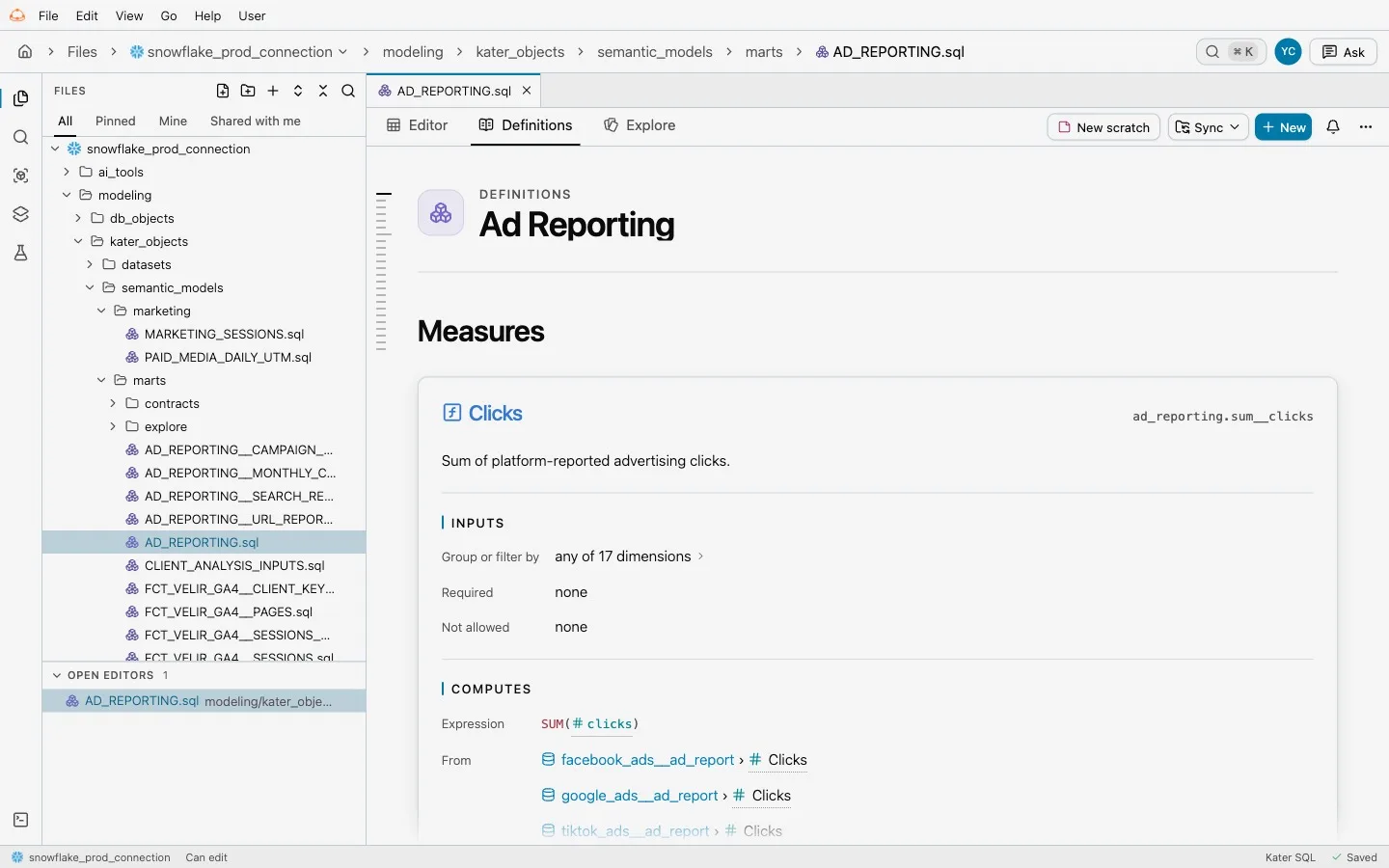
Fields have names and labels
Every field in a Kater model is either a dimension or a measure. The first argument is the field’s stable name. The AS alias is the label people see. This is the orders dataset from Kater’s DuckDB sample, trimmed:
---name: ordersmodel_type: kater_datasetlabel: Orders---
SELECT DIMENSION('region', orders.region) AS "Region", DIMENSION('currency', orders.currency) AS "Currency", DIMENSION('order_month', KATER__MONTH(orders.order_date)) AS "Order Month", -- @description Order amount before discounts. MEASURE('sum__amount', KATER__SUM(orders.amount), NOT_ADDITIVE_ACROSS(currency)) AS "Revenue", /* @format currency(currency, 2) */ MEASURE('count_distinct__order_id', KATER__COUNT_DISTINCT(orders.order_id)) AS "Orders"FROM shop.sales.orders AS ordersA measure has no GROUP BY. Its grain comes from whoever reads it. NOT_ADDITIVE_ACROSS(currency) tells Kater that revenue in different currencies must never be added together. Comments such as @description and @format travel with the field to the places that show it.
Read a measure from any query
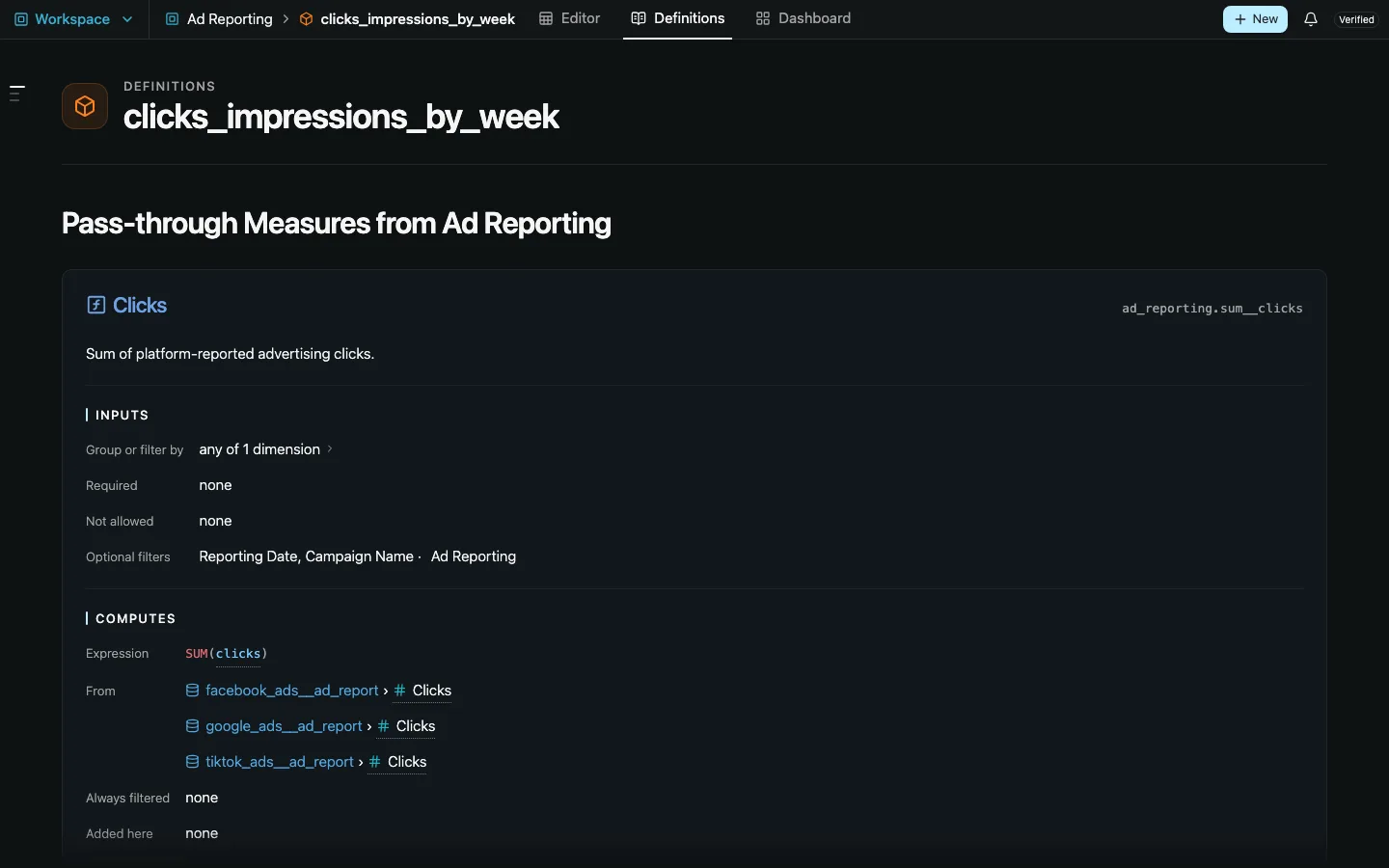
A workspace query reads the shared model and groups however it needs. EVAL evaluates a measure at the query’s grouping and filters, and a bare reference such as shop.sum__amount passes the measure through, totaled again for whoever reads the query next:
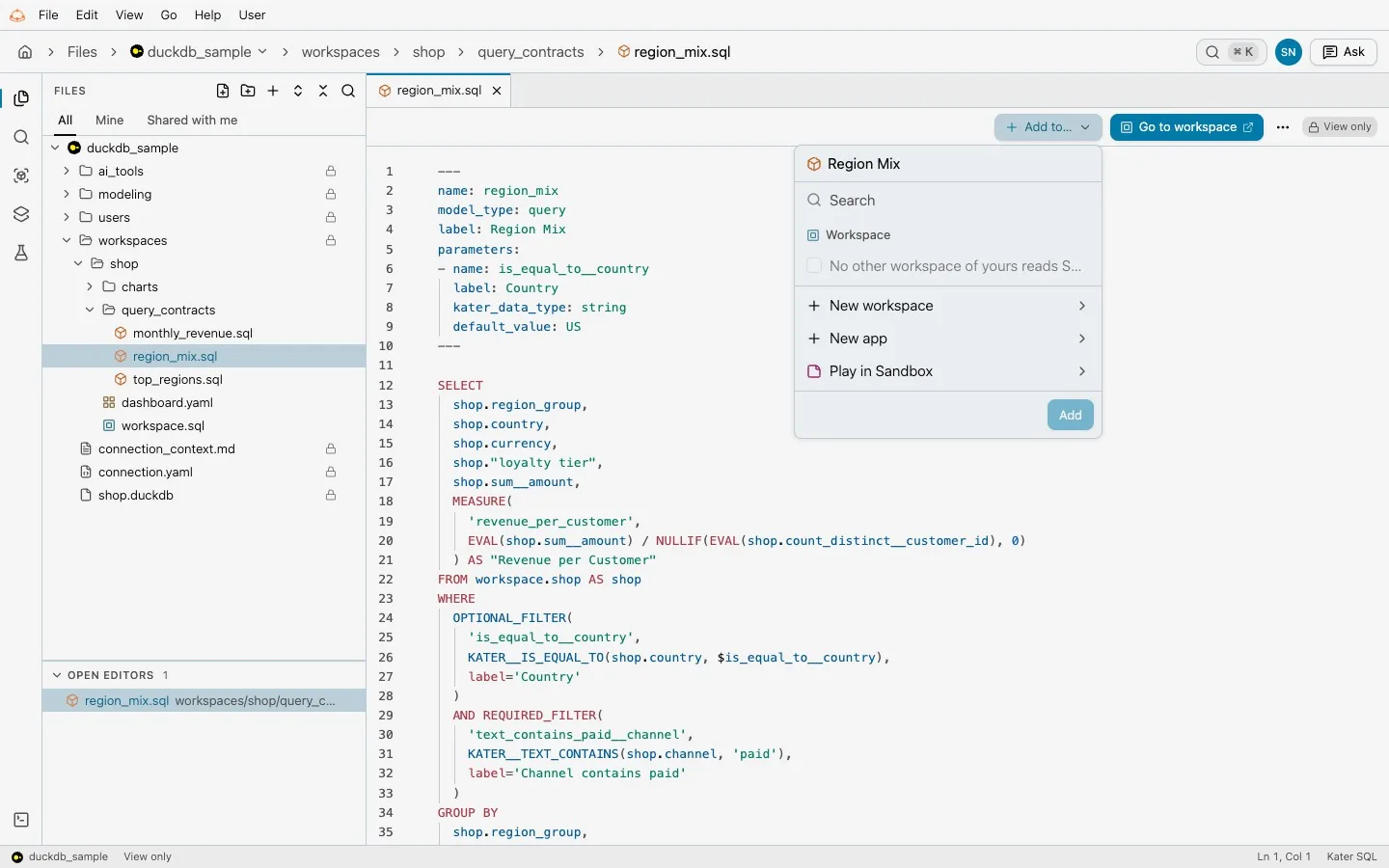
SELECT shop.region_group, shop.country, shop.sum__amount, MEASURE( 'revenue_per_customer', EVAL(shop.sum__amount) / NULLIF(EVAL(shop.count_distinct__customer_id), 0) ) AS "Revenue per Customer"FROM workspace.shop AS shopWHERE OPTIONAL_FILTER( 'is_equal_to__country', KATER__IS_EQUAL_TO(shop.country, $is_equal_to__country), label='Country' ) AND REQUIRED_FILTER( 'text_contains_paid__channel', KATER__TEXT_CONTAINS(shop.channel, 'paid'), label='Channel contains paid' )GROUP BY shop.region_group, shop.countryRevenue per customer is a ratio of two measures, so it is computed correctly at every grouping: by region group, by country, or in total. It never averages ratios.
OPTIONAL_FILTER is a filter a reader can turn on. REQUIRED_FILTER always applies. $is_equal_to__country is a parameter, declared in the file’s frontmatter with its type and default.
Change the context with EVAL
EVAL takes modifiers that change the grouping or filters a measure is evaluated in:
EVAL(revenue) -- the query's own grouping and filtersEVAL(revenue, CLEAR()) -- no grouping, no query filtersEVAL(revenue, REMOVE(region)) -- drop region from grouping and filtersEVAL(revenue, SET(region = 'EMEA')) -- as if the region were EMEAEVAL(revenue, SET(order_date = DATEADD(month, -1, CURRENT(order_date))))EVAL(revenue, SET_CUSTOM(order_date >= '2026-01-01'))The measure’s own filters always stay. A query cannot evaluate a measure in the same SELECT that defines it, and MEASURE(SUM(measure)) is rejected, because summing a measure again is the mistake Kater SQL exists to prevent.
Business functions
For the calculations people ask for most, Kater SQL has named functions. They compile through the same measure pipeline and need no functions in your warehouse.
| Function | What it computes |
|---|---|
TOTAL(measure, scope) | The measure at a broader grouping, such as BY(year) or ACROSS(product). |
SHARE_OF_TOTAL(measure, scope) | The current value divided by that total. |
VALUE_FOR(measure, SET(dim = value)) | The measure for another member, without changing the rows shown. |
CALCULATE_ACROSS(measure, dims...) | The measure with those groupings removed and query filters kept. |
CALCULATE_BY and CALCULATE_PER | The measure at an intermediate grain, summarized with sum, avg, min or max. |
RATIO(a, b) | a divided by b, keeping the sign. |
RUNNING_TOTAL, MOVING_AVERAGE, CUMULATIVE_SHARE | Windows over the result rows, with an inline OVER (ORDER BY ...). |
For example, each product’s share of its year’s revenue, with the customer filter ignored for the denominator:
DIMENSION( 'annual_share', RATIO(revenue, TOTAL(revenue, BY(year), IGNORE_FILTERS(customer)))) AS "Annual Share"Totals evaluate the measure again. They never add up the values on screen, so distinct counts and ratios stay correct.
Period comparisons
Comparing to a previous period is a calendar question, not a row question. Kater SQL has functions for it:
KATER__PREVIOUS_PERIOD(measure, by => axis)KATER__SAME_PERIOD_LAST_YEAR(measure, by => axis)KATER__PERIOD_SHIFT(measure, by => axis, unit => 'month', offset => -2)KATER__PERCENT_CHANGE(current_value, baseline_value)
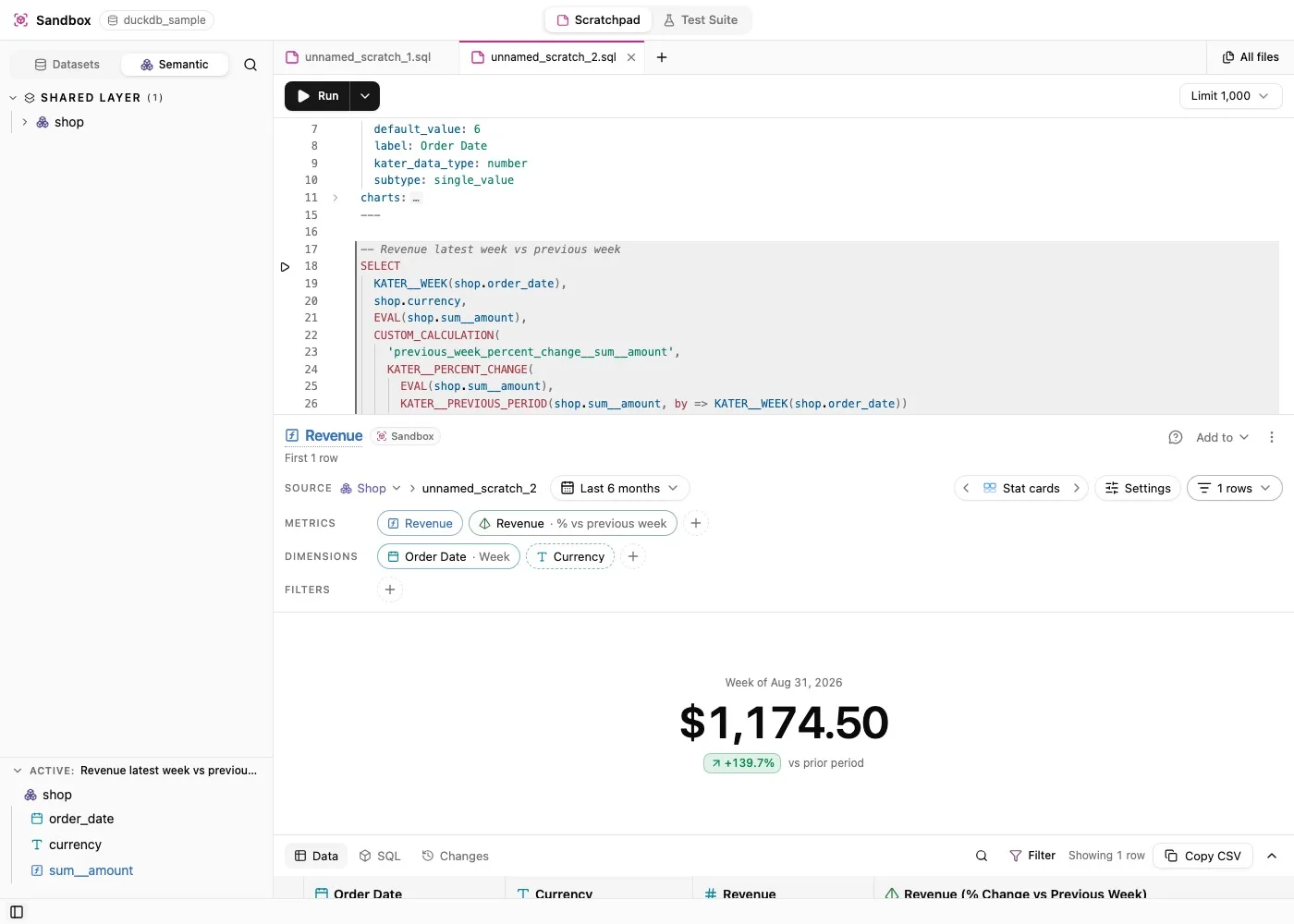
A missing comparison period stays empty. Kater never falls back to the previous row that happens to exist. A zero baseline gives an empty percent change, not an error or a huge number. matching_elapsed coverage compares a partial month with the same number of days in the month before.
The editor helps you write it
In VS Code, completion offers every business function and EVAL, by name or by intent: type “previous month” or “running” and the right function comes up. Accepting one inserts a template you fill in with Tab, with signature help and hover documentation for each argument.
A save from VS Code, the CLI or the MCP formats the file and declares the parameters it reads. A save that would add a compile error is refused, with the error at the line that caused it. Most warnings come with a quick fix.
The field picker writes Kater SQL for you. Selecting a field, a timeframe or a comparison writes one named field per operation, such as MEASURE('count__status', KATER__COUNT(status)) AS "Status (Count)", so the SQL stays readable when you open it.
What the compiler writes
The compiler resolves every measure, pass-through and modifier into SQL your warehouse runs as it is. It keeps a source map, so you can open the compiled SQL beside the source and point at either one to see the matching part of the other.
It also removes work. A named join that a query does not use is dropped from the generated SQL. Several measures from one source are computed in one pass. On a fixed Snowflake snapshot, these optimizations took the median compile and run time of our marketing queries from 110.5 seconds to 14.3 seconds.
Current limits
- Kater SQL compiles to Snowflake and DuckDB.
- Context functions reject inputs that are already behind
HAVING,QUALIFY,DISTINCTor a row limit. Expose the measure before that boundary. REMOVEandSETfail when the dimension appears in a join condition, or in a predicate that mixes it with other columns.- Measure queries do not support recursive CTEs, set operations,
GROUPING SETS,ROLLUPorCUBE.