
A workspace holds the queries and charts for one area of work. Until now it had no page for the people who read it, and every place that showed a chart drew it and edited it in its own way.
This release fixes both. Every workspace has a dashboard, and every chart in Kater is one component: the chart shell.
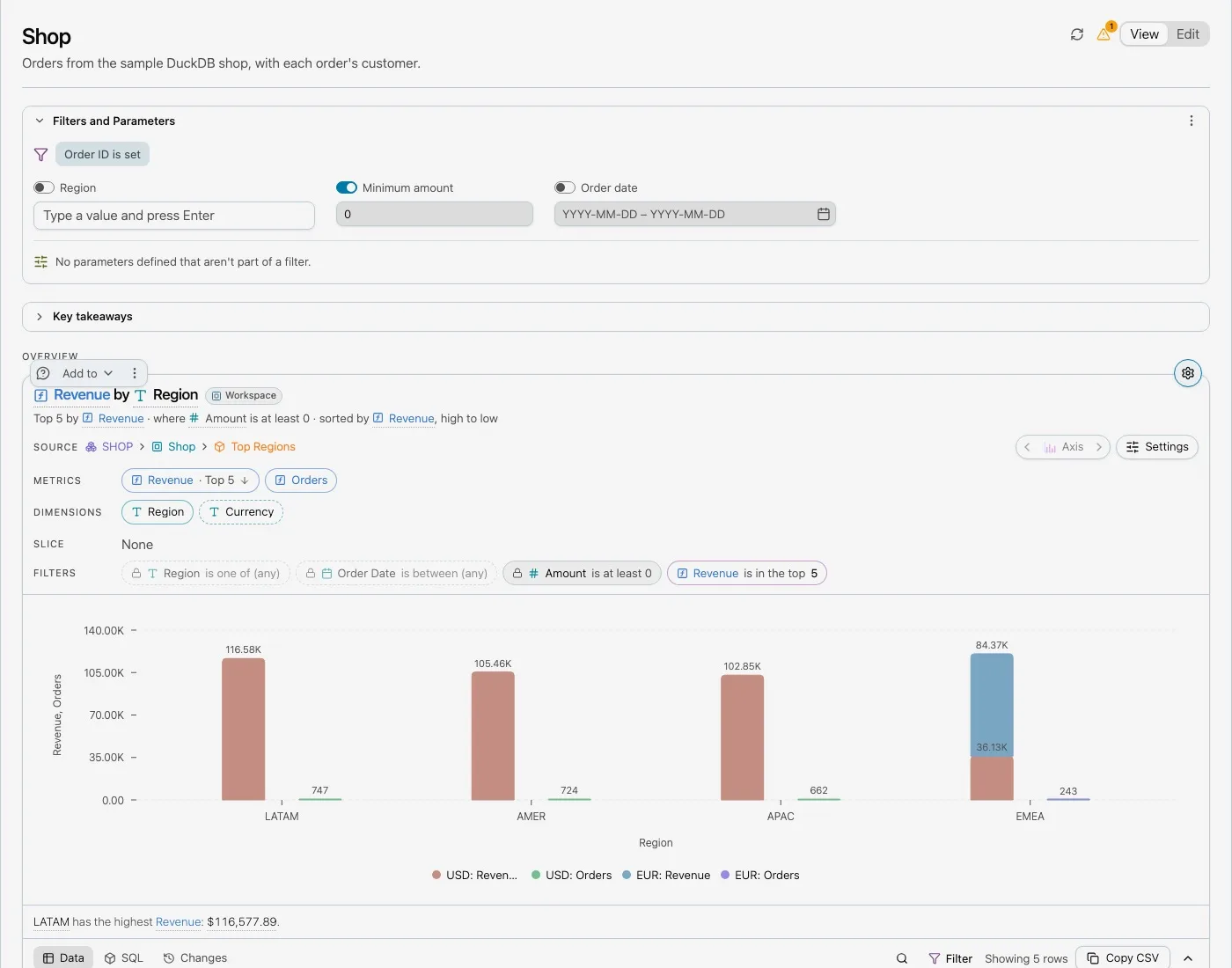
One dashboard per workspace
Each workspace has exactly one dashboard. Kater draws it from dashboard.yaml, which sits at the workspace root beside workspace.sql. The file is created with the workspace and cannot be deleted.
template: contractfilters: - reporting_datetiles: - chart: spend_by_week section: overview x: 0 span: 8 height: 448A dashboard has:
- a template:
contract,operations,realtimeortransactions, - an optional title, description and headline chart,
- up to five Key takeaways, each an insight template run on one of the workspace’s queries,
- tabs, sections and tiles, where each tile is a saved chart from the workspace, used at most once.
Readers open the dashboard from the Workspaces page. Their filters and open tab live in the page address, not in the file, so two readers can look at different periods without changing anything for each other.
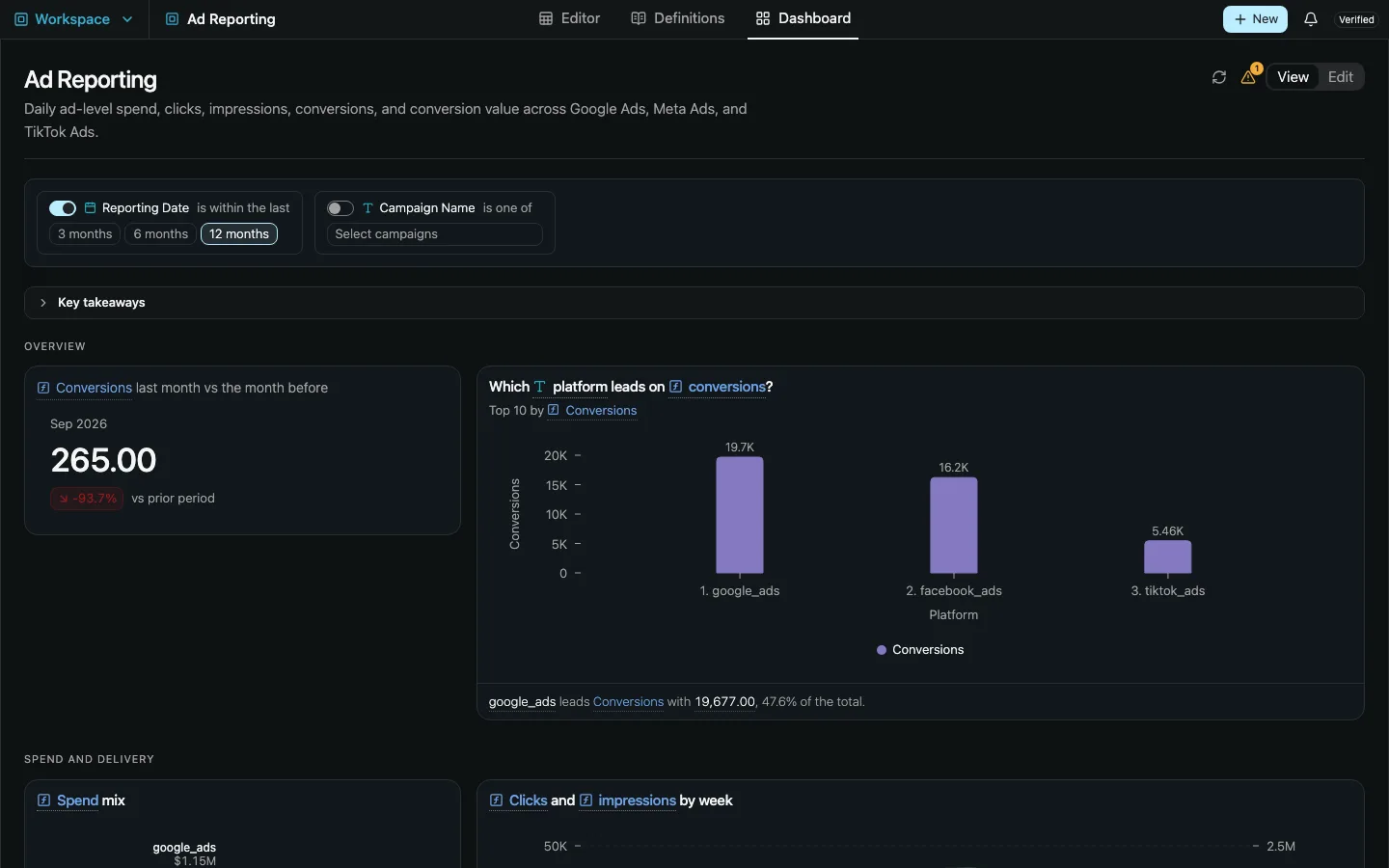
Edit mode
People who can write the workspace select Edit. Tiles move and resize on a 12-column grid. The Charts panel lists the workspace’s saved charts, and you drag one into a slot. A new dashboard starts as a grid of empty slots.
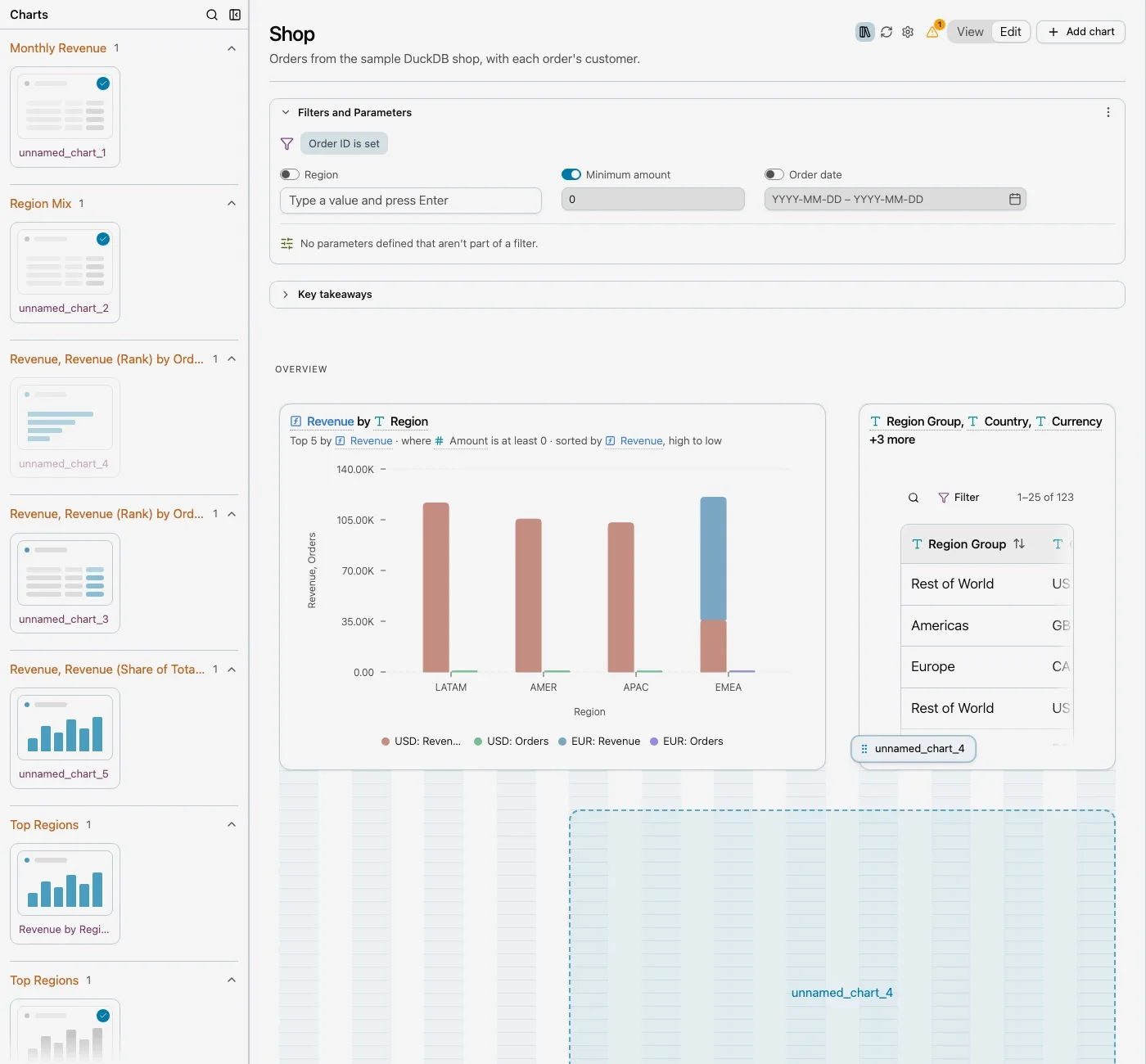
Each change saves the whole file against the version it read, so two editors cannot overwrite each other without knowing.
The chart shell
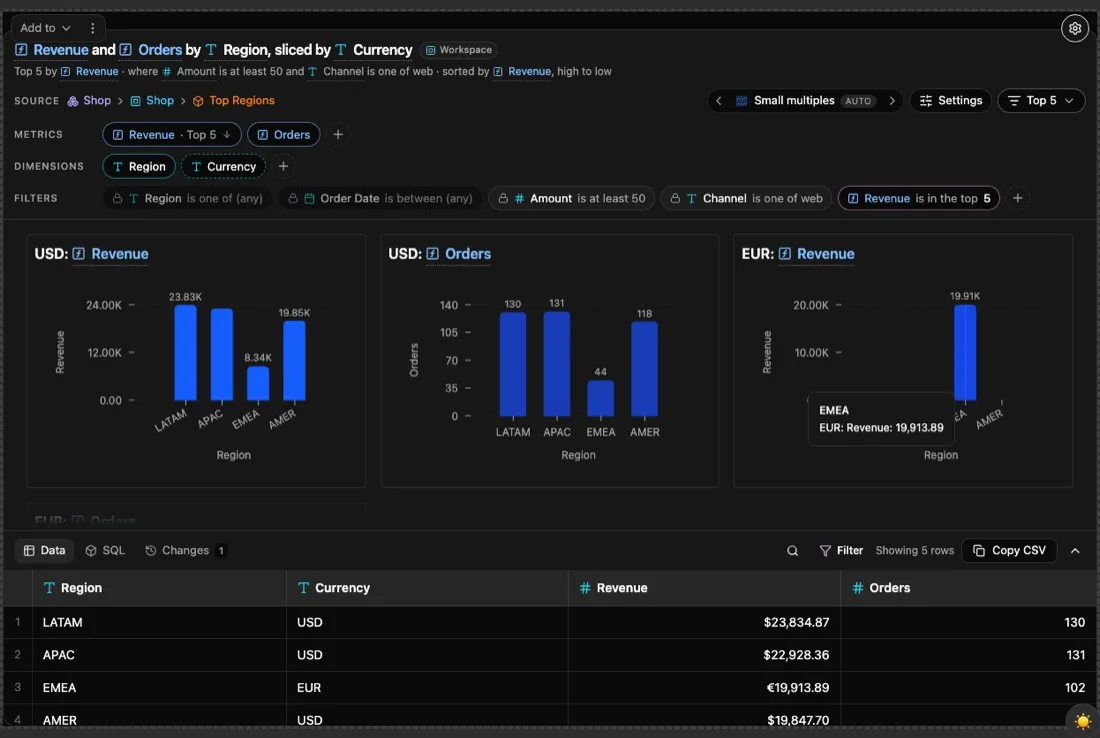
Every chart in Kater is now the same component: dashboard tiles, Explore cards, the editor’s Chart tab, Sandbox charts, the charts in apps, and charts in chat.
Closed, a card shows a title, the chart and a one-line finding, such as “LATAM has the highest Revenue, $116,577.89”. Opened, it shows:
- the source the chart reads,
- Metrics, Dimensions, Slice and Filters, each a row of pills you add to, change or remove,
- a Chart type panel that groups kinds into “Fits these fields”, “Set up with other fields” and “Not possible”,
- Data, SQL and Changes below the chart, with undo for every change.
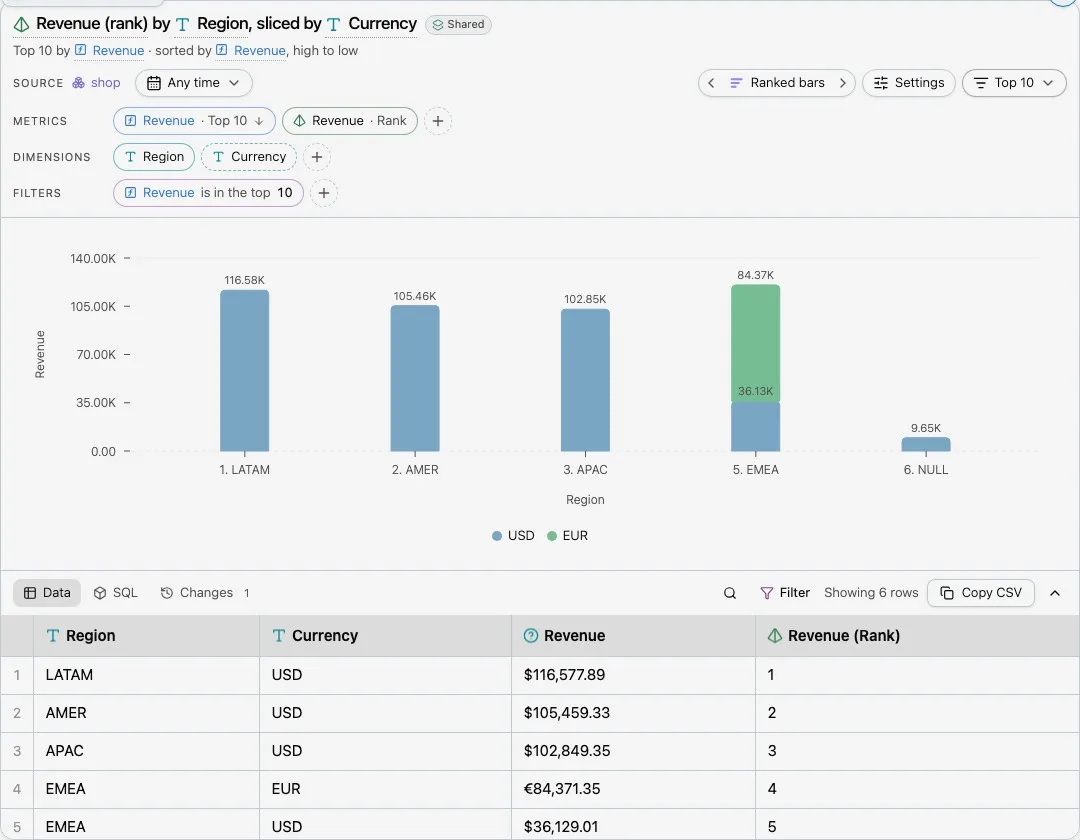
Because it is one component, a fix or a new chart kind reaches every surface at once. A pill menu also opens a new-field form, New calculation, New measure, New dimension or New filter, with the Kater SQL it will write and a preview of the result.
New chart kinds
This release added sankey, funnel and journey flows, treemaps and sunbursts with zoom, rows charts, and a cohort card. Small multiples split a chart by a dimension, one panel per value.
Add to
Add to offers the same destinations wherever a chart appears: the chart’s workspace and its dashboard, another workspace that reads the same model, a new workspace, the Sandbox, and Ask about this. A workspace that reads a different model is listed but disabled, with the reason.
Faster
The server work to open a dashboard took 4.2 to 4.7 seconds. It now takes 0.26 to 0.6 seconds, because Kater no longer repeats the same file walks, access checks and file reads for each tile.
Current limits
- A dashboard shows one workspace. To combine workspaces, build an app.
- A dashboard holds at most five Key takeaways, and each chart appears on it at most once.
- Dashboards refresh no faster than every 60 seconds.