
Asking a quick question used to need three decisions first: which workspace, which source, which semantic model. Each one stopped people, and agents, before they had a first number.
The Sandbox removes those steps. It is a place outside any workspace for throwaway SQL, like a worksheet in your warehouse console, except that it also understands Kater’s shared models.
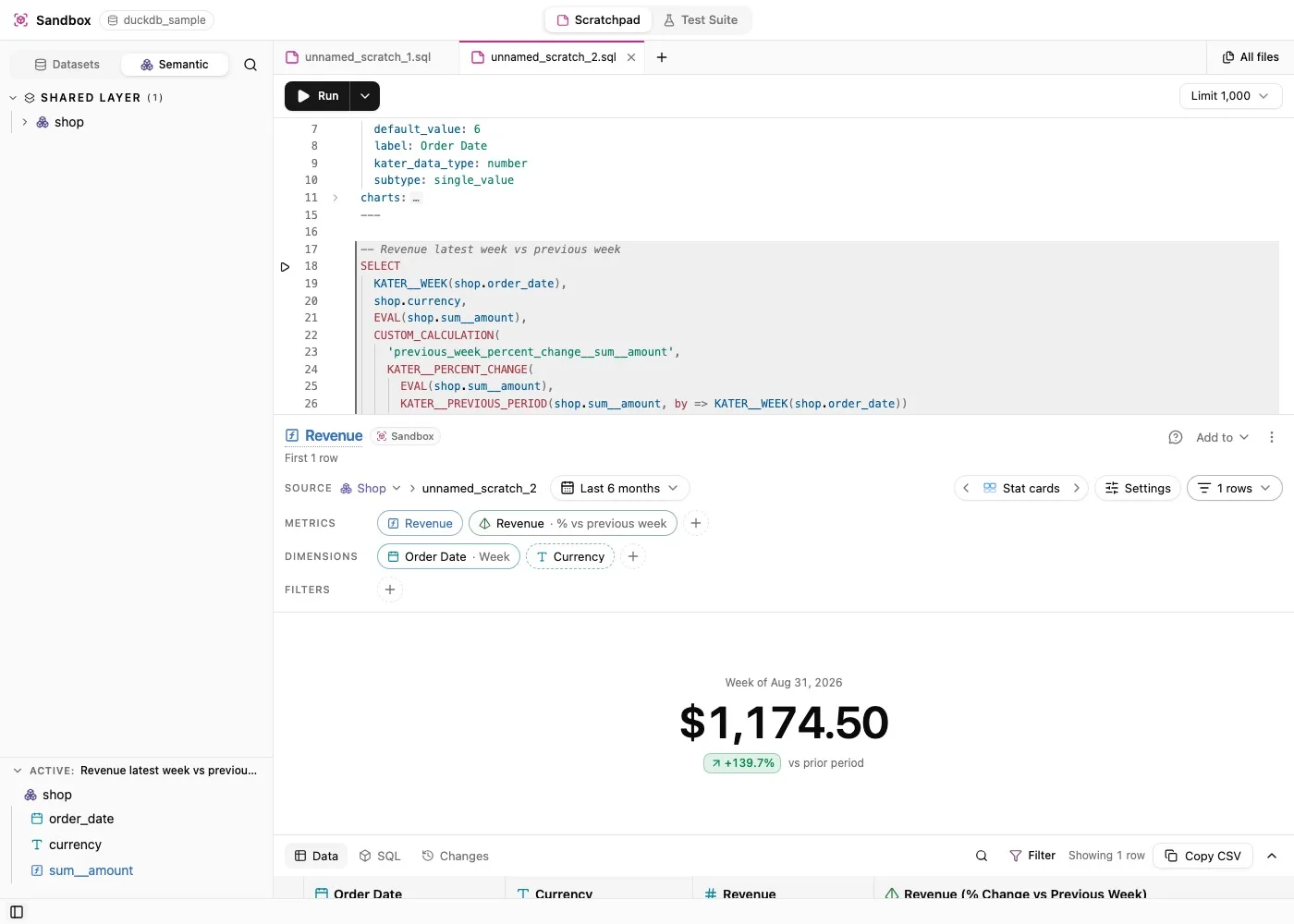
Scratch files
A scratch file is a .sql file with a short frontmatter, then any number of statements separated by ;. A comment above a statement titles it.
---name: movesmodel_type: scratchlabel: Moves between events---
-- The moves, largest firstSELECT user_journeys.from_event, user_journeys.to_event, user_journeys.transitionsFROM workspace.user_journeys AS user_journeysGROUP BY user_journeys.from_event, user_journeys.to_eventORDER BY user_journeys.transitions DESC;Run the statement at the cursor with ⌘↵, run a selection, or run them all. Results show the first 1,000 rows by default.
Kater picks how each statement runs
You do not choose a mode. Kater reads each statement and decides:
- A statement that reads one shared model compiles as a normal Kater query, with measures, filters and fields from that model.
- A statement that reads several shared models compiles as a draft semantic model, with the joins between them.
- A statement that reads only warehouse tables runs as read-only SQL in your warehouse’s own dialect.
Mixing models and warehouse tables in one statement is refused, with a message that says why.
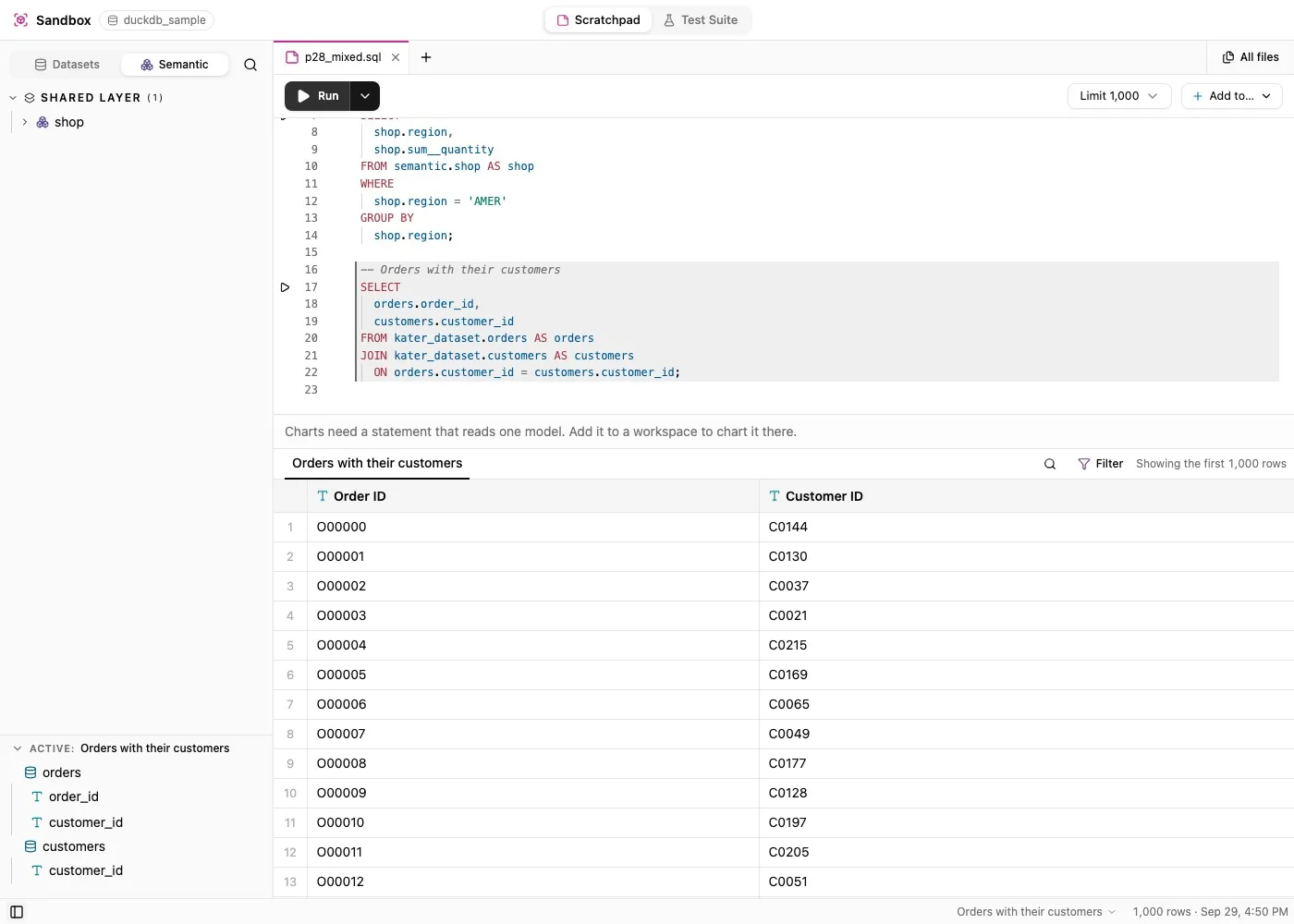
A chart per statement
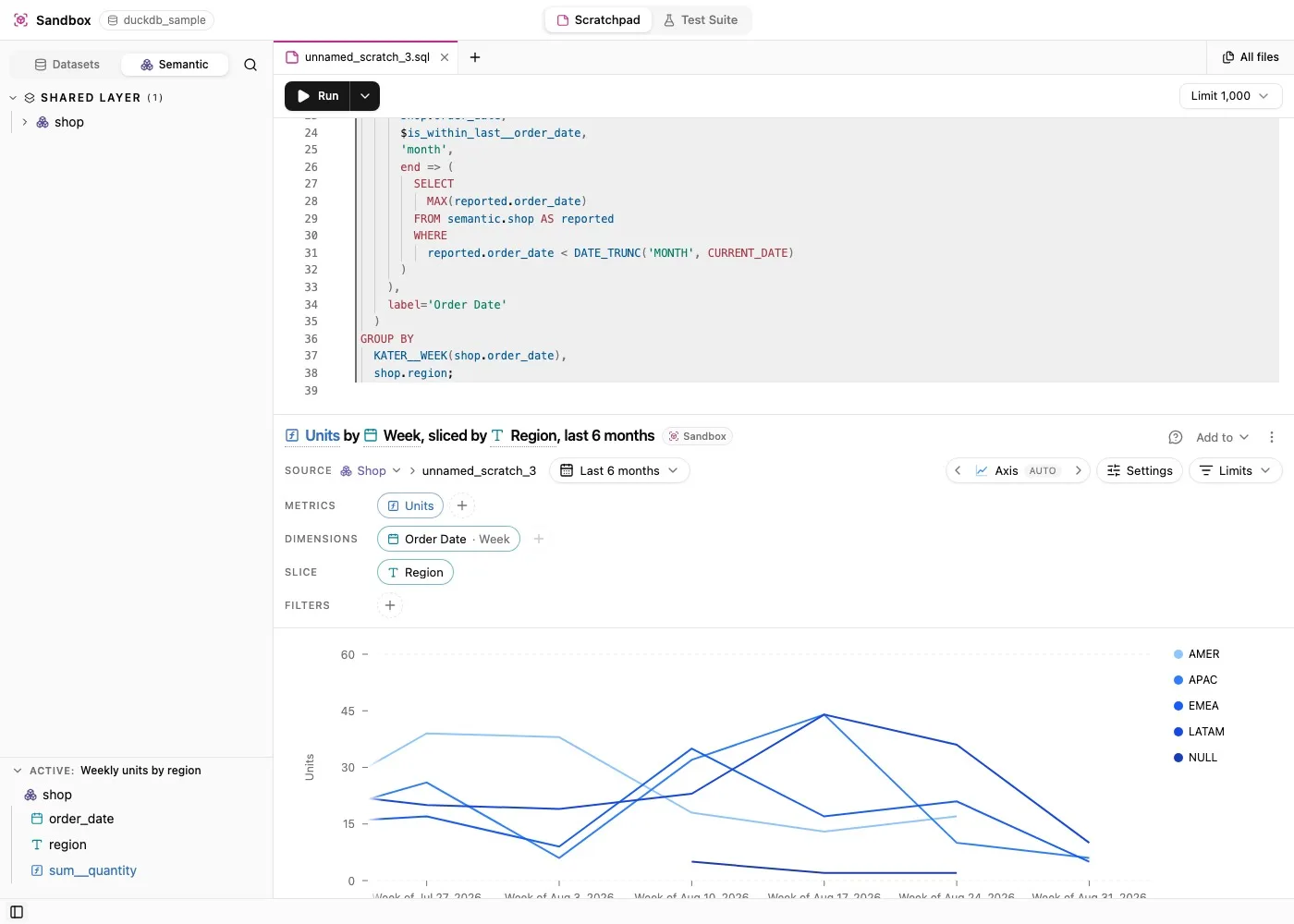
A statement that reads one model can keep a chart. The chart is the same chart shell used everywhere else in Kater, so you change metrics, dimensions, slice, filters and chart type the same way. Charts are saved in the scratch file’s frontmatter, next to the statement they draw.
When it works, keep it
Add to writes a statement into a workspace as a saved query, with its chart if you want it. From the other direction, Open in Sandbox on an Explore card copies the card’s query into a scratch file, so you can take it apart.
The Sandbox also runs your model tests. Golden queries in a model’s test file check its answers, and the Test Suite shows how many pass, fail or are out of date.
In VS Code and the terminal
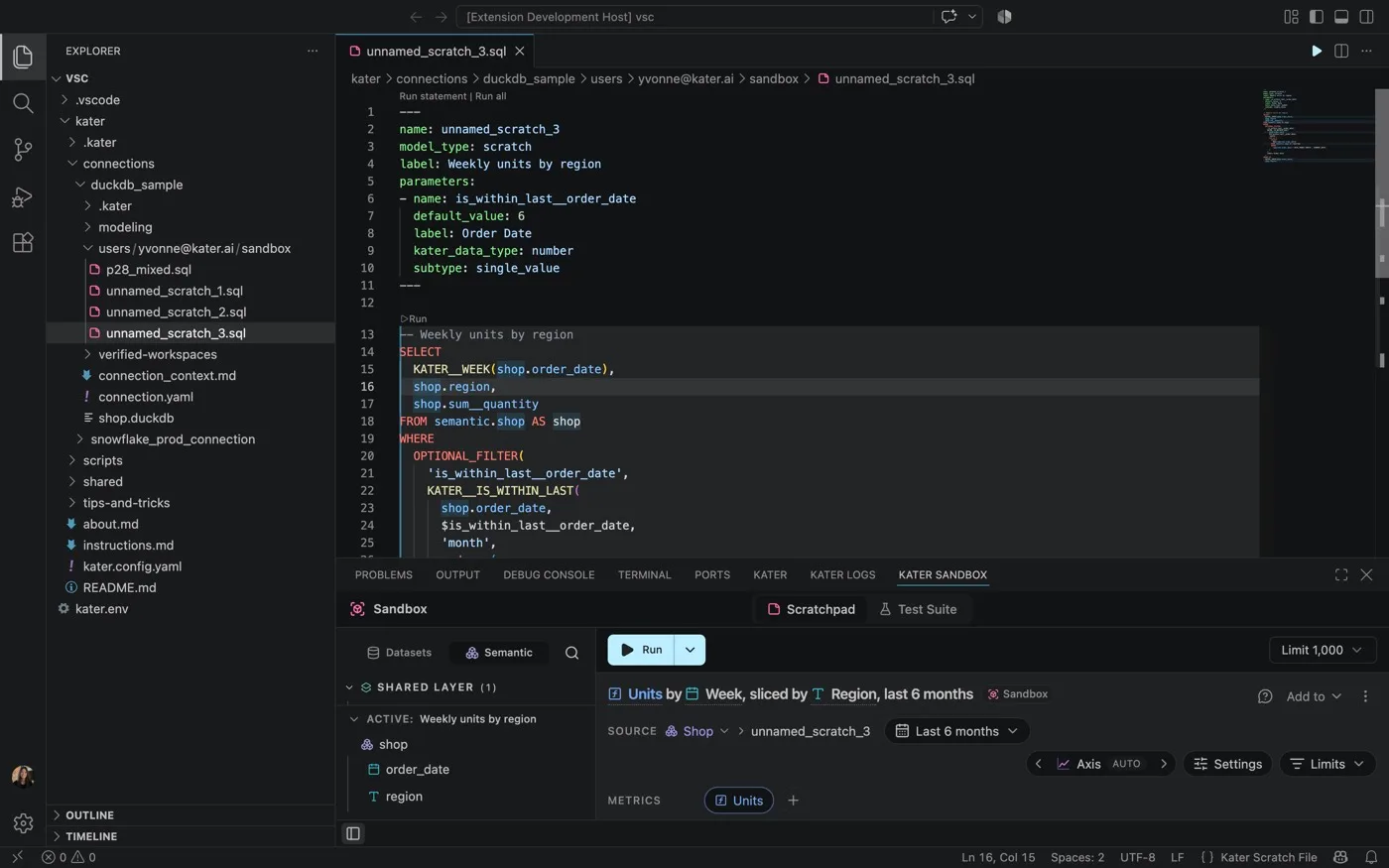
The VS Code extension has a Kater Sandbox panel, with New Scratch File, Run Statement and Run All Statements, also as code lenses above each statement.
From a terminal, kater new scratch and kater scratch list manage scratch files, and kater scratch add adds a statement to a workspace:
kater scratch listkater scratch add --path <file> --statement 0 --workspace <workspace> --include-chartWhere it lives now
Since October 3, the Sandbox is a view inside Files, and /sandbox opens Files with the Sandbox view selected. Scratch files live in your own brainstorm folder, at any depth, where your agent can also read and run them.
Current limits
- A chart needs a statement that reads exactly one model.
- Scratch files have no History, because the brainstorm folder keeps none.
- Statements that read a workspace do not have field completions yet.