
The apps your stakeholders open should look like your company, not like a tool. Until now, that meant editing CSS in every app, and every copy of a color drifted from the last.
Theme Builder is an editor for an app’s look. Change colors, chart colors, fonts, radius, spacing and shadow, in light and dark mode, and see every change on a live preview. Save the theme once, and use it on any app you can edit.
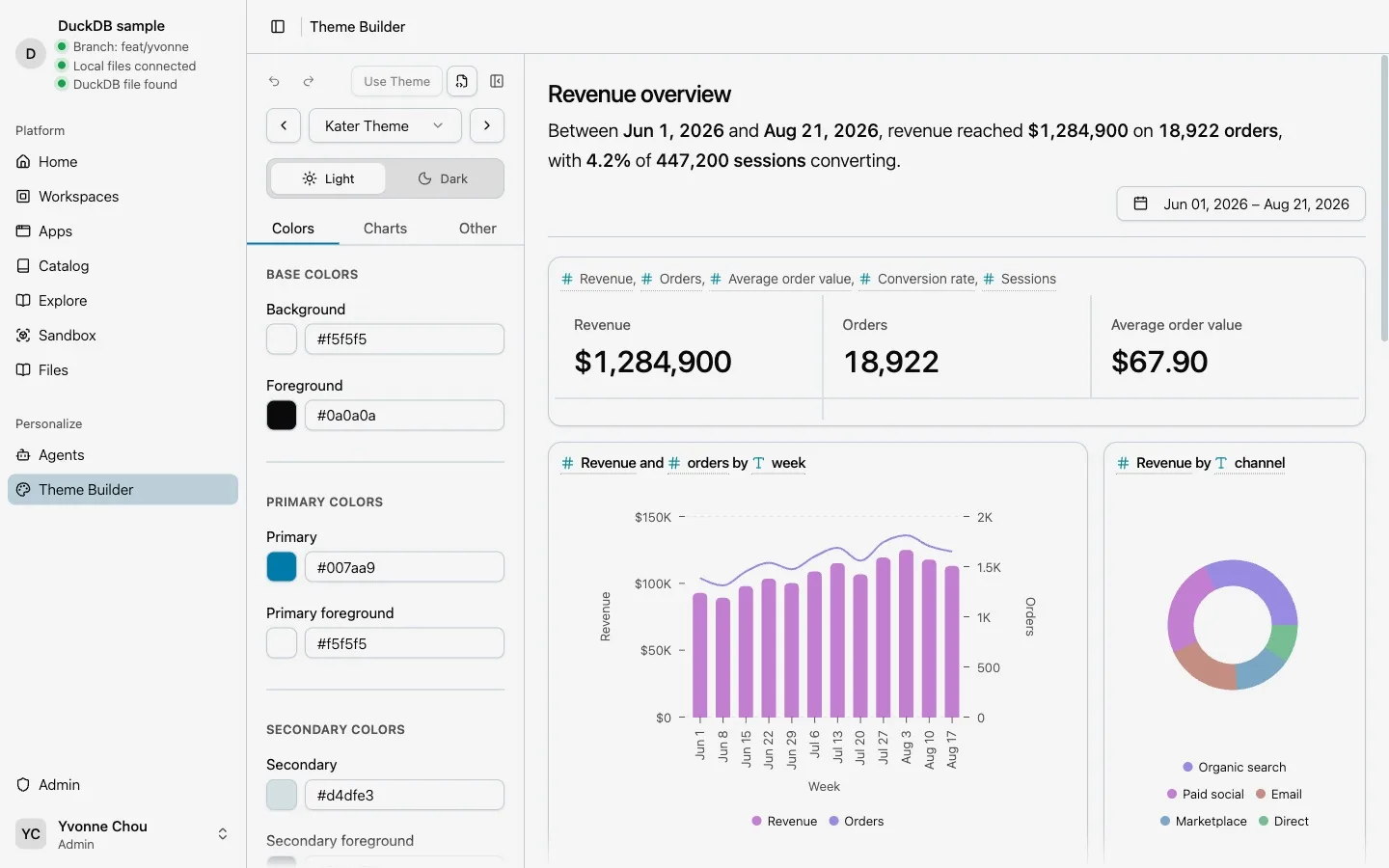
Edit on a live preview
Open Theme Builder from the sidebar. Start from one of Kater’s 16 presets or from a saved theme, step through them with Previous and Next, and switch between Light and Dark. The preview on the right is a real dashboard drawn with Kater’s own components, so what you see is what your apps get.
Three tabs hold the controls:
- Colors: base, primary, secondary, accent, muted, card, popover, destructive, border and input, and sidebar.
- Charts: five chart colors, three series colors, and semantic colors such as positive, negative and warning.
- Other: fonts, a base size from 10 to 20 px, letter spacing, radius, spacing and shadow.
Fonts come from a catalog that ships with Kater, including Inter, Geist, DM Sans, Lora, Merriweather and JetBrains Mono. Apps never download a font from a third party at run time.
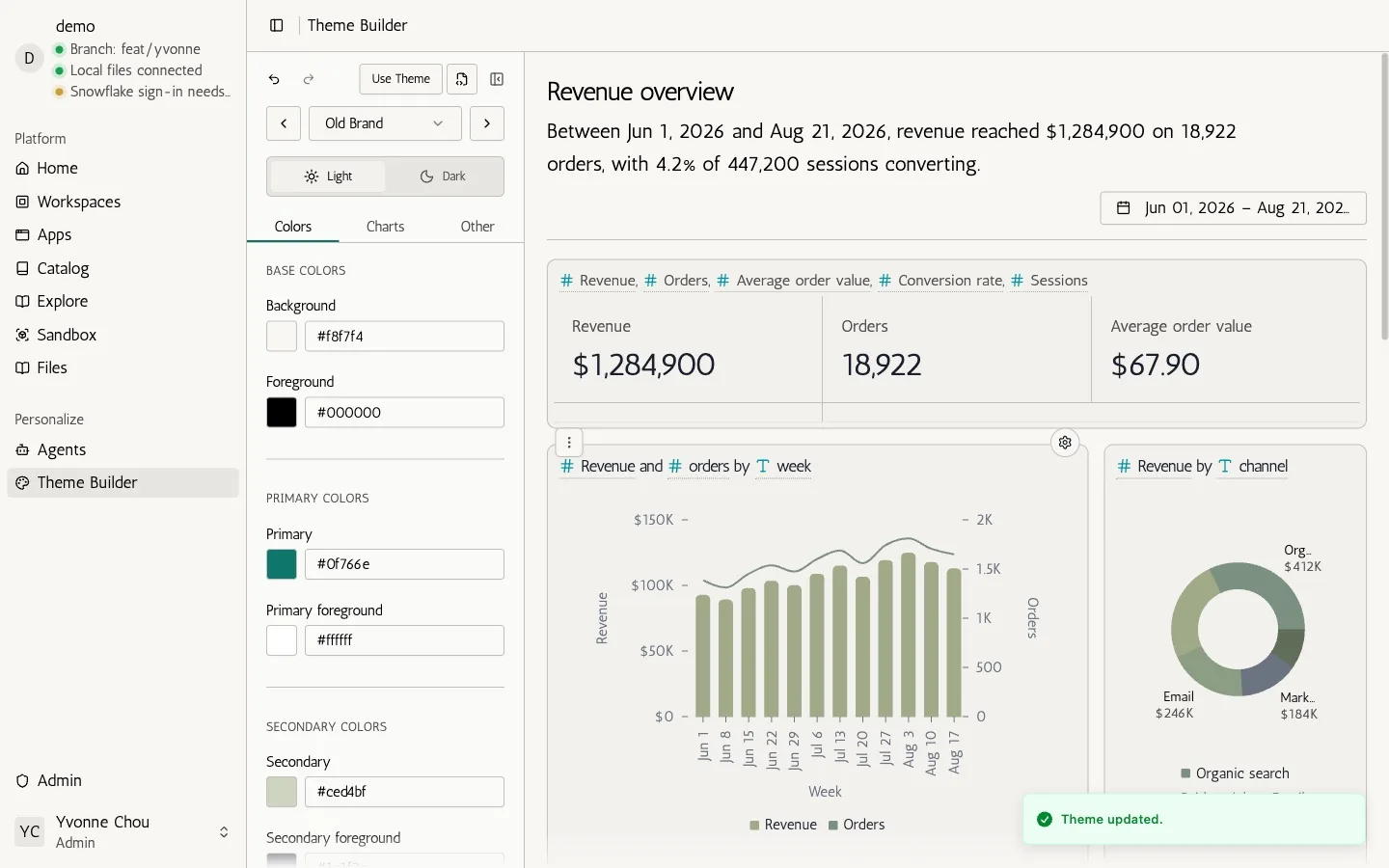
Save for yourself, or for everyone
Save Theme adds the theme to your library. No app changes until you use it.
If you can write your connection’s shared themes, the save dialog also offers Save for everyone. A theme saved for everyone appears for every person on the connection, in its own section of the theme picker. Updating it later changes every app that uses it. Deleting it returns those apps to the Kater theme.
Use it on an app
Use Theme lists the apps you can edit, each with its current colors. Select one, and the app takes the theme.
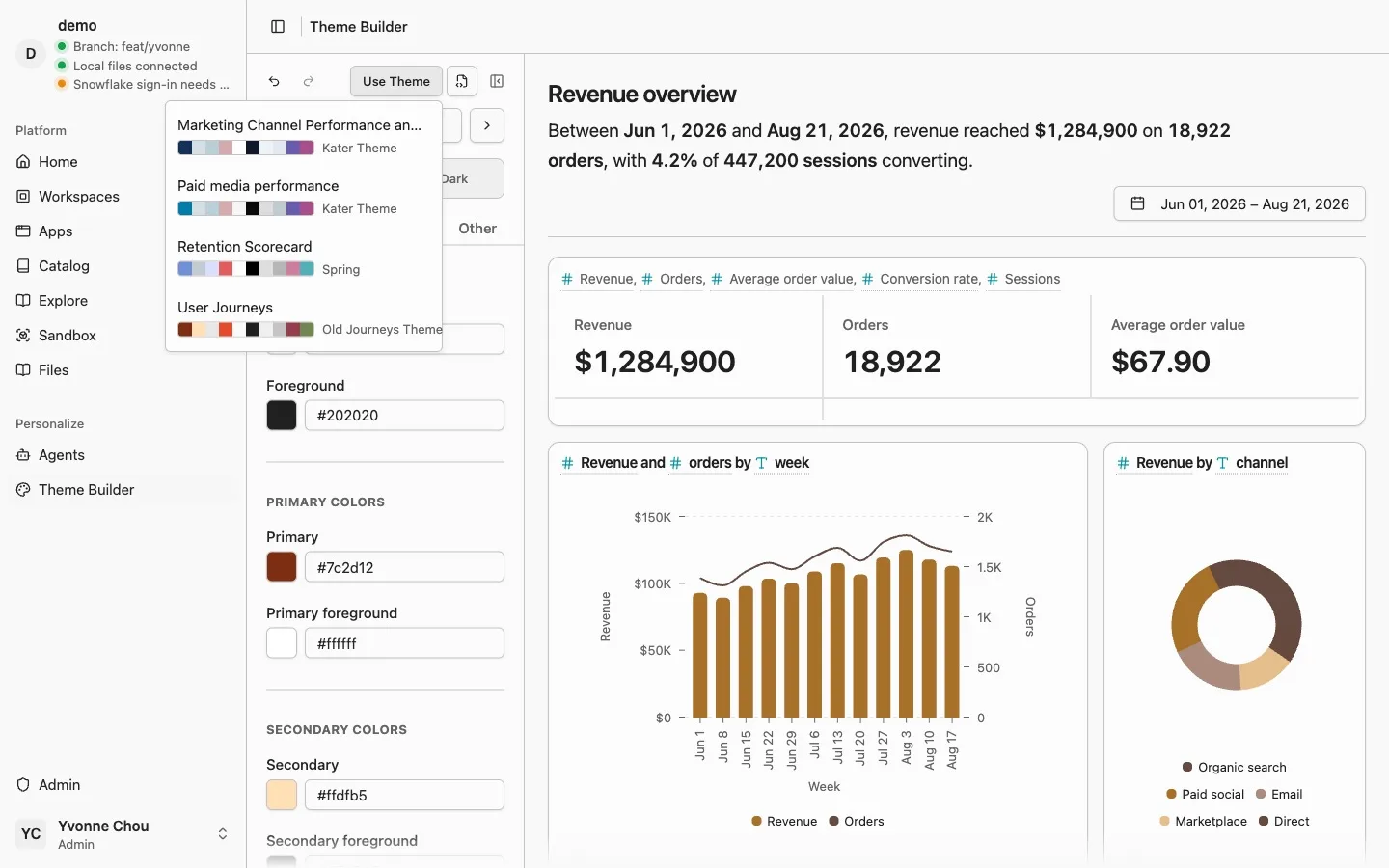
Only what you changed
An app’s theme lives in its kater.app.yaml. It names a Kater preset or a shared theme, or it names the preset it builds on and stores only the tokens it changes. Kater never writes a full copy of a preset into an app. When we fix a preset or add a token, your apps receive it.
What this theme writes shows exactly what Use Theme will put in the file, before anything is written:
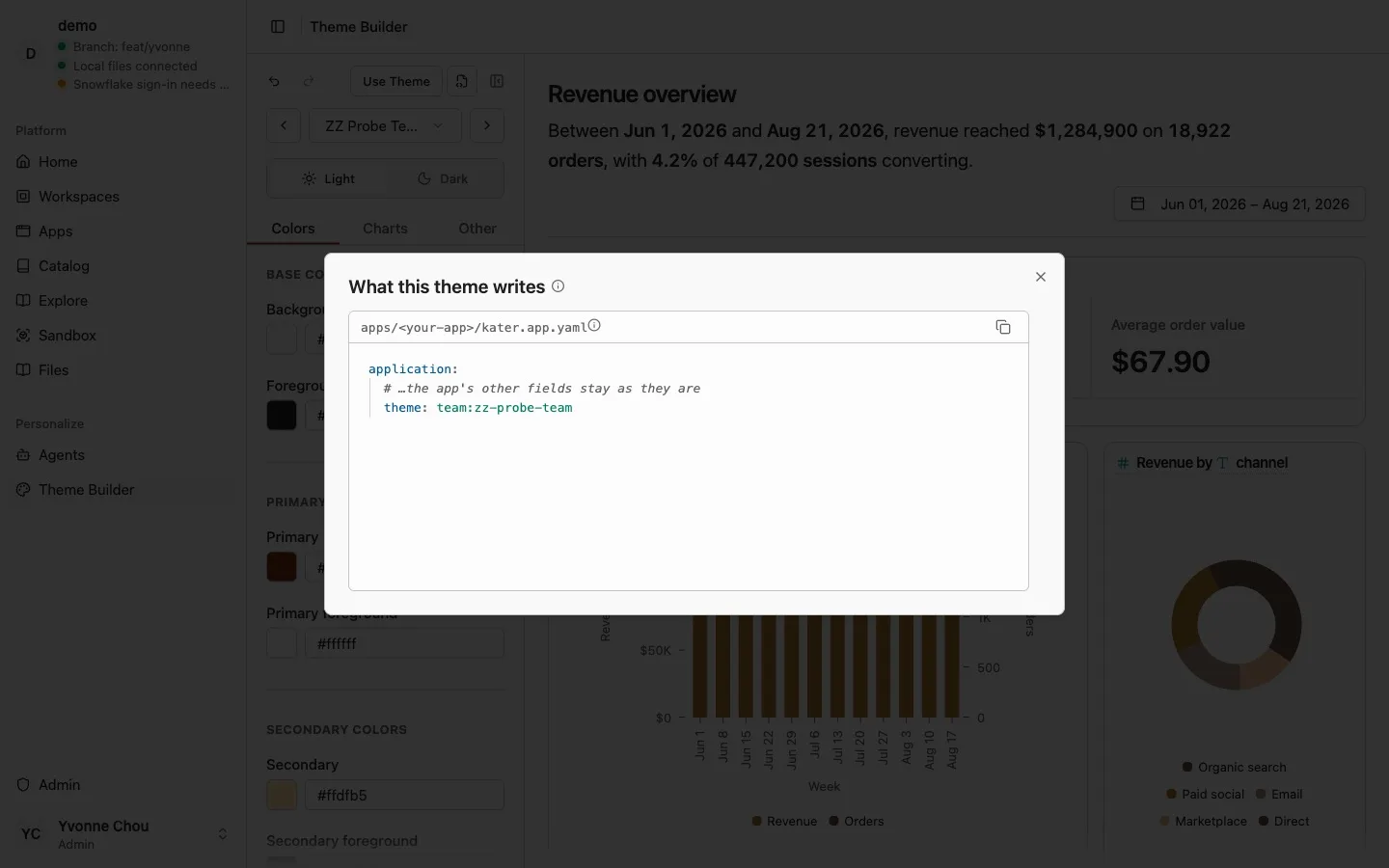
Personal themes live in your own folder. Themes saved for everyone live in the connection’s themes/ folder. Both are files, so they are versioned like the rest of your Kater content.
Current limits
- A saved theme builds on one of the 16 presets.
- Token values cannot contain
url(,var(orexpression(. - Applying a theme needs edit access to the app.