
A shared semantic model can answer hundreds of questions, but a new reader sees a list of field names. To ask a first question, they had to create a workspace, pick the right source and learn which fields go together.
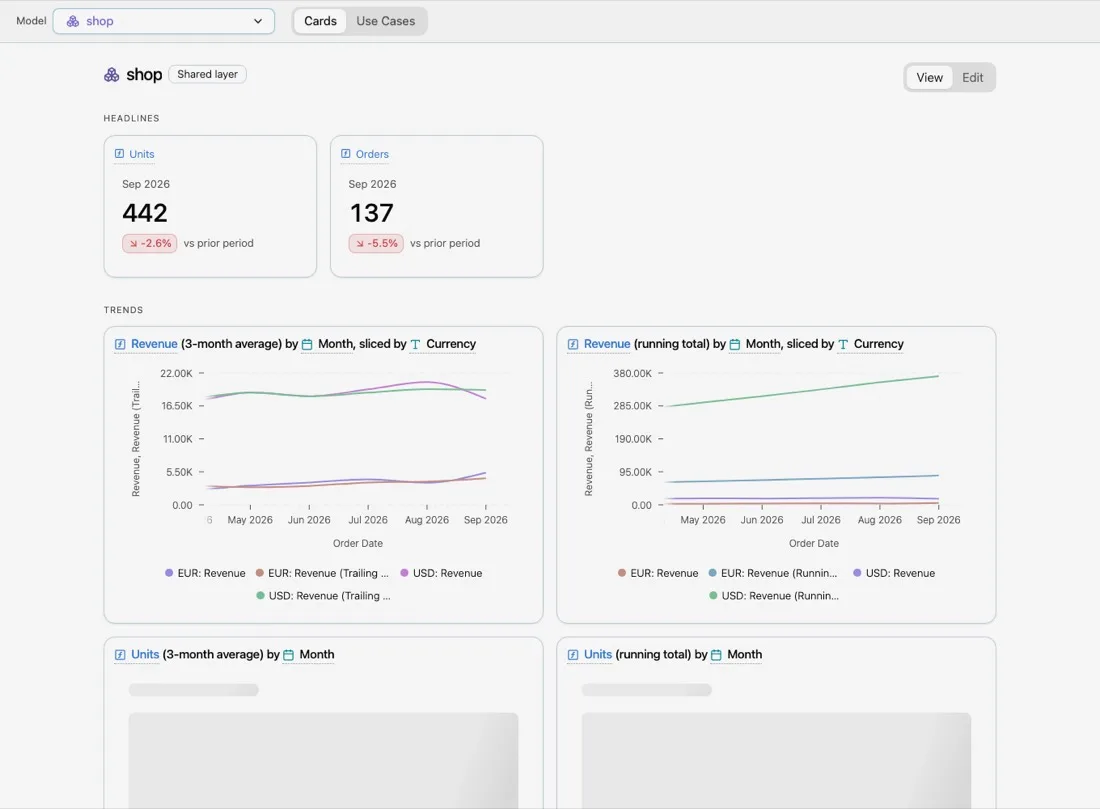
Explore starts from the other end. Select a shared model, and Explore shows what it can answer: headline numbers, trends, drivers and patterns, each as a card with a real chart on real rows. Open a card to change it. When it answers your question, take it into your own workspace.
Four sections, ten plays
Explore builds its cards from a set of plays. A play is a question template that Explore fills with the model’s own fields. On a model with a Channel dimension and a Spend measure, the Leaders play asks “Which Channel lead on Spend?”.
| Section | Play | Question |
|---|---|---|
| Headlines | Headline | {measure} latest {grain} vs previous {grain} |
| Trends | Trend | How is {measure} moving? |
| Trends | Running total | How is {measure} adding up? |
| Drivers | Leaders | Which {category} lead on {measure}? |
| Drivers | Mix | What share of {measure} comes from each {category}? |
| Drivers | Side by side | {measure} and related measures by {category} |
| Patterns | Segments | {measure} for {series} and not, over time |
| Patterns | Rhythm | Which weekday is busiest for {measure}? |
| Patterns | Cohorts | How does {measure} hold up for each {cohort} cohort? |
| Patterns | Details | The rows of {model} |
Every card’s query is written by the same field picker you use in a workspace, from stored picks. Explore never writes SQL by hand, so a card is always a query you could have built yourself.
Open a card, change the question
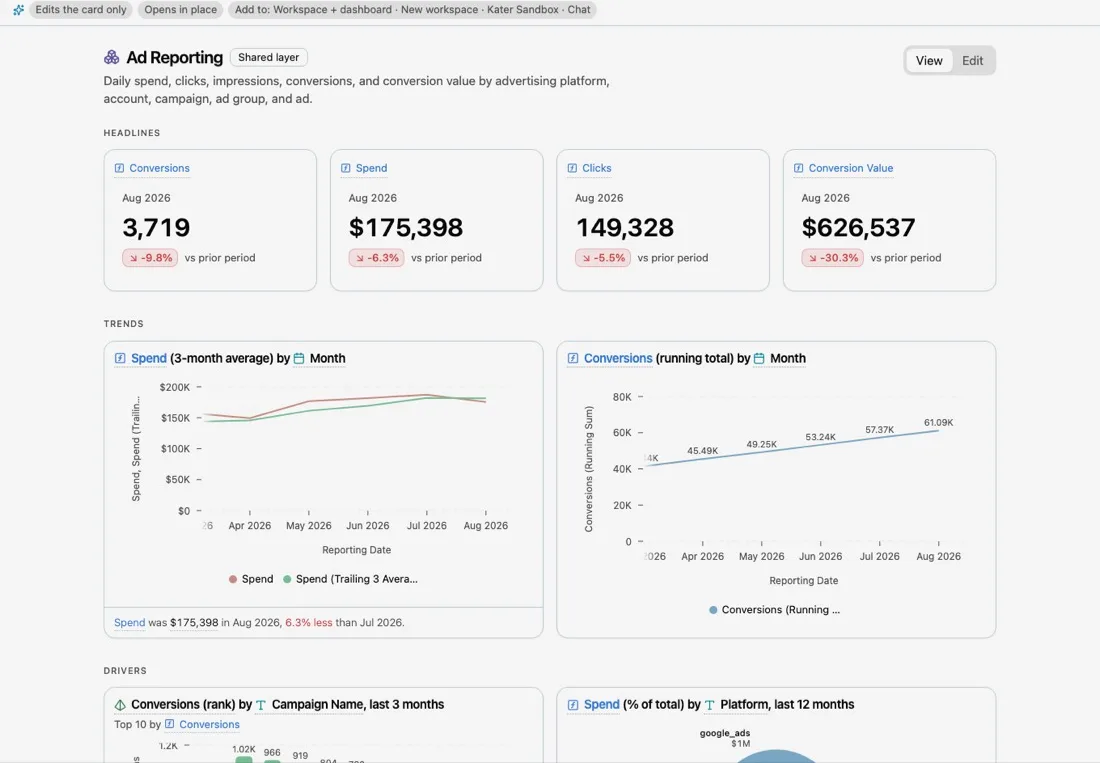
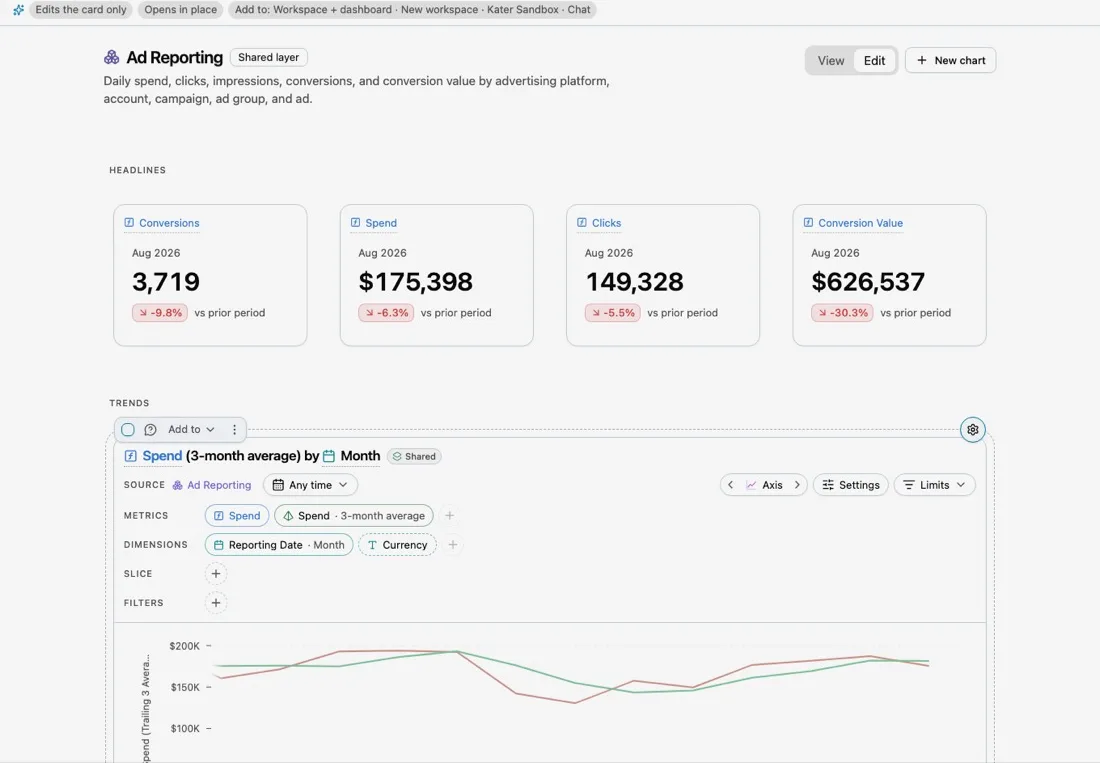
Every card is the same chart shell that Kater uses on dashboards, in the editor and in the Sandbox. Open it to change the metrics, dimensions, slice and filters, switch the chart type, read the SQL, or undo a change.
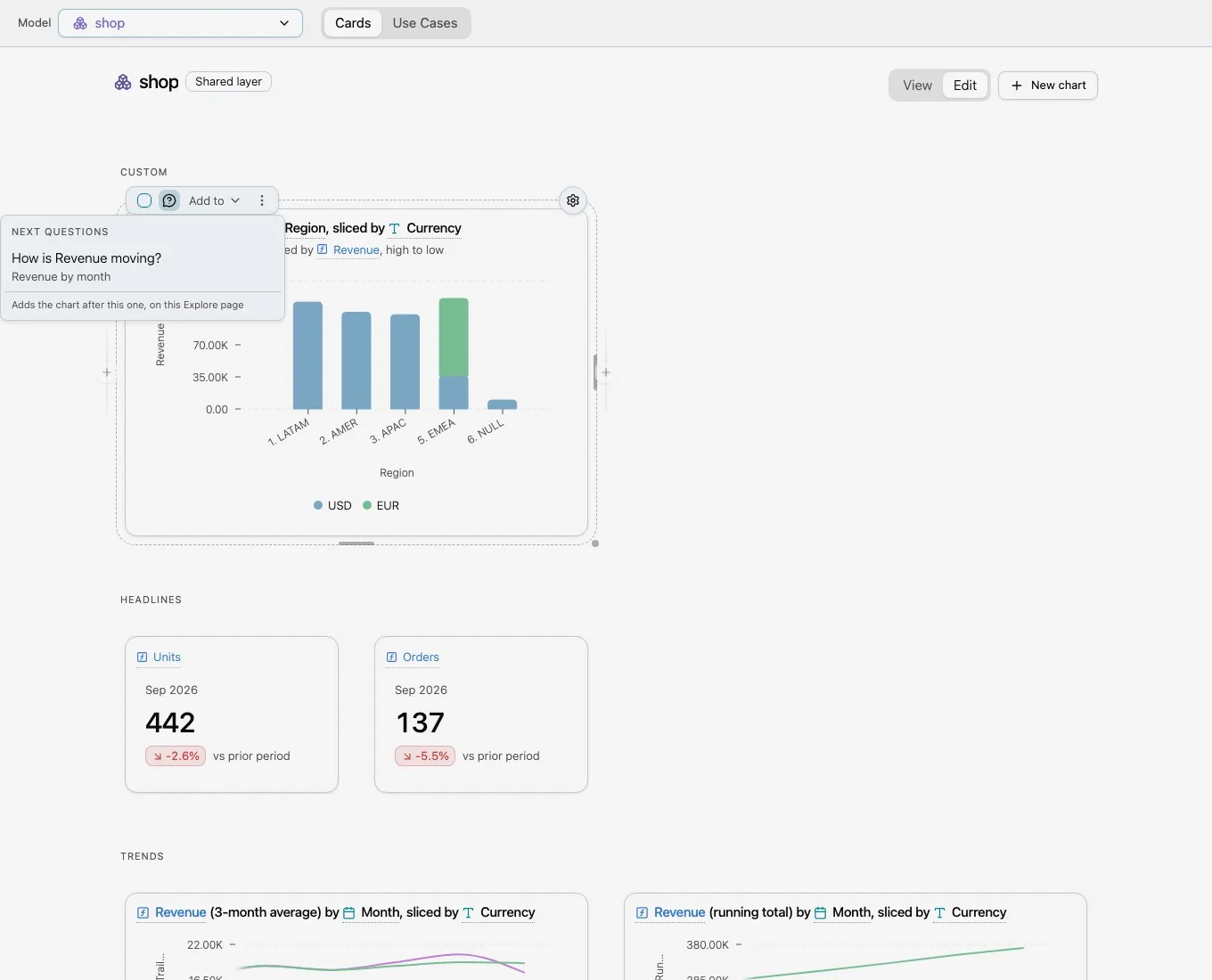
Each card also offers Next questions: other plays over the same fields. From “Revenue by Region”, the next questions include “How is Revenue moving?” and “What share of Revenue comes from each Region?”.
Take it with you
When a card answers your question, Add to sends it where you work:
- a workspace that reads the same model, or a new workspace,
- a workspace dashboard,
- the Sandbox, as a new scratch statement,
- Ask about this, which writes a prompt about the card for your own agent.
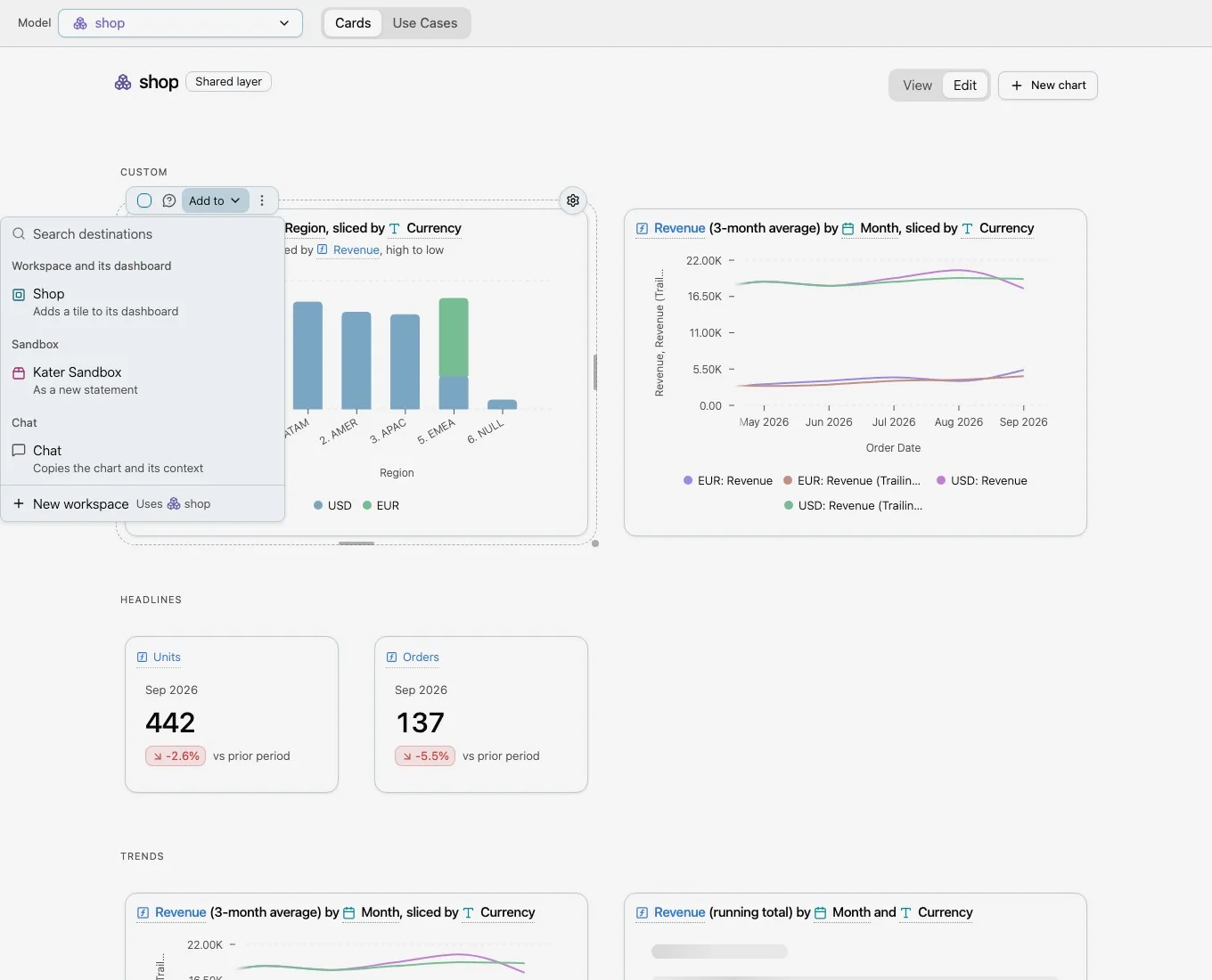
Explore is the shared layer’s one-way handoff into workspaces. Nothing in a workspace is read back into Explore, and Explore does not track where its cards went. The shared model stays the single source, and your workspace owns its copy of the query.
Fast by default
Explore runs a card only when it is on screen or about to be, two at a time, and reuses stored results when someone already ran the same query. People who can edit a model’s Explore page can reorder and resize its cards in Edit mode. The saved layout lives in one file beside the model, <model>.explore.yaml.
From a terminal, kater explore tour lists a model’s cards and kater explore card open opens one.
Current limits
- Explore reads shared semantic models only. A model’s data team decides whether it appears in Explore.
- Explore does not show which workspaces copied a card, by design.
Get started
Open Explore from the sidebar and select a shared model.