
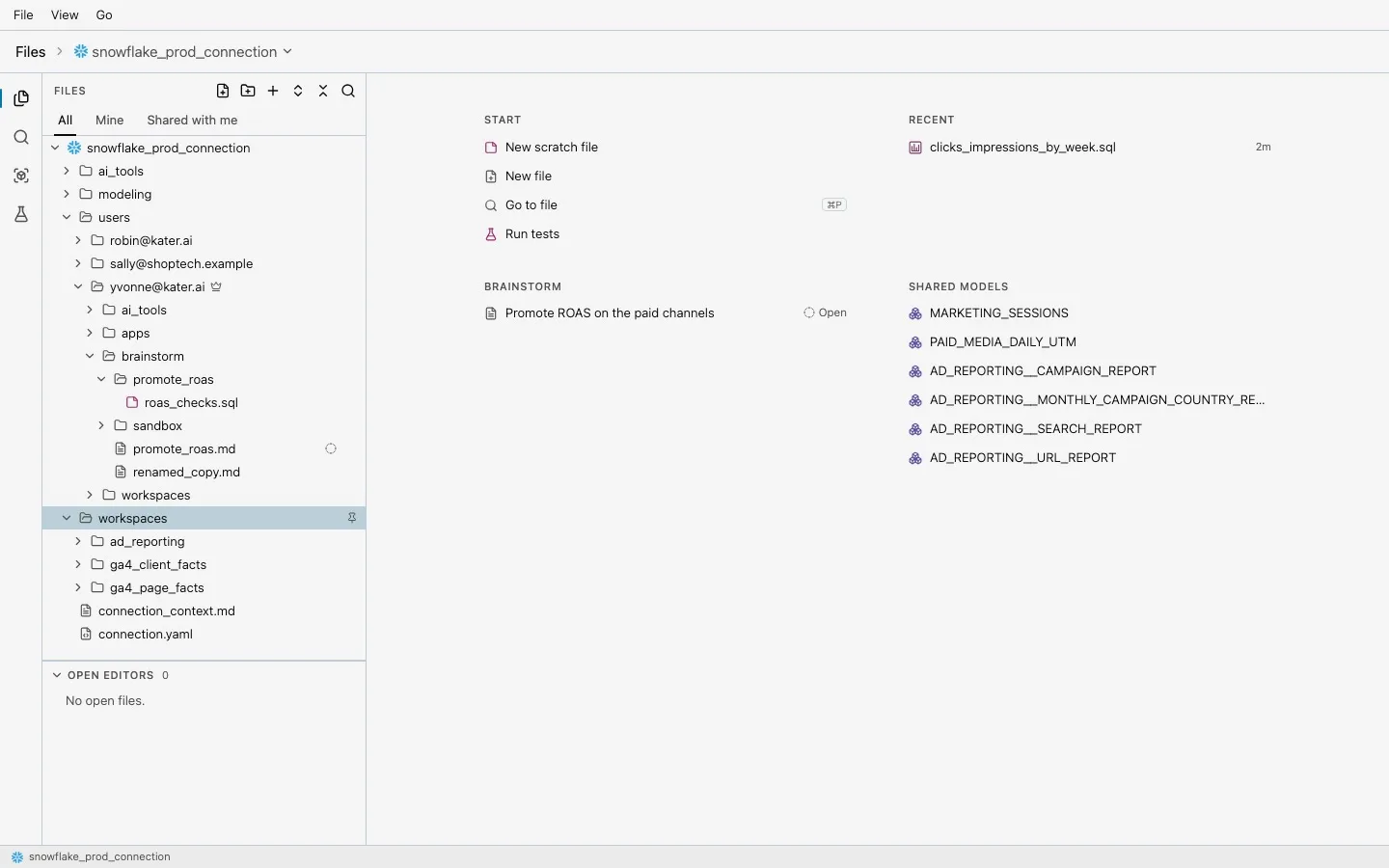
Kater content is files: models, workspaces, queries, charts, apps and each person’s own folder. Until this release, that content lived in your organization’s GitHub repository. Anyone with access to the repository could clone every folder in it, including people’s personal work, so a permission set in Kater held only inside Kater.
Now each organization’s content lives in a git store that Kater hosts. Nobody clones it directly. People work on a local copy that holds only what they can read, and GitHub receives an optional, one-way copy of the shared layer.
Every change is a commit
Every write in Kater, from the portal, the CLI, VS Code or an agent, is a git commit in your organization’s store, authored by the person who made it. Before a write returns, the commit is mirrored as a git bundle to a folder or to S3. If a store is ever missing, Kater restores it from the mirror.
Open Kater tabs hear about new commits through one live stream per tab, filtered to the paths each person can read. If someone saves a file you have open with unsaved edits, you choose Keep mine or Use theirs.
Local copies with kater git
kater git clone kater # a local copy of everything you can readkater git pull # take others' changes, with a real git mergekater git commit -am "Rename spend measure"kater git push -m "Rename spend measure"kater git clone makes a fresh repository with one snapshot of everything you can read. kater git pull takes a new snapshot and runs a normal git merge, so a conflict is an ordinary git conflict. kater git push publishes your commits since the last snapshot as one change, all or nothing: if any of the files changed on the server, nothing is applied, and you pull, merge and push again.
Every other kater git subcommand is plain git. Your editor, your diff tool and your agent work on the local copy as they would on any repository.
Write-back to GitHub
Many data teams keep their models in GitHub, next to dbt and the rest of their code. Write-back publishes each connection’s shared layer, its modeling/ folder, to your GitHub repository as one pull request into the default branch:
kater admin write-back connect --path-prefix kater/ --schedule on_publishkater admin write-back statusWrite-back runs a minute after the last publish, or on a cron schedule. It keeps one pull request open from the kater/shared branch.
Write-back is one-way. Kater never reads anything back from GitHub, and only the shared layer leaves Kater. Workspaces and personal folders stay in Kater.
Sharing works like Google Drive
Sharing is now a grant on a folder. A grant gives a person, a group or Everyone one of three levels:
| Level | What it allows |
|---|---|
| Viewer | Can view |
| Editor | Can view, change and delete |
| Manager | Can also change who has access |
A new organization starts with Everyone as Viewer on the root. Each person’s own folder is restricted to them. Whoever creates a workspace or an app becomes its Manager. Files inherit their folder’s access, and a grant on a file only adds to it.
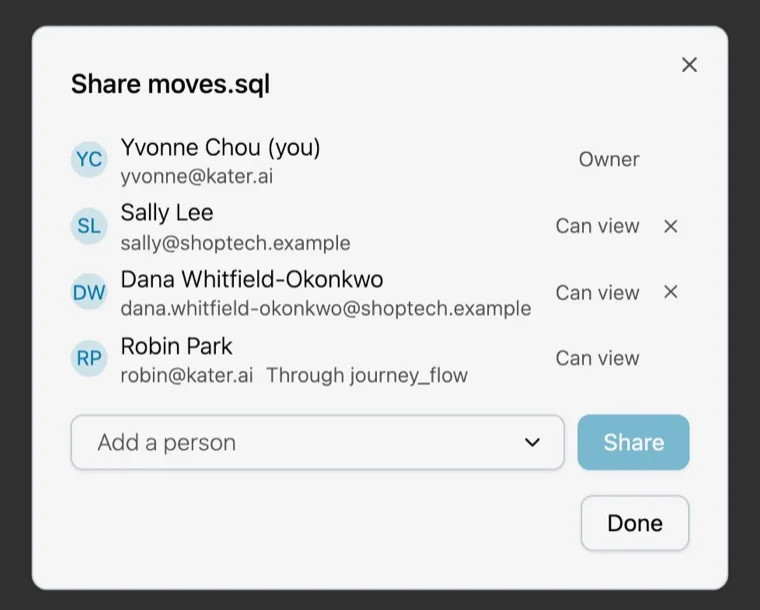
Manage access from the Share dialog on workspace and app pages, from Files & access in the admin console, from the Kater Access view in VS Code, or from the terminal:
kater admin access show connections/saleskater admin access grant connections/sales/workspaces/pipeline --group "Sales ops" --level editorkater admin access restrict connections/sales/workspaces/pipelineRun without reading
Execute only lets someone run a query and read its results without reading its source. Kater checks it on the server for every run, every kept result and every export. When a grant changes, open tabs are told at once: results on screen are cleared and source text stays.
Warehouse queries from every tool, including the local CLI, run on Kater’s server with your organization’s stored warehouse credential. Each one is checked against Kater’s permissions and logged, so people do not need warehouse logins of their own.
Current limits
- Only folders can be restricted. A single file cannot.
- Write-back covers each connection’s
modeling/folder only. Edits made directly to that folder in GitHub show up as reverted in the next write-back pull request. - Uncommitted changes in a local copy are never published.
- When two people save the same file in the browser, the later save wins.