
The same metric gets defined again and again. One workspace writes ROAS as revenue over spend. Another writes it the same way under a different name. A third filters to one currency first. Nobody sees it until two dashboards disagree.
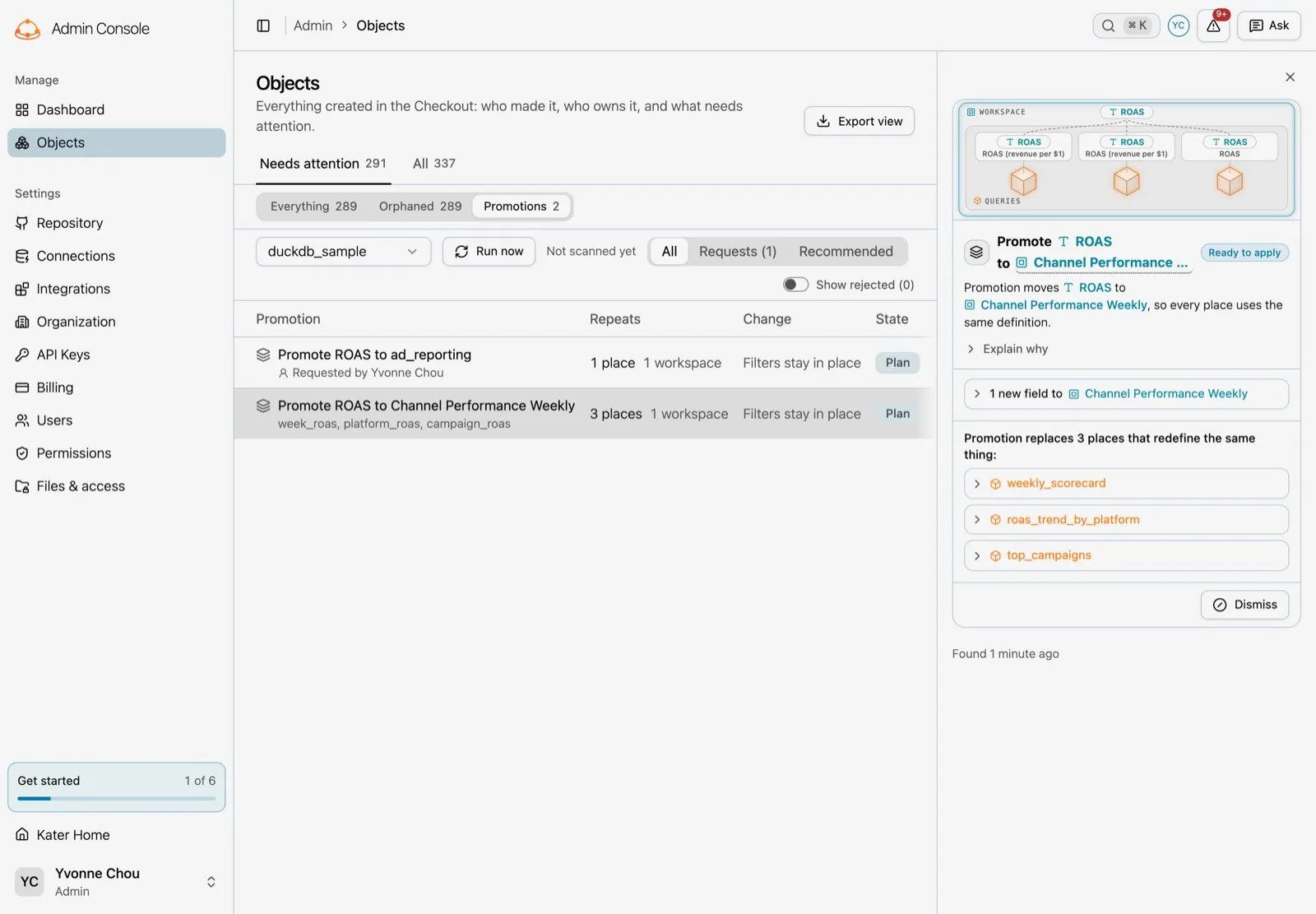
Promotions find those repeats and move them into one shared definition. Kater finds them, drafts the change, checks it on your warehouse, and an admin applies it. People can also promote a field themselves, or ask the data team to.
How Kater finds repeats
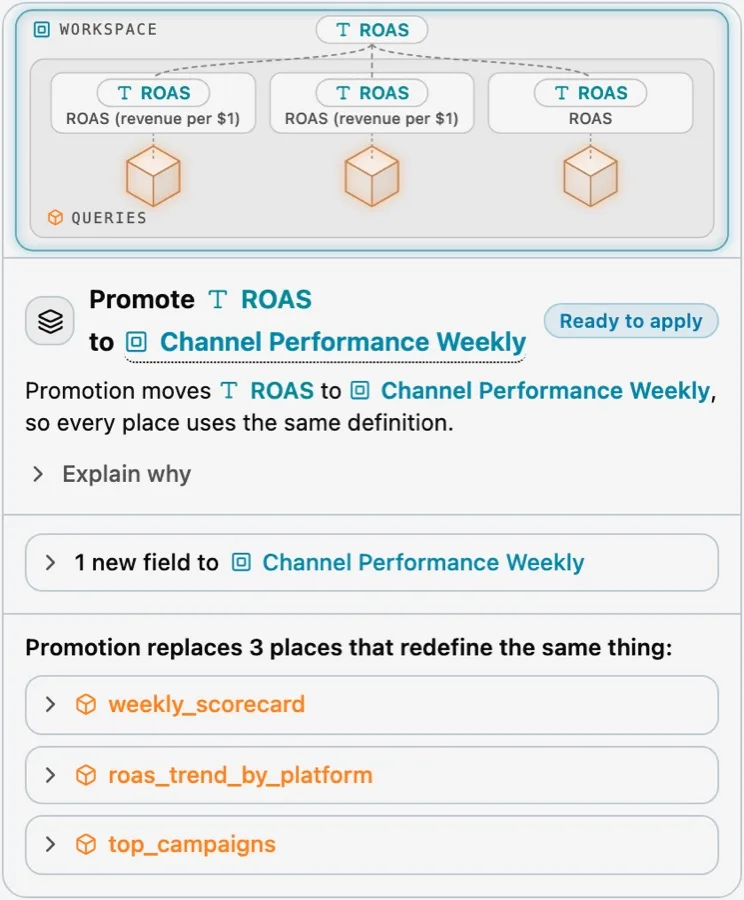
Every night, or when an admin runs it, Kater compiles every workspace on a connection and groups fields by a fingerprint of their formula. The fingerprint ignores names and owners, so roas, week_roas and ROAS (revenue per $1) match when they compute the same thing. No language model is involved in finding repeats.
Each group gets a place to go:
- Repeats inside one workspace move to that workspace’s root definitions.
- Repeats across workspaces move to the nearest shared semantic model they all read, or reuse a field that model already has.
Drafted, then proved
For each group, a small model judges whether the promotion is worth it and names the new field. The compiler writes every draft it can. A larger model drafts the rest.
A draft is kept only if every model still compiles, every place keeps its fingerprint, and no other field changes. Kater then runs each affected query on the warehouse twice, as saved and as drafted, in one diff statement. The result is one of three labels:
- Results match: every row is the same.
- Results differ: the draft changes a number, and the diff shows where.
- Not verified: the check could not run.
Apply or dismiss
Admins review promotions in the admin console under Objects, Needs attention, Promotions. Each one shows the definition it adds, every place it replaces, and the result check under each diff. Admins select Apply or Dismiss. Applying a draft marked Not verified asks for confirmation first.
Promote it yourself
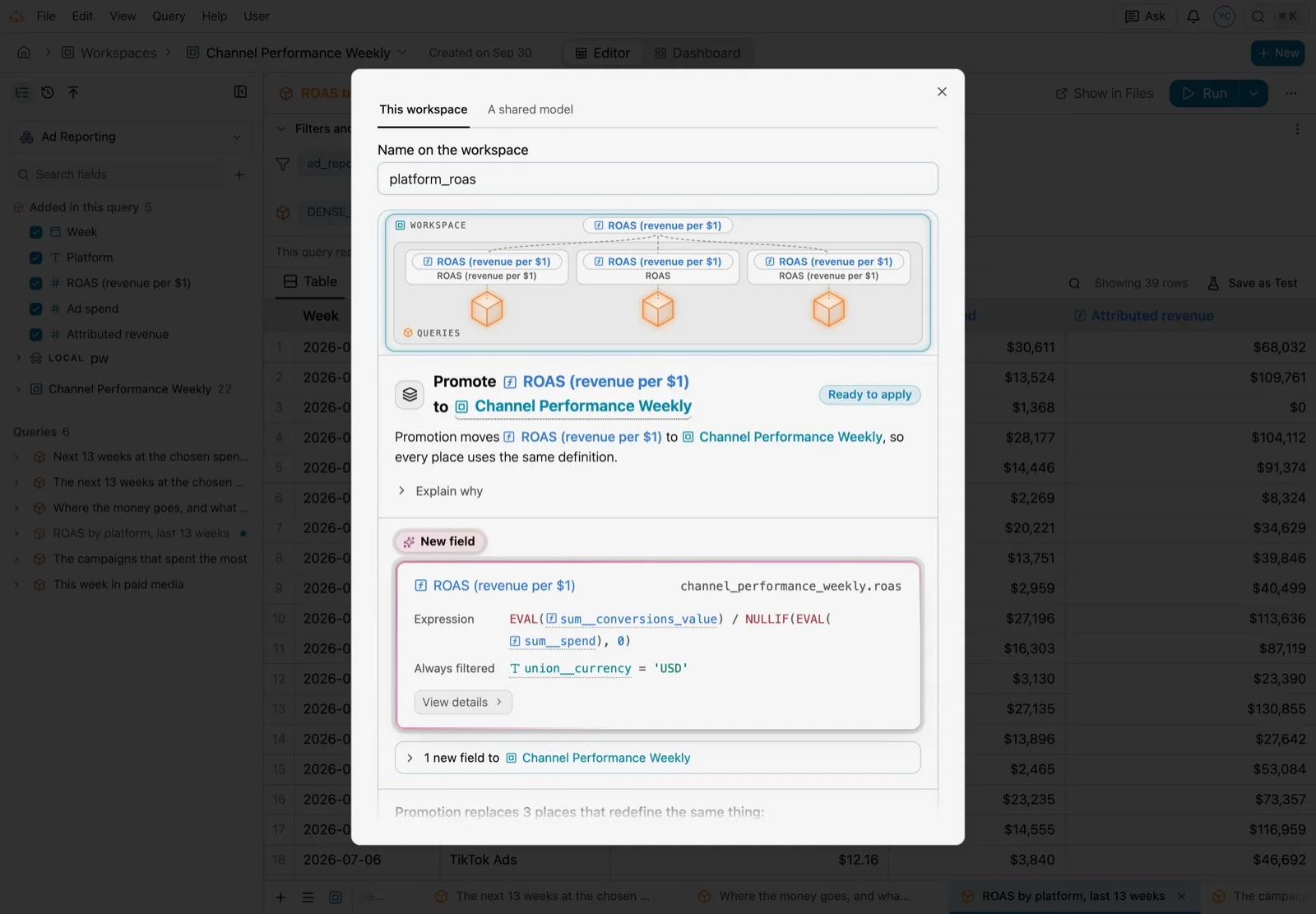
Definition cards and the field picker now have a Promote button. It opens one dialog with two choices:
- This workspace moves the field to the workspace root now, and every query in the workspace reads it from there.
- A shared model files a request with your reason. The data team decides.
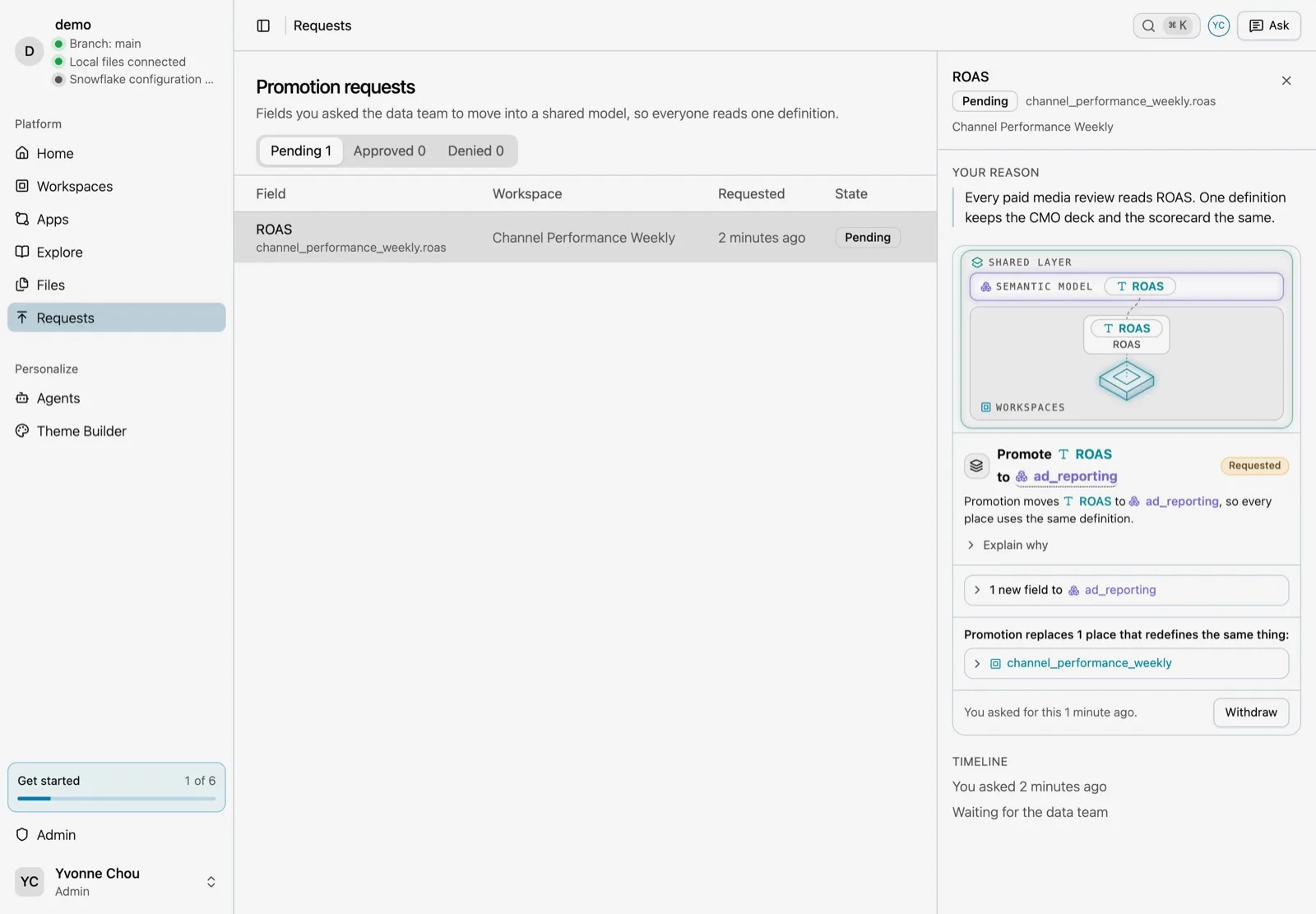
Requests appear on the Requests page and in the admin list. An admin approves or denies each one with a reason, and you see the decision on Home.
The same flow works from a terminal or from your agent:
kater model promote roas --relation <query> --scope <workspace> --dry-runkater promotion request <workspace>/query_contracts/spend.sql roas --reason "Finance and marketing both define ROAS"kater promotion list --status pendingkater promotion withdraw <request-id>In a chat, your agent shows the proposal as a card before anything changes.
Verified fields
Only a field is verified: a field is verified when a shared model defines it. Applying a promotion moves a workspace field into a shared model, so it shows as verified. To mark a model, query or workspace that the data team stands behind, add curated: ["true"] to its tags. A tag changes no permissions.
The admin console also has an Objects page that shows who created and owns each object, what uses it, and what is stale or has no owner, with bulk Reassign and CSV export.
Current limits
- Scans run on the server, as an admin.
- A scan checks at most 20 results on the warehouse, allows 120 seconds per statement, and samples above 10,000 rows.
- A change of warehouse type, such as
NUMBERtoFLOAT, is not detected. - Drafts written by a model need an Anthropic or OpenAI API key configured for Kater.