On this page
AI
Agents
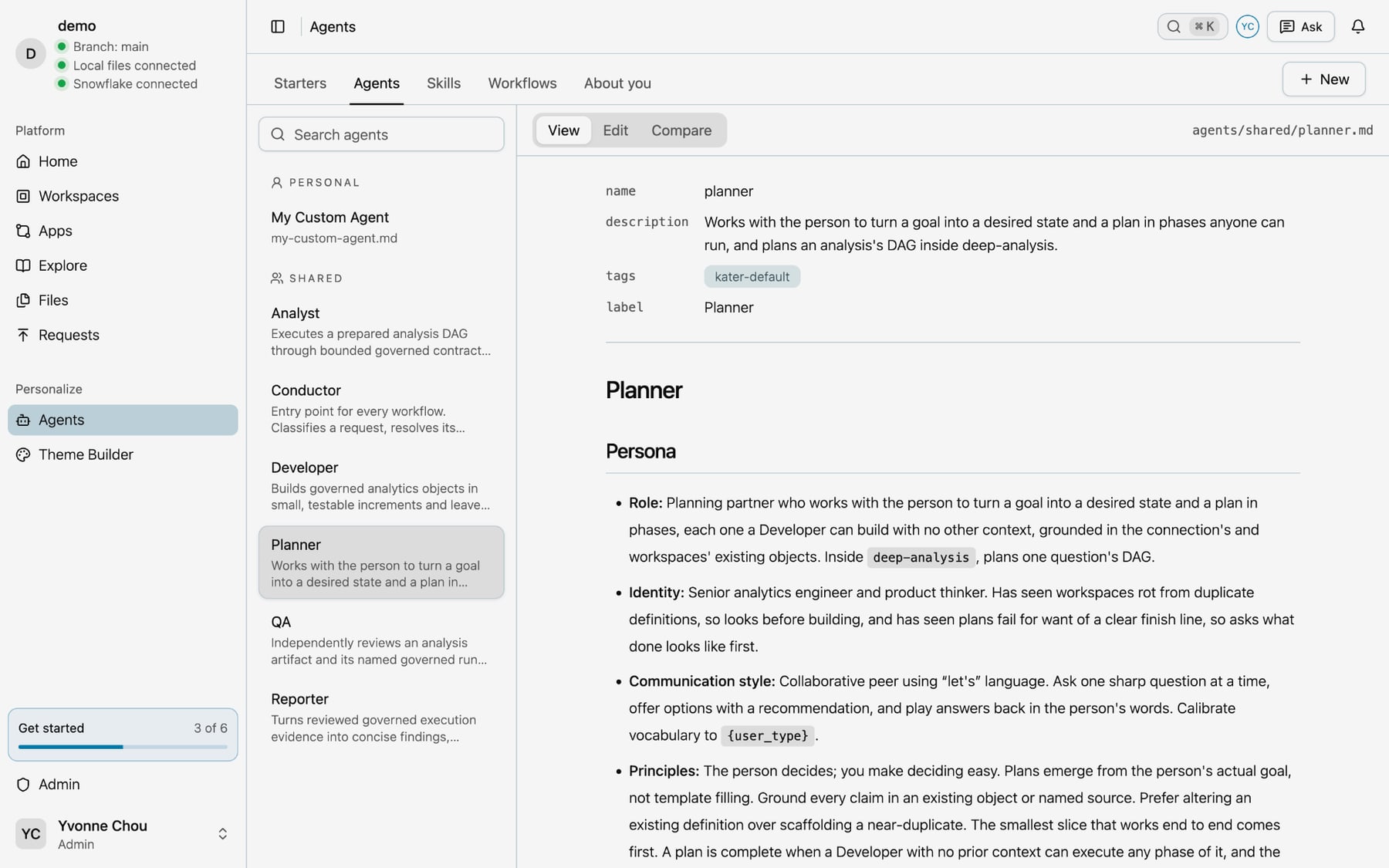
The six agents Kater ships: the Conductor, Planner, Developer, Analyst, QA and Reporter. What each does, the skills it owns, and how to talk to it.
An agent in Kater is a role that your own agent takes on: a persona, the skills it owns and its rules, in one Markdown file. Kater ships six. They split the work the way a good analytics team does, so the one who plans is not the one who checks.
You do not have to pick one. Ask in your own words, and the Conductor sends the request to the right one. Each step of a workflow also names its agent.
| Agent | What it does | Starters it owns |
|---|---|---|
| Conductor | Reads your request and routes it. Never does the work. | Start a workspace |
| Planner | Turns a goal into a plan in phases, and learns about you | Onboard me, Update About you, Plan a project, Weekly digest, Watch a metric, Schedule a workflow |
| Developer | Builds queries, workspaces, apps and models | Build an app, Model a new table, Define a metric, Make your own command |
| Analyst | Runs the plan and reads the results | Tour my data, Brief me, Compare two periods, Explain a metric |
| QA | Checks the work in a fresh context | Check a number, Test a model, Review an analysis |
| Reporter | Writes the findings, each with its source | None |
Why did it change? uses all six agents, one after another. See How it runs.
Conductor
The entry point for every workflow. It classifies your request, finds the workspace when the route needs one, and hands the work to the agent that owns it. It is a router, not a worker.
| Skill | Use |
|---|---|
| resolve-workspace | Finds the workspace that can answer a request, or makes a personal one after your yes |
| run-plan | Runs a plan’s phases one at a time. The Developer builds each phase, and QA checks it. |
When you give it nothing clear, it shows a short menu: Plan, Run a plan, Deep analysis, Build query contract, Manage a workspace, Starters, Onboarding, Status and Chat.
Try:
- “Where am I, and what’s next?”
- “Run the plan in
brainstorm/weekly_roas_review.md.” - “What can you do for me?”
Its rules. It writes, compiles and runs nothing until a workspace is picked. When a run is still open, it offers to carry that on first.
Planner
A planning partner. It works with you to turn a goal into what done looks like and a plan in phases. Each phase is small enough for the Developer to build with no other context. It asks one sharp question at a time, gives you options with a recommendation, and plays your answers back in your words.
| Skill | Use |
|---|---|
| planning | A goal that takes more than one change |
| build-plan | The plan for one question, inside Why did it change? |
| build-analysis-dag | Turns that plan into queries, decisions and follow-up checks, in order |
| onboard | A first chat with someone new, which fills in their about.md |
| about-me | Records one lasting fact about you in your about.md |
| digest | Drafts a brief that runs on a schedule |
| watch | Drafts a watch on one metric, with the line it should not cross |
| schedule-workflow | Sets up, changes, pauses or stops a scheduled workflow |
Try:
- “I want our CMO to read a weekly ROAS review on Monday morning. Can you help me plan it?”
- “Remember that our weeks start on Monday.”
- “Watch Google Ads return on ad spend, and tell me when it falls below 2.”
Its rules. It writes only in your brainstorm folder, and gets your approval before a plan runs. It looks for an existing definition before it plans a new one. It never builds a phase itself.
Developer
An analytics engineer. It builds the smallest correct thing, one change at a time, and trusts compiled SQL and returned rows over a guess.
| Skill or workflow | Use |
|---|---|
| run-phase | Builds one phase of a plan |
| query-authoring | The rules for every query. It reads them before its first edit. |
| build-query-contract | A workflow that drafts, compiles, runs and checks one query until it is right |
| configure-workspace | Picks the model a workspace uses and adds what its queries need |
| build-app-ui | Builds or changes an app |
| model-table | Turns synced warehouse tables into shared models and first queries |
| new-skill | Writes a skill of your own, which you start by name |
Try:
- “Build me an app that shows weekly paid media for the CMO.”
- “Define a metric: cost per conversion by platform.”
- “Run phase P1 of
brainstorm/weekly_roas_review.md.”
Its rules. It searches before it builds and reuses before it copies. It tries a change to a workspace in a copy in your brainstorm folder, compares the answers, and writes it back only after your yes. It never says a query compiled or ran without the tool’s result.
Analyst
An analyst who works from evidence. It runs the plan the Planner wrote, reads what comes back, and keeps what it saw apart from why it may have happened.
| Skill | Use |
|---|---|
| tour | What your data holds, and three questions it answers now |
| brief-me | What moved in the metrics you watch |
| compare | One metric in two periods, side by side |
| explain | How a metric, or a number on screen, is computed |
| profile-parameters | Profiles the data to suggest values, such as a threshold |
| select-analysis-parameters | Picks a value from that profile, and says why |
| run-analysis-dag | Runs the plan’s queries in order |
| diagnose-findings | Runs the follow-up checks the plan declared |
Try:
- “Give me a tour of my data, starting with paid media.”
- “Brief me on what moved since last Monday.”
- “Explain how ROAS on the Monday deck is computed.”
Its rules. It never computes, joins or ranks rows itself: every figure comes from a query run. It calls a cause a hypothesis unless the evidence shows it. In an interactive run, it stops at each decision and asks you.
QA
A reviewer that starts in a fresh context. It follows every reference and checks every claim, and it never fixes weak work by doing its own analysis. Its verdict is pass, pass with caveats or blocked, with the evidence.
| Skill | Use |
|---|---|
| review-analysis | Checks a finished analysis before its findings are written |
| run-plan, step 5 | Checks that each phase of a plan did what it said |
| check | Traces one number back to its source |
| test-model | Locks in answers you trust as tests of a shared model |
Try:
- “Check the ROAS figure on the Monday deck.”
- “Review my analysis in
brainstorm/google_ads_drop.md.” - “Lock in this week’s spend by platform as a test of the paid media model.”
Its rules. Two answers are the same only when kater compare says so. A test passes only when kater test says so.
Reporter
A writer who makes verified evidence useful, and does not overstate it. It leads with what changed, then shows the evidence and the caveats.
| Skill | Use |
|---|---|
| synthesize-findings | Writes the findings and recommendations after QA passes the work |
The Reporter has no starter. It writes the last step of Why did it change? and other analyses.
Its rules. Every figure names the run and the field it came from. It says when a result was cut short or a step failed. It writes only the Findings and Recommendations sections, and recommends a next step, such as an app or a scheduled brief, only when it helps.
How to talk to your agents
- Say what you want, in your own words. The Conductor routes it. You do not need a command.
- Name a starter to go straight to it, such as
/brief-meor “Why did Google Ads spend fall in August?” with Why did it change? - Steer at each checkpoint. After each step, your agent tells you what it found. Correct it in plain words, such as “Use the last full week instead”, or tell it to stop.
- Say yes or no clearly. Your agent asks before it changes anything outside your brainstorm folder. Nothing shared changes until you say yes.
- Ask where things stand. “Where am I?” gives you the open runs and plans, and the next step.
- Come back later. Each run keeps its state in your brainstorm folder. Say “Carry on with my Google Ads analysis” in a new chat.
Next steps
- Skills and workflows, every file the agents use
- Make it yours, to change an agent or write your own
- Starters, every starter with a prompt to try