On this page
Model Connect
Database datasets
The source layer: one file per warehouse table, written by schema sync, that every Kater dataset builds on.
A database dataset describes one warehouse table: its columns, their types and whether each is a category or a quantity. It is the source layer. You rarely write one, because schema sync writes it for you.
Nothing analyzes a database dataset directly. A Kater dataset reads it and adds field names, labels and measures. In the Shared models editor, a Kater dataset shows its database dataset as the table it reads.
Example
-- DDL and column classifications are generated by kater sync --resource-type db_dataset. label and description are yours to edit. name follows the warehouse table, and sync renames it when the table changes.---name: ordersmodel_type: db_datasetdatabase: shopschema: salestable: orders---
CREATE TABLE shop.sales.orders ( -- @categorical order_id VARCHAR NOT NULL, -- @categorical customer_id VARCHAR, -- @categorical region VARCHAR, -- @categorical currency VARCHAR, -- @continuous order_date DATE, -- @continuous amount DECIMAL(18,2), ...);Where you see them
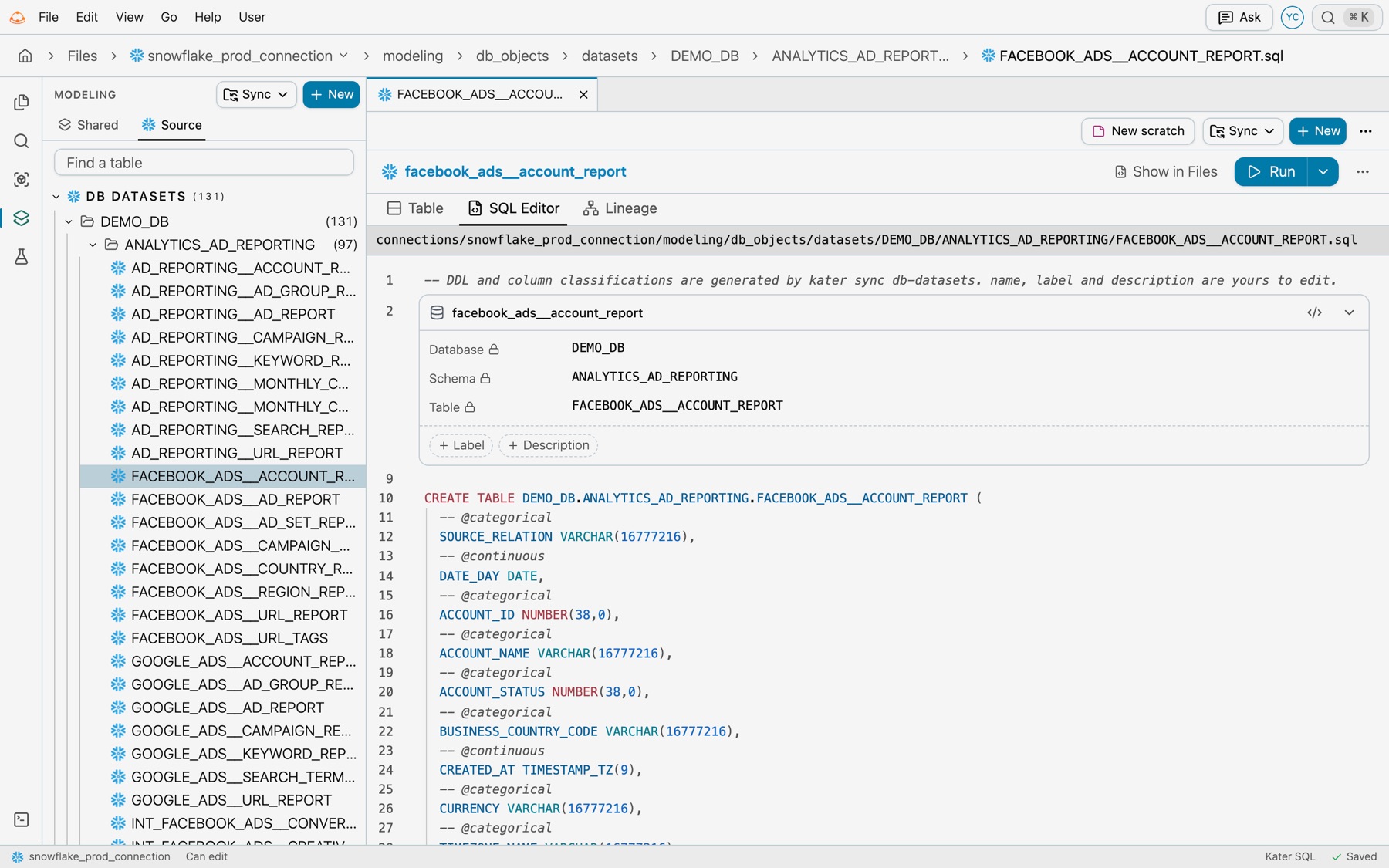
Database datasets keep Files’ own view. In Files, select View › Modeling, then the Source tab, and open a table. The file shows its locked database, schema and table, Label and Description to add, and the generated CREATE TABLE.
Keys
| Key | What it does | Example |
|---|---|---|
name | The dataset’s name in Kater. Each database dataset in a connection needs its own. It follows the warehouse table, so sync renames it when the table changes. | orders |
model_type | Always db_dataset. | db_dataset |
label, description | Display text for the table. Yours to edit, and sync keeps them. | Warehouse orders |
database, schema, table | The table’s place in the warehouse. These keys are the dataset’s identity, and the CREATE TABLE must name the same table. | shop, sales, orders |
CREATE TABLE body | The columns, in order, with the warehouse’s types and NOT NULL where it applies. Sync writes it. | amount DECIMAL(18,2) |
-- @categorical, -- @continuous | Whether each column is a category (IDs, labels, flags) or a quantity or point in time. Sync profiles new columns once and writes these. | -- @continuous |
Rules
- Sync owns the DDL. Do not edit the column list or the classifications by hand. Run
kater syncafter a table changes, or select Model › Sync DB datasets in Shared models. - Nothing runs the DDL. The
CREATE TABLEdescribes a table that already exists. Compiling or running Kater never changes your warehouse. - The physical address stays the warehouse’s. Other models read the table as
DATABASE.SCHEMA.TABLE, such asshop.sales.orders.db_dataset.ordersis not an address. - Quoted names stay exact. Snowflake folds an unquoted name to upper case and keeps a quoted one as written, so
"Orders"andordersare different tables. DuckDB ignores case. - Supported DDL is simple. A non-empty column list, with optional
OR REPLACEand, on Snowflake,TRANSIENT.CREATE TABLE AS SELECT, defaults and unsupported constraints are refused. - Files sit by database and schema. The path is
modeling/db_objects/datasets/<DATABASE>/<SCHEMA>/<TABLE>.sql. A table name with a space is escaped in the file name, such asorder%20events.sql. - Field labels and measures go one layer up. Put them in the Kater dataset over this table. To make one for a table that has none, select New › Kater dataset in Shared models and select the table.
Add one by hand
Sync is the normal way. To describe a table yourself, open Files › Modeling, select the Source tab, then New › Physical Dataset. From a terminal, kater new db-dataset --name NAME --target-path PATH writes a blank scaffold, and --dry-run shows it first.
Common errors
| Code | Cause | Fix |
|---|---|---|
invalid_create_table | The CREATE TABLE has no column list. | Run kater sync --resource-type db_dataset to write it again. |
unsupported_create_table | The statement uses AS SELECT or a modifier other than OR REPLACE and TRANSIENT. | Describe the table with a plain column list. |
invalid_ddl_type | A column type the warehouse does not have, or one written wrongly. | Use the type as the warehouse’s DESCRIBE names it. |
duplicate_column | Two columns with the same name. | Sync the table again. |