On this page
Analyze More ways in
Home and search
Start your day on Home, find anything in Kater, and turn a question into a prompt for your agent.
Home is where your day in Kater starts. One field finds any app, workspace, query or file, and turns a question into a prompt for your agent.
| If you want to… | Do this |
|---|---|
| Open something you used lately | Home › Jump back in, or Pinned |
| Find anything by name | Type in Search, or say what you want to get done, or press ⌘K on any page |
| Ask a question about your data | Type it and select Generate prompt |
| Start from a goal | Under Or make something, select a goal, such as Find out why |
| Make something new | Under Or make something, select a kind, such as Dashboard, or select New |
| See what moved each morning | Select Set up my daily brief |
| Ask about the page you are on | Ask your agent. See Ask Kater MCP. |
What is on Home
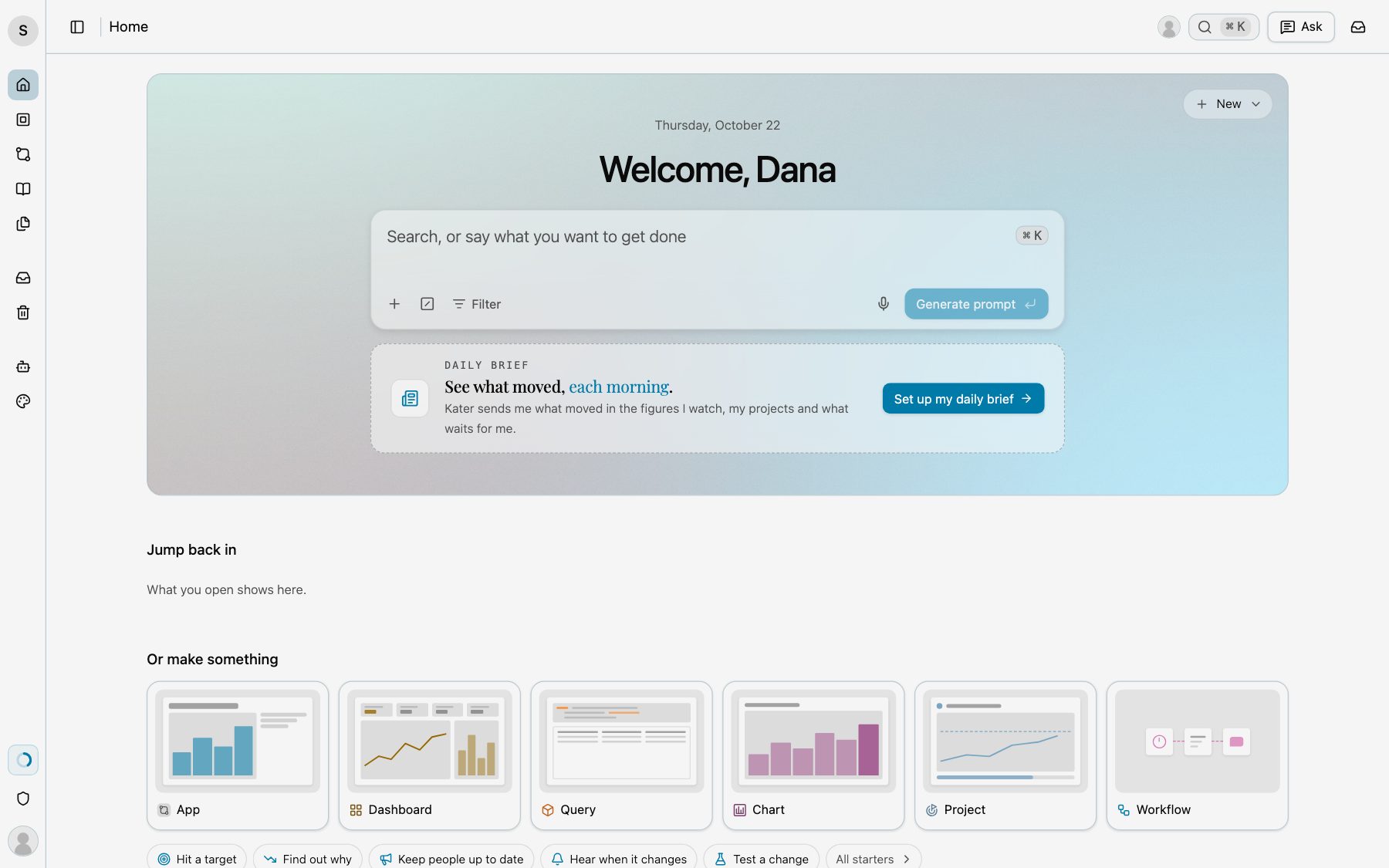
- Welcome. The date, a welcome with your first name, such as “Welcome, Dana”, and the field Search, or say what you want to get done.
- New. A menu at the top right. It makes an App, a Dashboard, a Query, a Chart, a Project, a Workflow or a Scratch file.
- Daily brief. A card under the field. Until you set it up, it says “See what moved, each morning.” Select Set up my daily brief to open its page. After that, it says what stands out today, and View my daily brief opens it.
- Pinned. What you pinned, newest first. It shows once you pin something.
- Jump back in. The apps you opened lately, then your Workspaces and Files, each with See all. Shared models shows too, once you open one. Point to a row and select Pin to keep it on Home. Before you open anything, it says “What you open shows here.”
- Or make something. One tile for each kind: App, Dashboard, Query, Chart, Project and Workflow. A tile opens the New dialog for its kind. Under the tiles, goals: Hit a target, Find out why, Keep people up to date, Hear when it changes and Test a change. A goal opens the Ask panel with its sentence. All starters opens every starter. See Starters and workflows.
- For you. What is most likely to matter to you today, such as a figure that moved or a project test that ended. Before Kater selects any, it says “Figures that stand out show here each morning.”
Search or ask
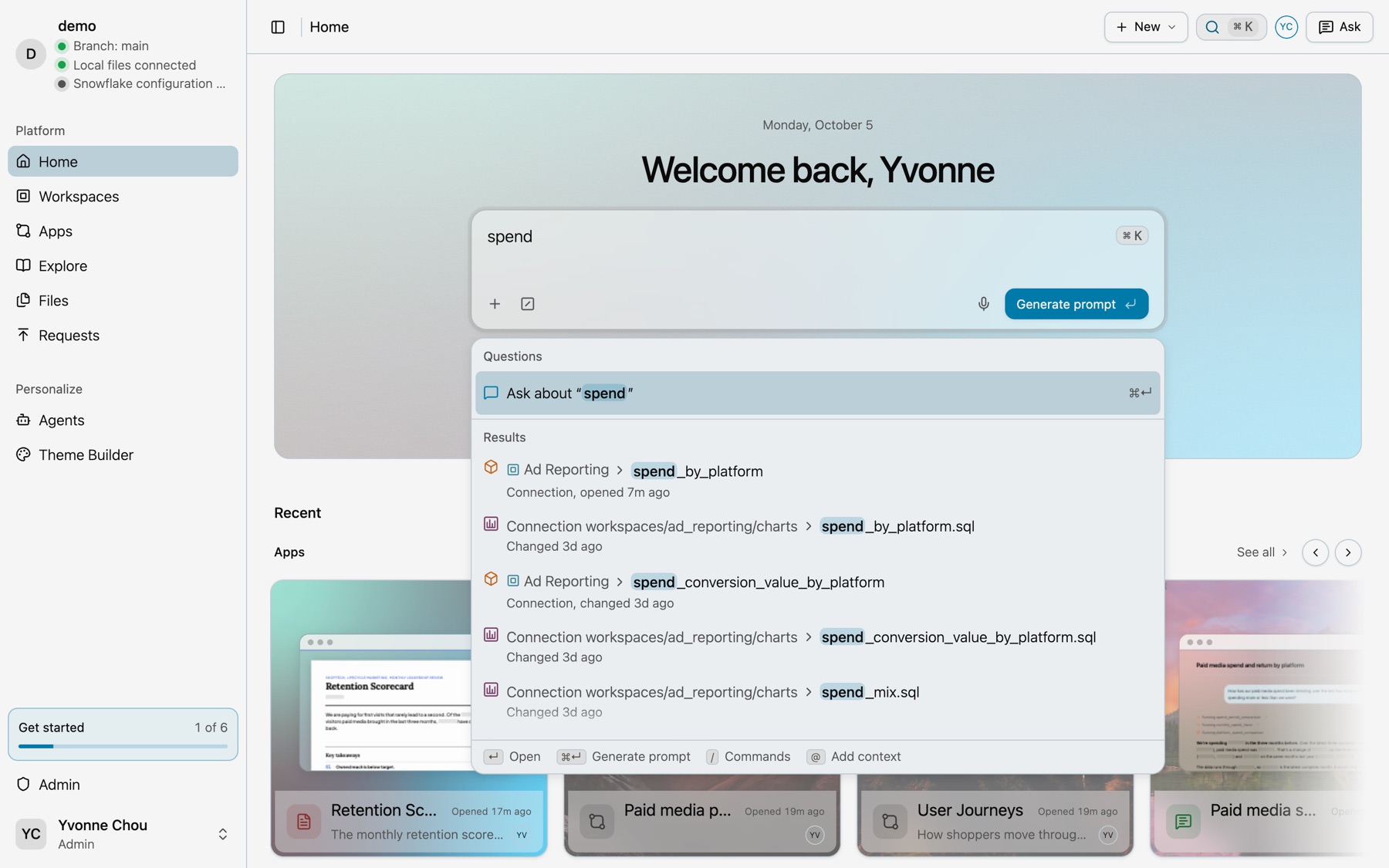
Type in the Home field. With nothing typed, it lists Recent questions and Recent. With words, it lists Questions, with Ask about “…” first, then Results: every app, workspace, dashboard, query, semantic model, file and folder that matches.
| Key or button | What it does |
|---|---|
| ↵ | Opens the selected result. |
| ⌘↵ or Generate prompt | Writes a prompt from your words and opens the Ask panel. |
| / | Adds an agent, a skill or a workflow by name. |
| @ or + | Add context: an app, workspace, query or model for your agent to read. |
| Hold to talk | Dictates instead of typing. |
Kater runs no chat of its own. The prompt goes to your own agent. See Ask Kater MCP.
Search from any page
Press ⌘K, or select Search Kater in the header. On Home, this puts the cursor in the Home field. On every other page, it opens the Search Kater dialog.
- With nothing typed. Your recent searches, then what you opened lately, under Pinned, Today, Yesterday and earlier dates.
- With words. Results grouped as Apps, Workspaces, Dashboards, Queries, Semantic models, Files and Folders.
- All, Mine, Shared with me. These tabs narrow the list.
Select a result to open it where it belongs, such as a query on its workspace page.