Analyze Your files
Files as a web IDE
Run kater commands in the browser as yourself, see compiler problems in your open files, and reach everything in Files from the keyboard.
Files is an IDE in your browser, with nothing to install. Its terminal runs Kater’s commands as you. Its Problems panel shows what the compiler says about your open files. The keyboard reaches every view and command.
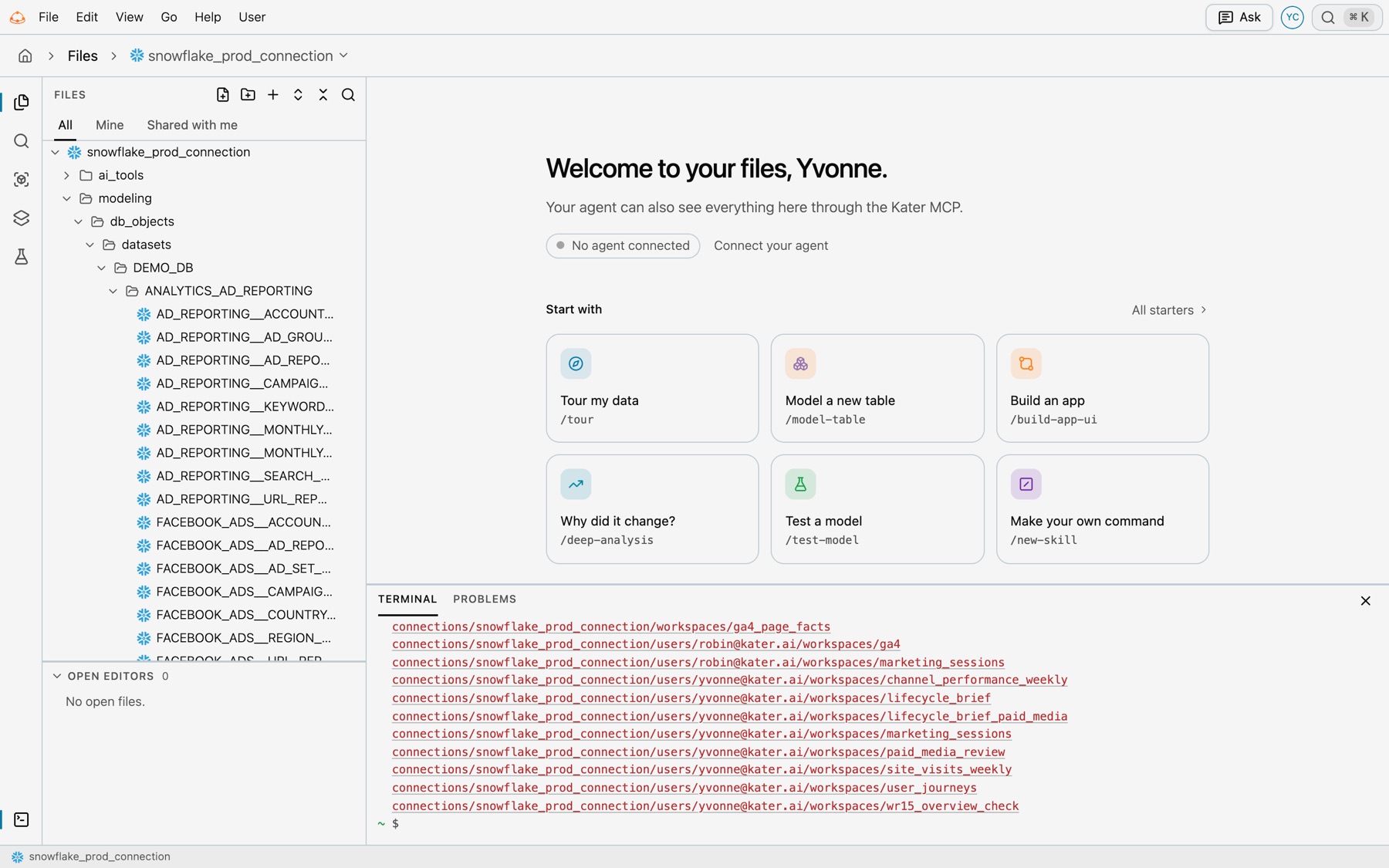
Open the terminal
Select Terminal at the foot of the rail, View › Terminal, or Terminal on the start page. Or press ⌃`. The prompt starts in your own folder, shown as ~.
How it runs
- As you. Each command runs on Kater’s server with your access. It can change any file you can edit.
- One kater command at a time. Type
kater, then the command. Pipes, redirects and chained commands do not run. - Paths. A path starts from the folder you are in, or from the content root when it starts with
connections/.~is your own folder. - Its own commands.
cd,ls(with-lfor sizes and times),pwd,open PATH:LINE,history,clearandhelp. - Keys. Up and Down move through the last 50 commands. Tab completes. ⌃C stops a command, a warehouse query included. ⌃L clears.
- Links. A path in the output, and each name that
lslists, opens in Files. A file a command changed is read again.
Commands by task
| Task | Command |
|---|---|
| See the Kater pages you have open | kater here |
| Find a model or field | kater model search TEXT |
| List the fields a query or model can use | kater model fields --document FILE |
| Run SQL or a scratch statement | kater show --select FILE --statement N |
| Run a saved query | kater run --select FILE |
| Compile a workspace or file | kater compile --select PATH |
| Run tests | kater test |
| Check that two answers are the same | kater compare --left A --right B |
| See what changed | kater history PATH |
| Undo one change | kater undo CHANGE |
| Check a brainstorm page, note or copy | kater brainstorm show PATH |
| Copy a workspace to try a change | kater brainstorm copy WORKSPACE --topic TOPIC |
| List a folder | kater files list PATH |
Real examples, as you type them:
kater herekater model search spendkater model fields --document connections/snowflake_prod_connection/workspaces/ad_reporting/query_contracts/spend_by_platform.sqlkater show --select ~/brainstorm/sandbox/user_journeys_by_tier.sql --statement 0cd connections/snowflake_prod_connection/workspaces/ad_reportingkater run --select query_contracts/spend_by_platform.sqlkater history query_contracts/spend_by_platform.sqlkater compile --select connections/snowflake_prod_connection/workspaces/ad_reportingkater test --stalekater brainstorm copy connections/snowflake_prod_connection/workspaces/ad_reporting --topic spend_trendkater compare --left connections/snowflake_prod_connection/workspaces/ad_reporting --right ~/brainstorm/spend_trend/workspaces/ad_reportingkater brainstorm show ~/brainstorm/marketing_channel_performance.mdkater files list ~/workspaceskater undo ch_3f9a21c0d4e5Add --help to any command for its options. Every command is in the Kater CLI reference.
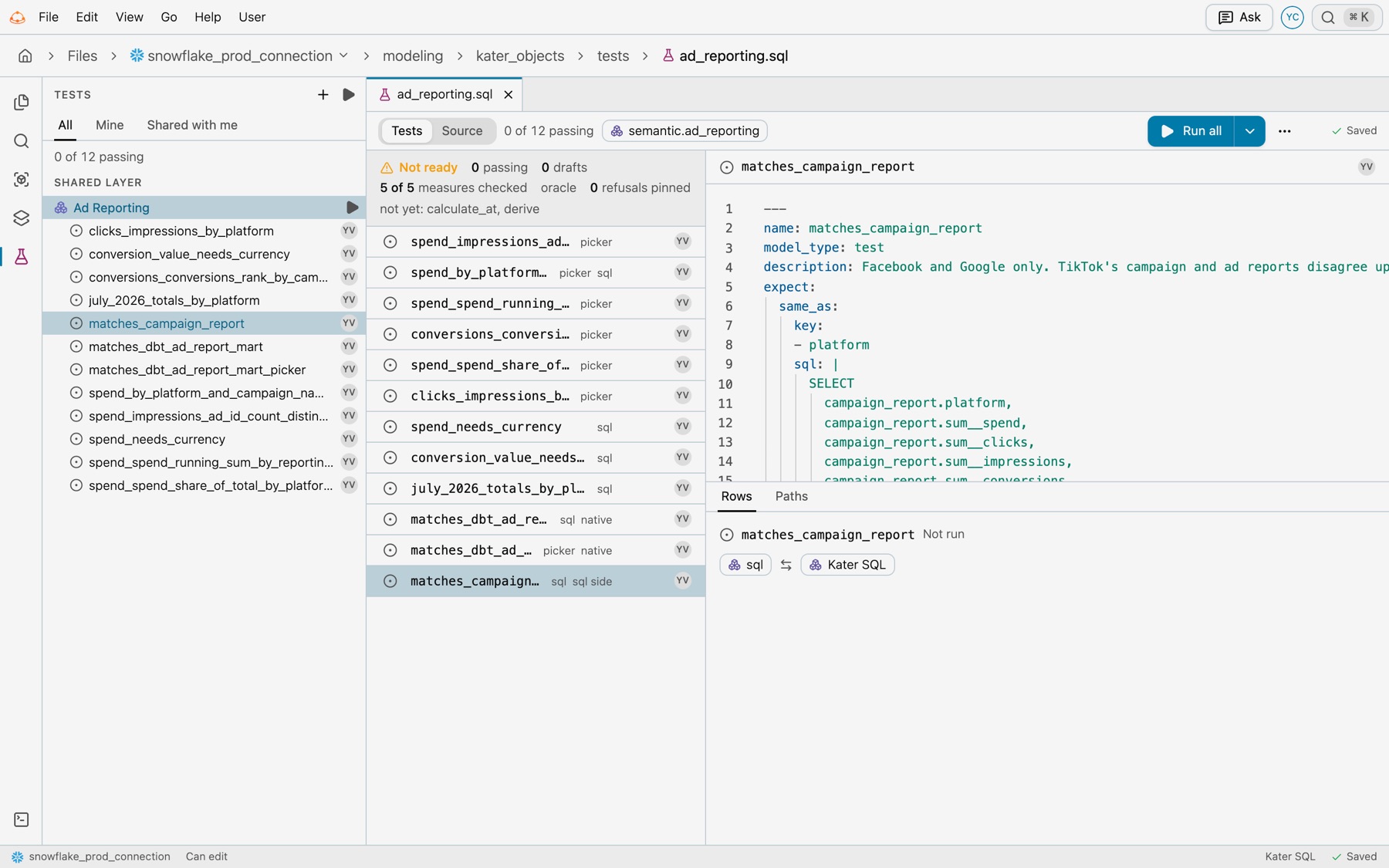
The Tests view runs tests without the terminal. A test file opens on its tests, with Run all.
What the terminal refuses
Credentials, administration and Kater’s own services stay in your own terminal or the portal. The terminal refuses these groups and says why:
| Group | Why |
|---|---|
login, logout, auth, debug | The terminal already runs as you |
git | Files saves your edits as you make them. Git works in a local copy. |
scope | The folder you are in is the scope. Use cd. |
admin, except admin conversations | It changes who can see what, who is in the organisation, the warehouse connections or GitHub. admin conversations only reads, so it runs for a person with the permission to read the audit. |
init | It sets up the organisation |
parse, retry | They read or write files in target/ on your own computer |
serve, worker, job, agent, vscode | They start servers, jobs or agents, or install the editor extension |
The terminal also does not run new semantic-model, new db-dataset, new kater-dataset, new options or execution. Run them in your own terminal.
kater sync runs a real sync only for people with the settings permission. For anyone else, it runs only with --dry-run, which shows what it would change, and kater sync status works for everyone.
Problems
Select View › Problems. The panel lists the compiler’s problems for each open Kater SQL file, errors first, then warnings and notes. It checks a file again a moment after you stop typing, and when someone changes a file it reads. Select a problem to open its file at that line. With nothing wrong, it says “No problems in your open files.”
Go to file and Run a command
- Go to file (⌘P, or Go › Go to file). Find a file in the connection by name. With nothing typed, it lists your recent files. Type
>to switch to commands. - Run a command (⇧⌘P, or Go › Run a command). Run any command from the menus, such as New test, Show Modeling or Toggle the terminal. For the file in front, it adds Pin this file to Home, Copy a link to this file, Go to its workspace and Close this tab.
Keyboard shortcuts
| Mac | Windows and Linux | Does |
|---|---|---|
| ⌘P | CtrlP | Go to file |
| ⇧⌘P | CtrlShiftP | Run a command |
| ⇧⌘F | CtrlShiftF | Search files |
| ⌃` | Ctrl` | Show or hide the terminal |
| ⌘B | CtrlB | Show or hide the sidebar |
| ⌥W | AltW | Close the tab |
| ⌘S | CtrlS | Save now |
| F2 | F2 | Rename the selected file in the tree |
The status bar
From left to right: the connection, Can edit or View only for the file in front, the cursor’s line and column, the file’s language, such as Kater SQL or YAML, and whether it is Saving…, Saved, Unsaved changes or Not saved.
Files and a local copy
Files and a local copy hold the same content in the same layout, so the same paths and commands work in both.
| Files | Local copy | |
|---|---|---|
| Where | Your browser | Your machine, made with kater git clone |
| Saving | Saves as you type | Git commits, published with kater git push |
| Commands | kater commands as you, with the groups above refused | Every kater command |
| Your brainstorm folder | Yes | No. It stays in Kater. |
| Editor | Files | VS Code with the Kater extension |
If you use the Kater extension, Open in VS Code shows in a file’s right-click menu and in Run a command. To open Kater links in VS Code, set Profile › Links › Open links in.