Dashboard
Dashboard
Paid media
Ad Reporting
A shared dashboard for paid media: conversions this month, the leading platform, spend mix and weekly delivery.
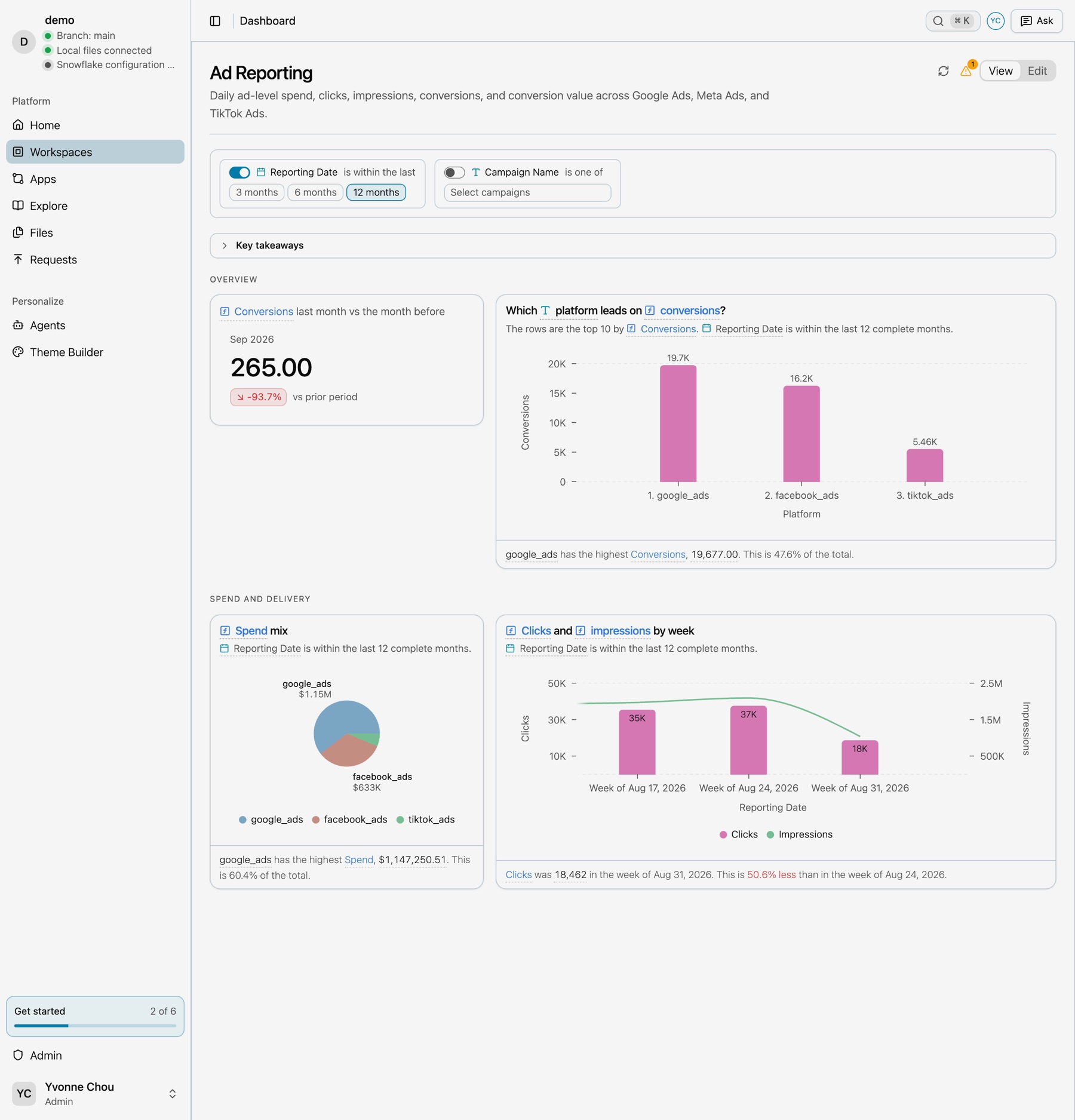
Overview and Spend and delivery sections, with the reporting date filter on.
Rebuild prompt
Prompt
Build an Ad Reporting dashboard in two sections. Overview: a headline of total conversions last month against the month before, and a ranked list of which platform leads on conversions. Spend and delivery: a pie of spend mix by platform, and a weekly combo chart with clicks as bars and impressions as a line on a second axis. Open it with the last-12-months reporting date filter on.
Build it by hand
Open the workspace, select Dashboard, then Edit. Drag saved charts from Saved charts into a section, and set the filter in Dashboard settings. See Dashboards.