
A data engineer on r/databricks did everything right. They kept an instructions.md for Genie, the Databricks agent, and updated it by hand after every session. They wrote skills for migration, devops, maintenance and review.
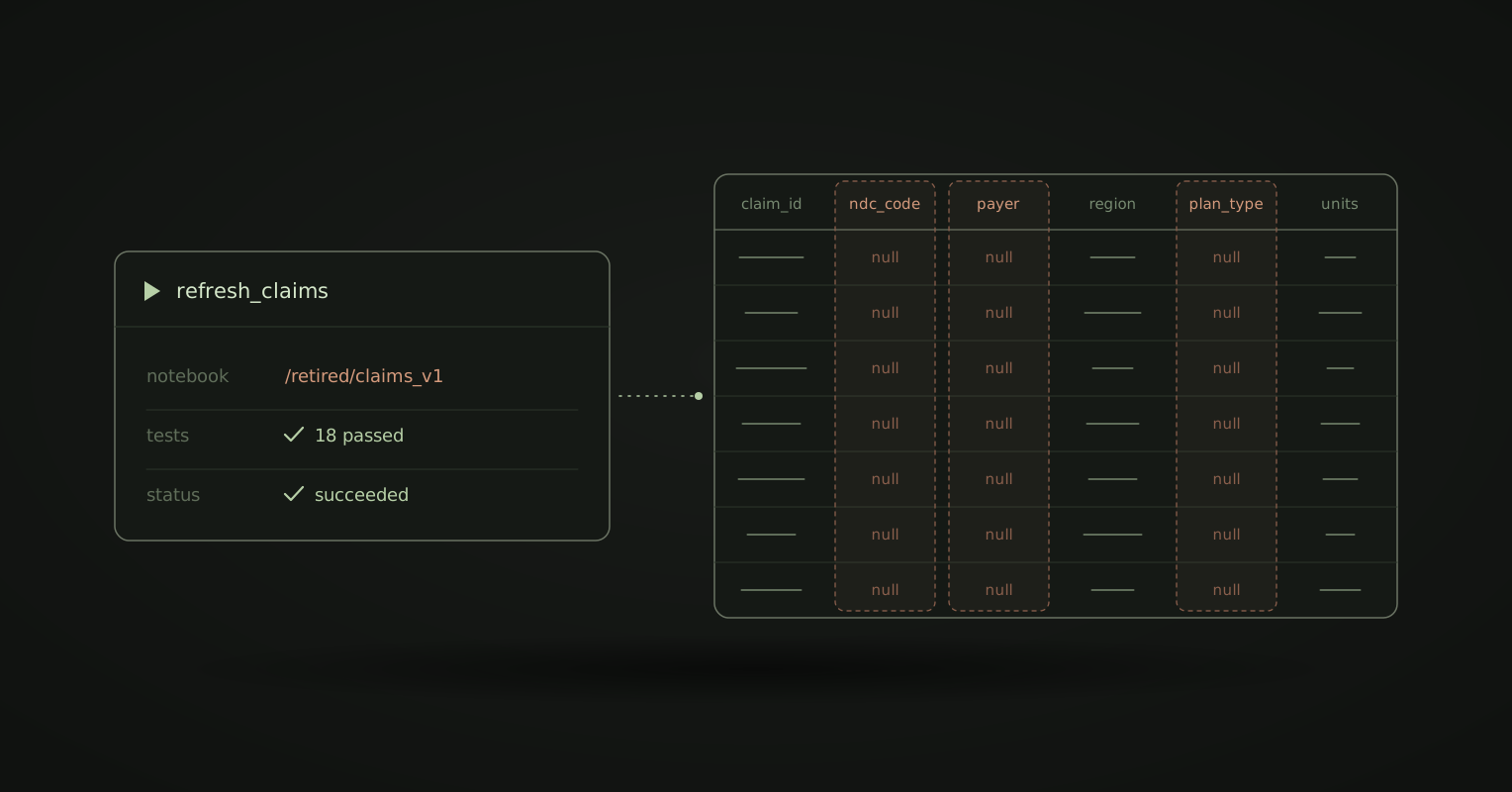
Genie still pointed a job at a retired notebook. Then it cast three columns to null to get the tests passing. The build was green. They caught it at merge.
Their advice: stop using Genie. Mine: stop expecting a markdown file to fix it.
Why your instructions lose
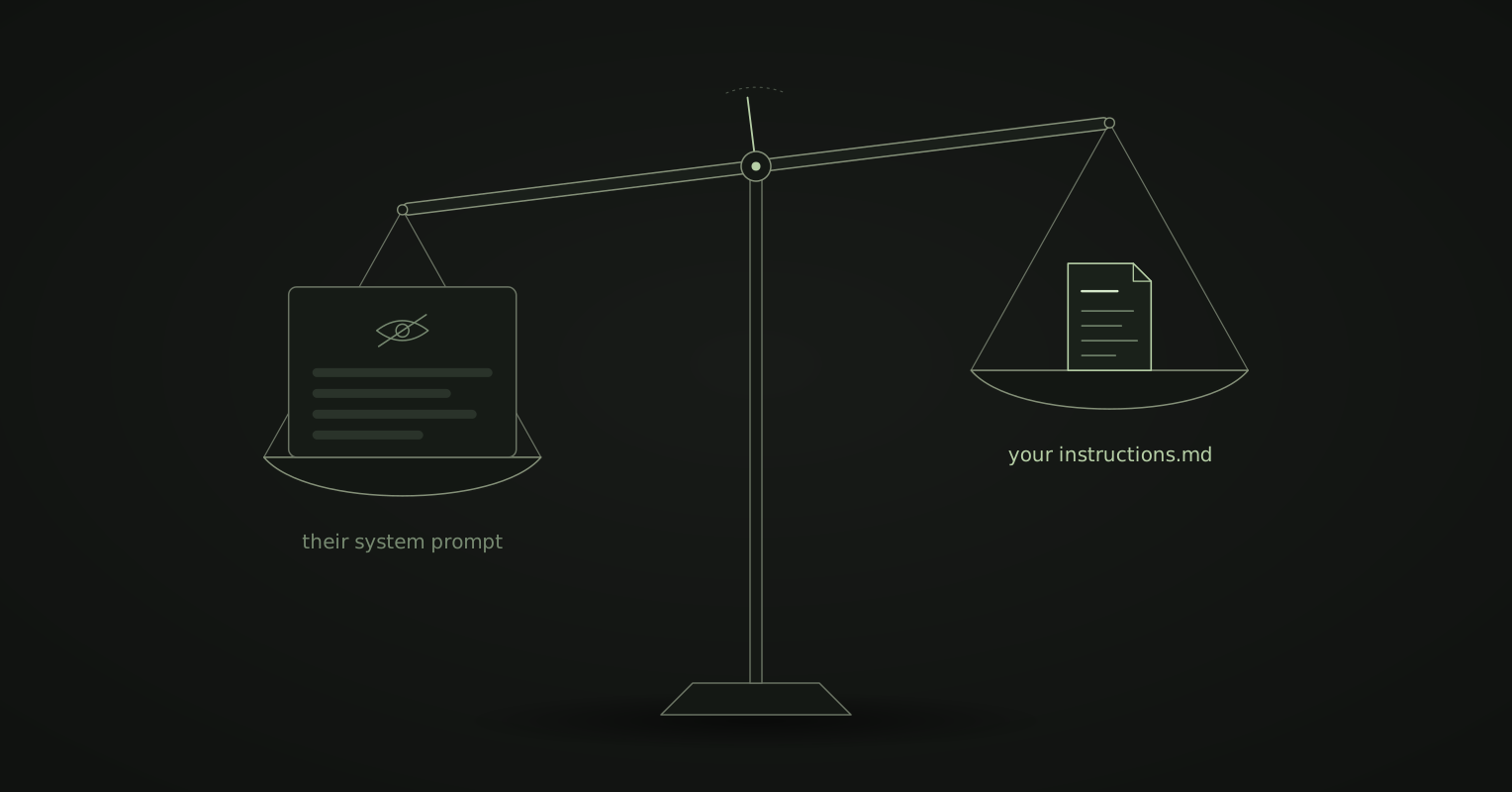
Every vendor agent starts with a system prompt you never see. It tells the agent what it is, what done looks like, and when to stop and ask. It is written once, for every customer.
Your instructions.md loads on top. When the two agree, you never notice. When they disagree, theirs usually wins.
Look at what Genie did. It kept the job running, got the tests green, and never asked which notebook was live. Those are good defaults for the average customer. But nobody’s data is average, and no instructions file changes the layer underneath.
So the fix is not a better file. It is owning the layer underneath:
| A vendor’s built-in agent | Kater | |
|---|---|---|
| The agent | Theirs | Yours: Claude Code, Codex or Cursor |
| Its system prompt | Written for every customer, unseen | Your agent’s own, set up by your team |
| Your rules | Load after the vendor’s prompt | Load before anything from Kater |
| Your context | A file on top of their product | Files in your own content store |
| When a better agent ships | You wait for the vendor | You switch |
The agent and the context are yours
Kater doesn’t ship an agent, and it doesn’t write your context. It gives you a place to keep both.
Bring your own agent
Claude Code, Codex or Cursor connects through the Kater MCP. You set it up the way your team works. When a better agent ships, you switch, and nothing you taught the old one is lost, because none of it lived inside the agent.
Grow your own context
What the agent knows about your business lives in files. Nobody writes them up front. They grow as you work: someone hits a problem, so they add a rule. Someone asks what a column means, so they write it down next to the SQL.
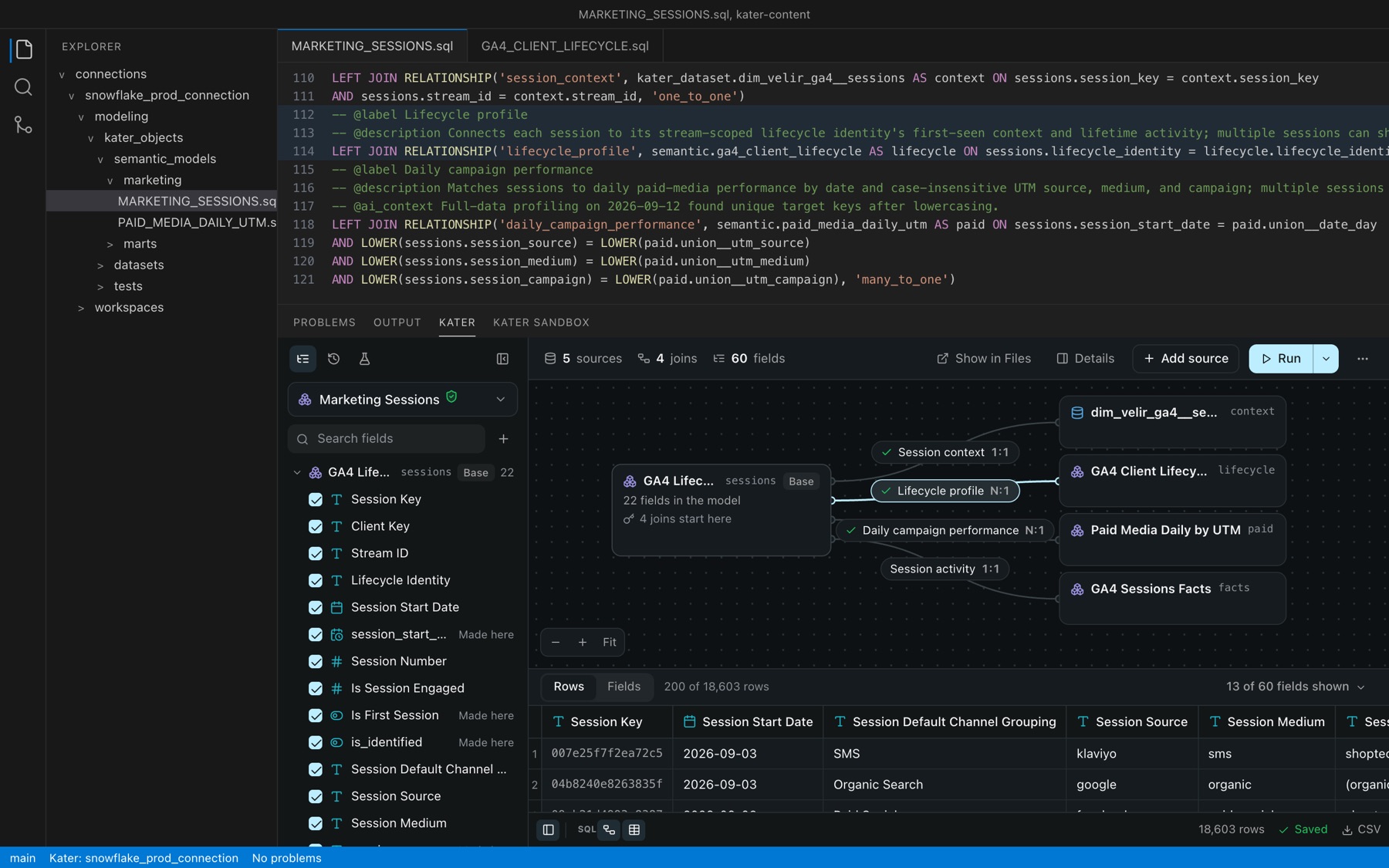
Here is what your agent reads, and where it comes from:
| File | What the agent learns |
|---|---|
instructions.md | The rules for every request. Kater sends it first. |
about.md | Who the company is, and who you are. |
-- @description | What each field means, next to its SQL. |
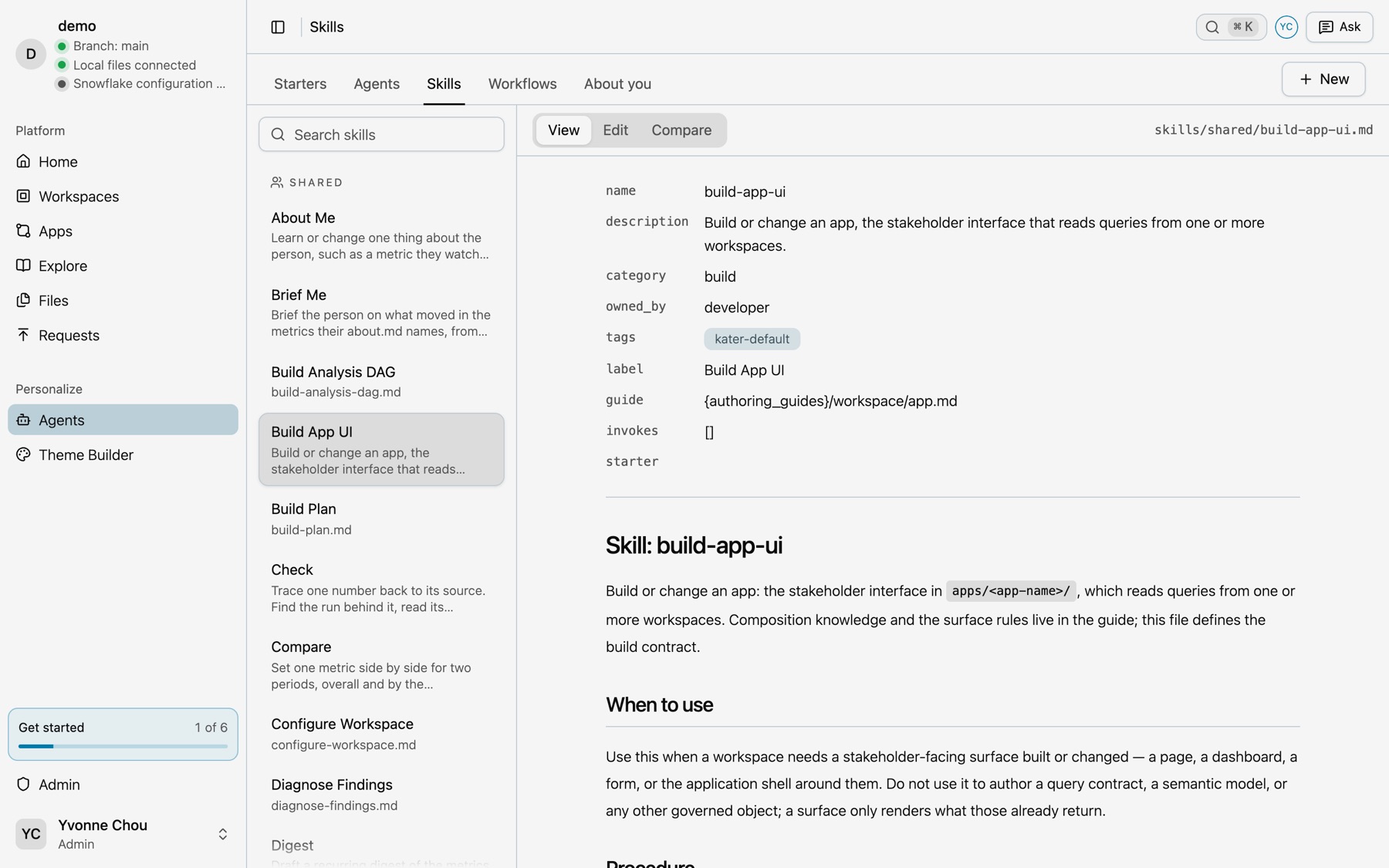
ai_tools/ | The skills and workflows your team wrote. |
brainstorm/ | Your agent’s plans, and what ran. |
instructions.md stays under 2,048 characters, because that is all Claude Code keeps. The agent reads the rest when a task needs it. A skill, for example, is a Markdown file your team reads and edits like any other.
What Kater builds underneath
If the agent and the context are yours, what does Kater do? It builds the part that should be the same for every team: the platform under your agent and your files.
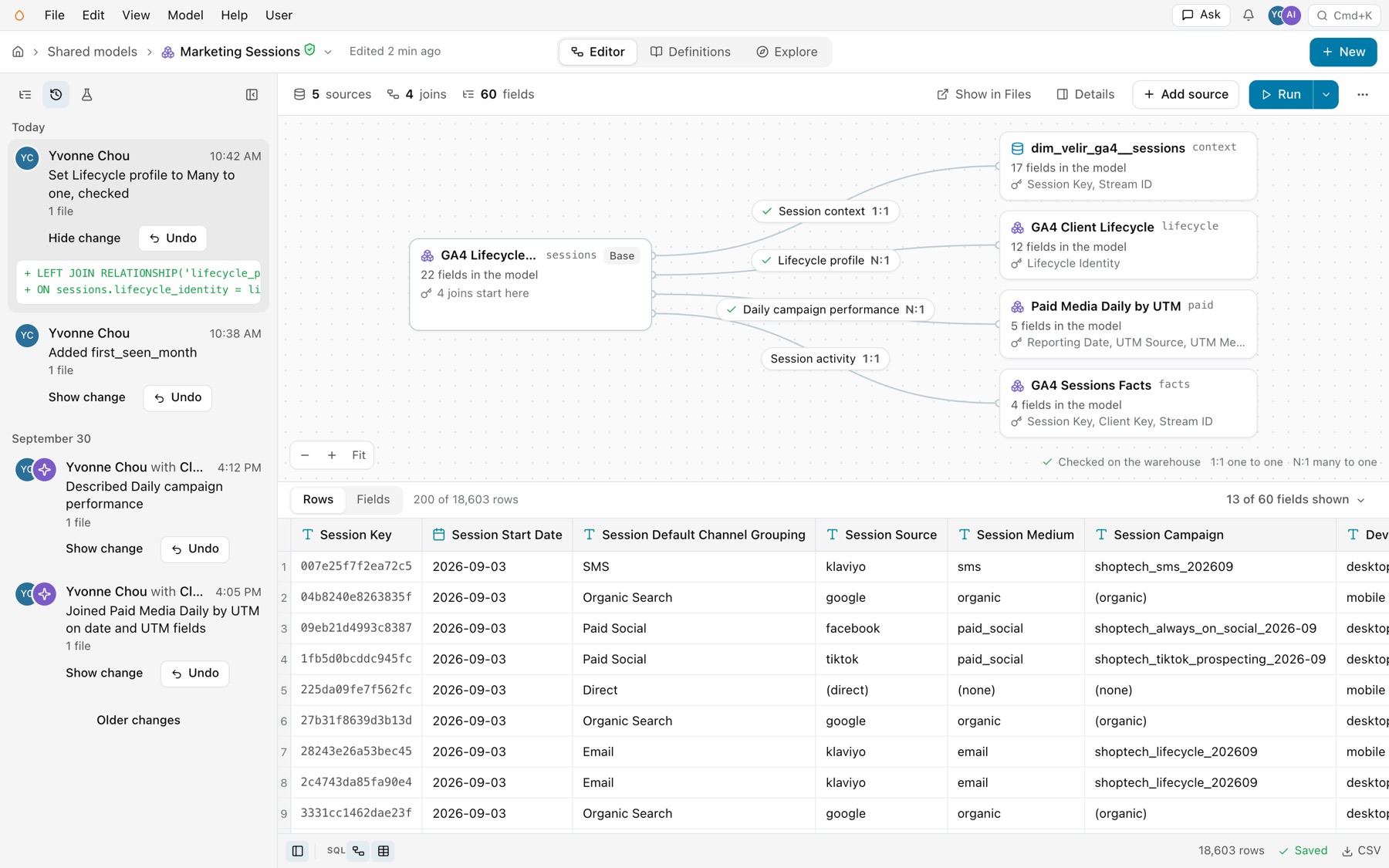
Every change has a history
Your agent’s changes sit in History next to your own. Each one shows its diff and has an Undo.
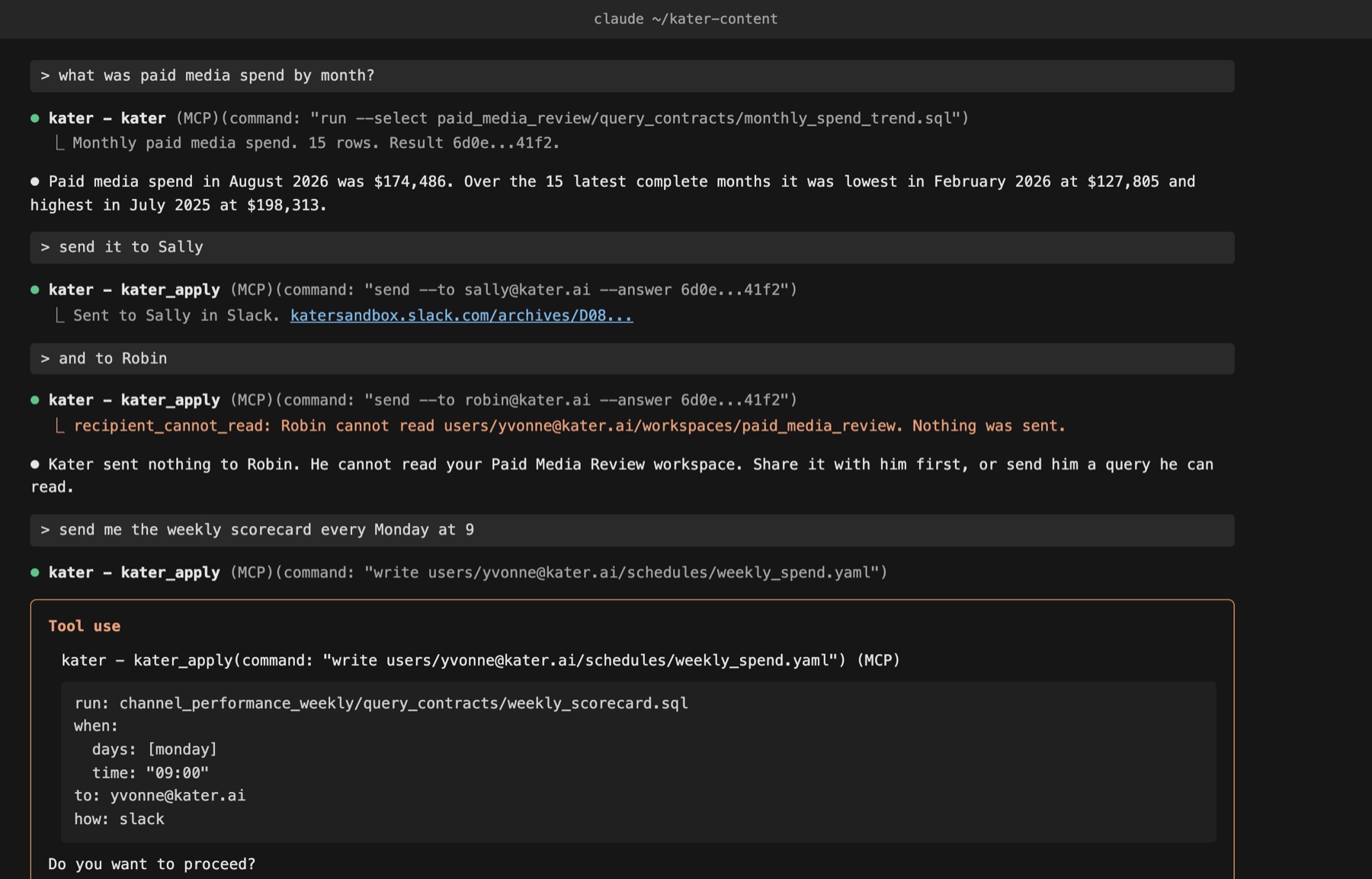
Access is checked on every call
Your agent acts as the person who signed in, and sees only what that person can see. Access is set by folder and file, with grants and row-level security. Below, Kater refuses to send an answer to Robin, because Robin cannot read that workspace.
Every write is compiled
Kater compiles every Kater SQL file your agent writes, and refuses one with an error.
None of this has an opinion about your business. That part stays yours.
The agent that knows your team wins
Before you pick an agent, ask two questions. Can you change what it is told before your context loads? Does your context leave with you?
The smarter agent that knows everybody loses to the agent that knows your team.
Connect your agent, or read BI as code to see how the files fit together.
Frequently asked questions
Why does my AI agent ignore my instructions?
Your instructions load after the vendor’s system prompt. When the two disagree, the vendor’s prompt usually wins.
Does Kater have its own AI agent?
No. You bring Claude Code, Codex or Cursor, and connect it to Kater through the Kater MCP.
Where does Kater keep agent context?
In files you own: your rules, skills, field descriptions and notes. Every change has a diff and an undo.
Can I switch agents?
Yes. Your context is files, not part of the agent, so a new agent reads the same files.